






How Long Do Lithium-Ion Batteries Last?
Most lithium-ion batteries last 2 to 5 years or approximately 300 to 1,000 full charge cycles, depending on how they're used and maintained. Factors such as charging habits, heat, storage conditions, and battery quality all affect how quickly a battery loses capacity. With proper care, many lithium-ion batteries can retain around 80% of their original capacity after hundreds of charging cycles.
| Question | Quick Answer |
|---|---|
| How long do lithium-ion batteries last? | 2–5 years |
| How many charge cycles? | 300–1,000 cycles |
| When should you replace one? | Around 80% battery health or noticeable performance loss |
| Biggest cause of battery wear? | Heat |
| Best charging range | 20%–80% for maximum longevity |
Why This Matters
Whether it's your smartphone, laptop, tablet, or power bank, almost every modern portable device relies on a lithium-ion battery. Understanding what affects battery lifespan can help you get more years out of your devices, reduce replacement costs, and maintain better performance over time.
10 Proven Ways to Extend Lithium-Ion Battery Life
While lithium-ion batteries naturally lose capacity over time, the rate of degradation depends largely on how they're used. Following a few simple habits can help your battery stay healthier for longer, whether it's in your smartphone, laptop, tablet, or power bank.
1. Avoid Extreme Heat
Heat is the biggest enemy of lithium-ion batteries. Leaving devices in direct sunlight, inside a hot car, or using them heavily while charging can accelerate battery degradation. Keeping your device cool whenever possible is one of the most effective ways to extend battery lifespan.
2. Don't Leave Your Battery at 0% for Long
Allowing a lithium-ion battery to remain completely discharged for extended periods can make it harder to recharge and may permanently reduce its capacity. Recharge your device soon after it reaches a low battery level.
3. Avoid Keeping It at 100% All the Time
Constantly keeping a battery fully charged places it under more stress than keeping it within a moderate charge range. If you don't need maximum runtime every day, charging to around 80% can help reduce long-term wear.
4. Use a Quality Charger and Cable
Stable power delivery helps reduce unnecessary stress during charging. Poor-quality chargers and cables can generate excess heat or deliver inconsistent power, affecting charging performance and potentially shortening battery lifespan over time.
5. Keep Your Software Updated
Manufacturers regularly improve battery management through software updates. Installing the latest updates can help your device charge more efficiently and better manage heat and power consumption.
6. Avoid Heavy Tasks While Charging
Gaming, video editing, and other demanding activities generate heat while your battery is also charging. If possible, let your device charge before performing resource-intensive tasks.
7. Store Batteries Properly
If you're storing a device or spare battery for several weeks or months, keep it in a cool, dry place at around 40%–60% charge. Storing a battery completely full or completely empty can accelerate degradation.
8. Charge More Often Instead of Draining Completely
Lithium-ion batteries don't need to be fully discharged before recharging. Frequent partial charges are generally less stressful than repeatedly cycling from 100% to 0%.
9. Enable Built-In Battery Protection Features
Many smartphones and laptops include features like Optimized Battery Charging or Battery Protection, which reduce the amount of time a battery spends at 100%. Enabling these settings can help extend battery lifespan with little impact on everyday use.
10. Replace Aging Batteries When Necessary
Every lithium-ion battery eventually reaches the end of its useful life. If your device no longer lasts as long as it used to, charges unusually slowly, or shuts down unexpectedly, replacing the battery may restore performance and improve reliability.
Battery Habits: Good vs Bad
| Good Habit | Avoid |
|---|---|
| Keep devices cool | Leaving devices in hot cars |
| Charge between 20–80% when practical | Keeping batteries at 100% continuously |
| Use certified chargers and cables | Cheap or damaged accessories |
| Install software updates | Ignoring battery management features |
| Store batteries around 40–60% charge | Long-term storage at 0% or 100% |

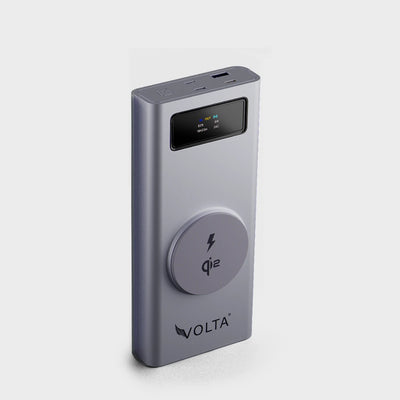
VoltaGo MAX - 27,000 mAh
$185.00 $291.00
Save $106.0027,000 mAh Airline-Safe Portable Power Bank VOLTAGO Max is a singular power system that will work with just about any device you own. Made to ...
Why Lithium-Ion Batteries Lose Capacity Over Time
Every lithium-ion battery gradually loses capacity as it ages. This is a natural part of the battery's chemistry and happens regardless of how carefully it is used. However, factors such as heat, charging habits, and the number of charge cycles can significantly affect how quickly that capacity declines.
1. Every Charge Cycle Causes Small Amounts of Wear
Each time a lithium-ion battery is charged and discharged, tiny chemical changes occur inside the battery cells. These changes are irreversible and slowly reduce the battery's ability to store energy. While a single charge cycle has very little impact, hundreds of cycles eventually lead to noticeable capacity loss.
2. Heat Speeds Up Battery Degradation
Heat accelerates the chemical reactions inside lithium-ion batteries, increasing wear over time. This is why devices often charge more slowly when they're hot and why manufacturers include thermal management systems to protect battery health.
3. Time Ages Batteries Too
Even if you rarely use a device, its lithium-ion battery continues to age. Chemical reactions occur naturally over time, meaning a battery that's several years old may have lower capacity even if it has relatively few charge cycles.
4. High and Low Charge Levels Create More Stress
Lithium-ion batteries experience the greatest stress when kept near 0% or 100% for extended periods. Spending more time within a moderate charge range generally reduces stress and helps preserve battery capacity.
5. Battery Management Systems Help Protect Modern Devices
Smartphones, laptops, tablets, and power banks include battery management systems (BMS) that monitor temperature, voltage, and charging speed. These systems automatically reduce charging power when necessary to improve safety and help extend battery lifespan.
What Affects Battery Lifespan?
| Factor | Effect on Battery Life |
|---|---|
| High temperatures | Speeds up degradation |
| Frequent charging to 100% | Increases long-term stress |
| Deep discharges to 0% | Increases battery wear |
| Partial charging (20–80%) | Helps reduce stress |
| Using quality chargers | Supports stable charging |
| Proper storage | Preserves battery health |
Did You Know?
A lithium-ion battery doesn't suddenly "die." Instead, it gradually loses capacity over hundreds of charging cycles, which is why your phone may still work perfectly but require more frequent charging after a few years.
Signs It's Time to Replace a Lithium-Ion Battery
No lithium-ion batter lasts forever. As the battery ages, it gradually loses its ability to store energy, resulting in shorter runtimes and reduced performance. While some decline is normal, certain warning signs indicate that a battery may be nearing the end of its useful life and should be replaced.
1. Your Battery Drains Much Faster Than It Used To
If your phone, laptop, or power bank no longer lasts as long as it once did despite similar usage, the battery has likely lost a significant portion of its original capacity. This gradual reduction is a normal part of battery aging.
2. The Device Shuts Down Unexpectedly
A worn-out battery may struggle to supply enough power during demanding tasks, causing the device to shut down even when the battery indicator still shows charge remaining.
3. Charging Takes Longer Than Before
Older batteries often become less efficient during charging. If charging now takes noticeably longer using the same charger and cable, battery wear may be one of the contributing factors.
4. The Battery Becomes Unusually Hot
While some warmth during charging is normal, excessive or persistent heat may indicate that the battery is deteriorating or under abnormal stress. Repeated overheating can further accelerate battery degradation.
5. The Battery Starts Swelling
A swollen lithium-ion battery is a serious safety concern and should never be ignored. Swelling usually indicates internal gas buildup caused by battery failure. If you notice the battery pushing against the device casing or changing shape, stop using it immediately and follow proper disposal procedures.
6. Battery Health Drops Below Around 80%
Many smartphones and laptops allow you to check battery health. Once the battery falls to around 80% of its original capacity, you may begin noticing shorter battery life and reduced performance during everyday use. While the device may still function normally, this is often the point at which users consider replacing the battery.
Common Signs of Battery Wear
| Symptom | Is It Normal? | Recommended Action |
|---|---|---|
| Battery drains faster than before | Yes (with age) | Monitor battery health |
| Device shuts down unexpectedly | Sometimes | Check battery condition |
| Charging takes much longer | Possible wear | Test another charger and cable |
| Battery becomes excessively hot | No | Stop heavy use and investigate |
| Battery swelling | Dangerous | Stop using the battery immediately |
| Battery health below 80% | Common after years of use | Consider battery replacement |
Replace the Battery, Not Always the Device
In many cases, replacing an aging lithium-ion battery can restore much of a device's original battery life. If the rest of the device is functioning well, replacing the battery is often a more affordable and environmentally friendly option than purchasing a new device.
Common Myths About Lithium-Ion Batteries
Lithium-ion batteries have been around for decades, yet many outdated charging myths continue to circulate online. Some of these misconceptions date back to older battery technologies and no longer apply to the batteries used in today's smartphones, laptops, tablets, and power banks.
Myth #1: You Should Always Charge to 100%
Not necessarily. While charging to 100% is perfectly safe when you need maximum battery life for the day, keeping a lithium-ion battery at full charge continuously can increase long-term stress. If you don't need every last percentage point, charging to around 80% can help reduce battery wear over time.
Myth #2: You Must Drain the Battery to 0% Before Recharging
This advice applied to older nickel-based batteries, not modern lithium-ion batteries. In fact, frequently allowing a lithium-ion battery to reach 0% can place additional stress on the battery. Partial charging is generally better for long-term battery health.
Myth #3: Fast Charging Always Damages Batteries
Modern fast charging is designed with battery protection in mind. Smartphones, laptops, and other devices carefully manage charging speed based on temperature and battery condition. While fast charging generates more heat than slower charging, the battery management system automatically adjusts power delivery to help protect the battery.
Myth #4: Leaving Your Phone Plugged In Overnight Ruins the Battery
Modern devices stop charging once the battery reaches full capacity and often use features such as Optimized Battery Charging to delay the final portion of charging until just before you normally wake up. While keeping a battery at 100% for extended periods isn't ideal every day, charging overnight occasionally won't suddenly damage your battery.
Myth #5: Closing Apps Saves Battery Health
Force-closing apps doesn't significantly improve battery lifespan. In many cases, reopening apps actually uses more energy than leaving them suspended in the background. Battery health is influenced far more by heat, charging habits, and battery age than by how often you close apps.
Myth #6: Refrigerating a Battery Makes It Last Longer
No. While high temperatures are harmful, placing a battery in a refrigerator or freezer can expose it to moisture and condensation, potentially causing permanent damage. The best storage environment is simply a cool, dry place.
Myth vs Reality
| Myth | Reality |
|---|---|
| Always charge to 100% | Charge to 100% when needed, but spending less time at full charge can reduce long-term wear. |
| Drain to 0% before charging | Partial charging is generally better for lithium-ion batteries. |
| Fast charging destroys batteries | Modern devices manage charging safely using battery management systems. |
| Overnight charging always damages batteries | Modern devices automatically manage charging once the battery is full. |
| Closing apps improves battery health | Heat and charging habits have a much bigger impact than background apps. |
| Cold storage improves battery life | Store batteries in a cool, dry environment—not a refrigerator or freezer. |
The Biggest Myth of All
Lithium-ion batteries don't fail because you charged them "wrong" one time. They gradually wear out through normal use. The goal isn't to avoid every bit of battery wear, it's to slow it down with good charging habits, quality accessories, and proper temperature management.
Frequently Asked Questions About Lithium-Ion Battery Life
How long does a lithium-ion battery typically last?
Most lithium-ion batteries last between 2 and 5 years, or around 300 to 1,000 full charge cycles, depending on how they're used, charged, and stored.
How many charge cycles does a lithium-ion battery have?
Most consumer lithium-ion batteries are designed to deliver between 300 and 1,000 full charge cycles before their capacity drops to around 80% of the original.
Is it bad to charge a lithium-ion battery to 100%?
Charging to 100% is safe when you need maximum battery life for the day. However, keeping the battery at 100% continuously may increase long-term wear. For everyday use, many experts recommend keeping the battery between 20% and 80% whenever practical.
Should I let my battery drain to 0% before charging?
No. Unlike older nickel-based batteries, lithium-ion batteries do not benefit from full discharges. Frequent deep discharges can actually shorten battery lifespan.
Does fast charging reduce battery life?
Modern fast charging is designed to be safe. Devices automatically manage charging speed and temperature to protect the battery. The biggest factor isn't fast charging itself—it's excessive heat generated during charging.
What is the best charging range for a lithium-ion battery?
For maximum longevity, keeping the battery between 20% and 80% is generally recommended. However, charging to 100% occasionally is completely normal and won't suddenly damage the battery.
What causes lithium-ion batteries to degrade?
The biggest contributors are:
- Heat
- Charge cycles
- Battery age
- Keeping the battery at very high or very low charge levels for long periods
These factors gradually reduce the battery's ability to hold a charge.
How do I know when my lithium-ion battery needs replacing?
Common signs include noticeably shorter battery life, unexpected shutdowns, excessive heat, swelling, or battery health dropping below about 80% of its original capacity.
Can a lithium-ion battery last 10 years?
It's possible in some low-use applications, but most lithium-ion batteries used in phones, laptops, and power banks will begin showing noticeable capacity loss well before 10 years due to normal chemical aging.
What's the best way to store a lithium-ion battery?
If you're storing a battery for an extended period, keep it in a cool, dry place with around 40%–60% charge. Avoid storing it completely full or completely empty.
Conclusion
Lithium-ion batteries don't last forever, but the way you use and charge them has a significant impact on how long they stay healthy. By avoiding excessive heat, using quality chargers and cables, keeping your battery within a moderate charge range when practical, and following good charging habits, you can slow battery degradation and get more years out of your devices.
Whether you're charging a smartphone, laptop, tablet, or power bank, understanding how lithium-ion batteries work helps you make smarter decisions that improve both performance and longevity. While some battery wear is inevitable, a little care today can help your devices stay reliable for much longer.

VoltaGo MAX - 27,000 mAh
27,000 mAh Airline-Safe Portable Power Bank VOLTAGO Max is a singular power system that will work with just about any...




2 comments
Volta Charger
Hi Noah,
Thank you for the positive feedback! We’re glad you found the article detailed and informative. If you think others would find it valuable too, please feel free to share it with your network.
Best regards,
Volta Charger Team
Noah
informational and detailed, thanks
Leave a comment
This site is protected by hCaptcha and the hCaptcha Privacy Policy and Terms of Service apply.