






Can You Charge a Laptop Without Its Original Charger?
Yes, provided your laptop supports the right charging method. Most modern laptops can be charged using USB-C Power Delivery (USB-C PD), a compatible high-wattage power bank, a GaN USB-C charger, or a powered USB-C docking station. Older laptops with proprietary charging ports may require a compatible replacement charger or a USB-C PD trigger adapter.
| Situation | Will It Work? |
|---|---|
| USB-C PD charger | Yes |
| USB-C laptop power bank | Yes |
| USB-C docking station | Yes |
| USB-C monitor with Power Delivery | Yes |
| Car charger with USB-C PD | Yes |
| Phone charger (20W–30W) | Usually too slow |
| Standard USB-A charger | No |
| HDMI cable | No |
Why You Don’t Actually Need Your Original Laptop Charger Anymore
Leaving the house and realizing your laptop charger is still plugged into a baseboard at home used to be a day-ender. In the old days of tech, you were a hostage to the proprietary "barrel plug" or that specific, bulky plastic brick that came in the box, If you lost it, you spent $90 and waited three days for shipping while your productivity hit a wall.
That era is over. As of 2026, the tech industry has finally moved toward a universal standard. Almost every modern laptop from MacBooks and Dells to high-end gaming rigs, now supports charging via USB-C.

This means the "original" charger is just one of many options. You can now use high-output power banks, compact GaN hubs, or even shared workstation docks to keep your machine alive. This guide breaks down the most effective laptop charging methods in 2026.
How to Charge a Laptop Using USB-C
To successfully charge a laptop without a charger, you have to understand the math of USB-C Power Delivery (PD). Most people grab a random phone cord, plug it into their laptop, and wonder why the battery percentage is still dropping. The laptop usually shows a "Slow Charger" warning because it isn't getting the right "pressure" to fill the battery.
Think of it this way: Your laptop is a massive water tank. A phone charger is a garden hose. Even if the hose is on full blast, it can't fill the tank faster than the laptop is "drinking" that water to run the screen and processor. To actually gain a charger while you work, you need a high-wattage flow.
The 2026 standard for USB-PD 3.1 allows for up to 240W of power. Most office laptops need 60W to 100W, while gaming laptops often require 140W or more, To hit these speeds, the cable itself needs an E-Marker chip. This is a tiny brain inside the connector, like the one found in the Volta MAX 240W, that "talks" to your laptop. It tells the computer, "I can handle a 100W+ flow without melting." If you use a cheap, no-name cable, that communication never happens, and your laptop throttles the speed to 10W or 15W to stay safe. Using the right hardware is the difference between a fully charge battery and a slow death at 1%.

Laptop Power Requirements.
| Laptop Type | Recommended Charger |
|---|---|
| Chromebook | 30W–45W |
| Ultrabooks | 45W–65W |
| MacBook Air | 35W–70W |
| MacBook Pro 14" | 96W–100W |
| MacBook Pro 16" | 140W |
| Gaming laptops | 100W–240W (model dependent) |
How Do I Know If My Laptop Supports USB-C Charging?
Not every USB-C port can charge a laptop. While USB-C has become the standard connector for many modern devices, manufacturers can use the same port for charging, data transfer, video output, or a combination of all three. Before trying to charge your laptop through USB-C, it's important to confirm that the port supports Power Delivery (USB PD).
1. Look for a Lightning Bolt or Battery Symbol
Many laptops place a small charging icon, lightning bolt, or battery symbol next to the USB-C port. This usually indicates that the port accepts power input for charging.
2. Check Your Laptop Specifications
The easiest way to confirm USB-C charging support is by checking the manufacturer's specifications. Look for phrases such as USB-C Power Delivery, USB-C Charging, PD Input, or Thunderbolt 3, 4, or 5 with Power Delivery.
3. Thunderbolt Ports Usually Support Charging
Most Thunderbolt 3, Thunderbolt 4, and Thunderbolt 5 ports support USB Power Delivery for charging, although it's still worth checking your laptop's specifications to confirm the maximum supported wattage.
4. Try a Compatible USB-C PD Charger
If your laptop supports USB-C charging, connecting a compatible USB-C Power Delivery charger with sufficient wattage should begin charging automatically. If nothing happens, the laptop may not support charging through that port, or the charger may not provide enough power.
How to Tell if Your USB-C Port Supports Charging
| What to Check | Charging Supported? |
|---|---|
| Lightning bolt icon | Usually Yes |
| Battery icon | Usually Yes |
| USB-C Power Delivery in specifications | Yes |
| Thunderbolt 3 / 4 / 5 (with PD) | Usually Yes |
| Standard USB-C data port only | Usually No |
| USB-A port | No |
Don't assume every USB-C port is the same. Two identical-looking USB-C ports can have completely different capabilities. One may only transfer data, while another can transfer video, charge your laptop, and support high-speed peripherals simultaneously.
5 Ways to Charge a Laptop Without Its Original Charger
If you've forgotten, lost, or damaged your laptop charger, you may still have several reliable alternatives depending on your laptop model. Below are the most common methods, ranked from the most practical to those best reserved for emergencies.
1. Use a USB-C Power Delivery Charger (Best Option)
If your laptop supports USB-C Power Delivery (USB-C PD), this is the easiest and safest replacement for the original charger. Simply connect a USB-C PD charger with enough wattage, and your laptop will negotiate the correct amount of power automatically.
Best for:
- Modern Windows laptops
- MacBooks
- Chromebooks
- USB-C ultrabooks
2. Charge with a USB-C Laptop Power Bank
When you are nowhere near a wall outlet, a battery pack is your primary lifeline. However the $20 power bank you use for you iPhone will not work here. Most small batteries output 5V or 9V, but a laptop typically needs 20V to engage the charging circuit.
This is a major point of comparison when looking at the VoltaGo MAX vs EcoFlow River. A unit like the EcoFlow River is essentially a small generator. It is great for a camping trip, but it weighs several pounds and won't fit in your backpack for a flight. The VoltaGo MAX (27,000mAh) is designed for the person who needs to work from a plane or a park bench. It sits at 99Wh, which is the exact legal limit for air travel, and it outputs a massive 140W.

Most "laptop-ready" power banks on the market top out at 65W. If you are running a 16-inch MacBook Pro or a Dell XPS under a heavy workload, 65W might only be enough to keep the battery level steady. The 140W output of the VoltaGo Max actually charges teh battery while you are editing video or running complex software.
Best for:
- Travel
- Flights
- Coffee shops
- Outdoor work
3. GaN Chargers: Finding the Best 140W GaN Charger for Travel
If you want to replace your original charger with something better, you need to look for GaN (Gallium Nitride) technology. Older chargers used silicon, which gets very hot when it handles high wattage. To keep silicon from melting, manufacturers had to make the bricks huge so heat could dissipate. GaN is a newer semiconductor that is much more efficient; it stays cool while pushing more power, allowing the charger to be tiny.
The Volta Giga 140W GaN Charger is a prime example of why the original charger is obsolete. It is significantly smaller than a standard Apple 140W brick, but it has three ports instead of one. This allows you to fast-charge your laptop, your phone, and your tablet simultaneously from a single outlet.

140W Giga GaN Charger
$114.00
140W 3-Port GaN Charger - the mini charger with mighty power. Charge via two USB Type-C® and one through USB Type-A. Perfect for charging smartphones, ...
When searching for the best 140W GaN charger for travel, wattage distribution is the most important factor. You want a charger that can smart-allocate power. If you plug in just your laptop, it gives you the full 140W. If you add a phone, it intelligently splits the power so both devices charge at their maximum safe speed. This setup eliminates the need to carry three different bricks turning your laptop bag from a tangled mess of wires into a streamlined, high-performance kit.
Best for:
- Home offices
- Workstations
- Multi-monitor setups
4. Magnetic Cables: The Real Laptop Magnetic Charging Cable Benefits
Most people think of a cable as just a piece of wire. In reality, the charging port is the most fragile part of your laptop. If you trip over your cord or snag it in a bag, you risk snapping the internal connector. A repair that usually costs hundreds of dollars and requires a full motherboard replacement. This is where laptop magnetic charging cable benefits go beyond just convenience; they are a form of insurance for your hardware.

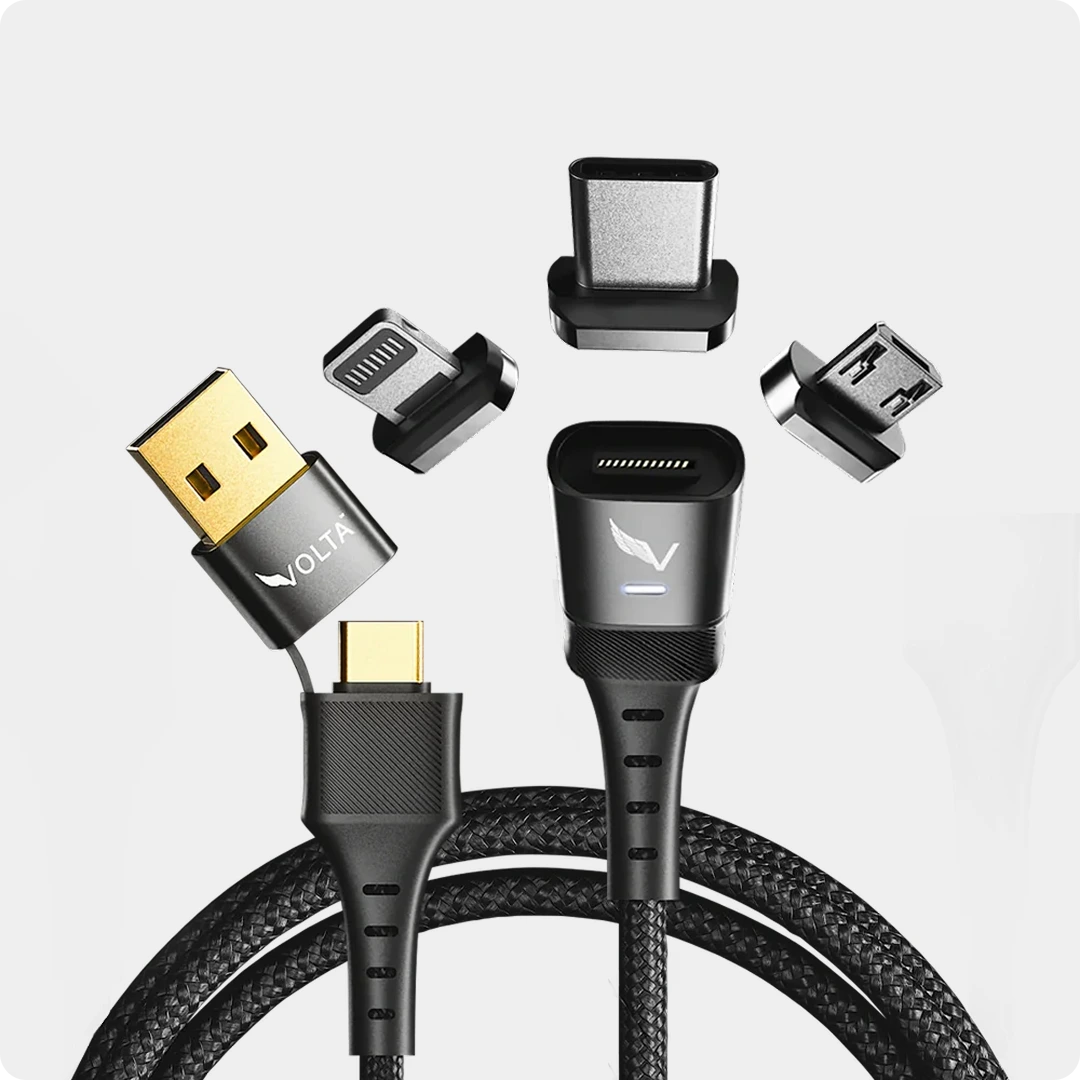
The Volta MAX 240W system changes the physical relationship between your device and the power source. Instead of plugging and unplugging a connector ten times a day. Which wears down the port, you leave a small magnetic tip permanently inside the USB-C slot. This tip acts as a dust protector and a sacrificial barrier. When you get close with the cable, it snaps into place instantly. If someone trips over the wire, it simply detaches cleanly without yanking your $2,000 laptop off the desk.
Beyond safety, the real value lies in the "One Cable" philosophy. The Volta system uses interchangeable tips. You can have a USB-C tip in your laptop, a Lightning tip in an older iPad, and a Micro-USB tip in your desk lamp. One cable handles all of them.

Since the Volta MAX supports 240W, you aren't sacrificing speed for safety. You get the fastest charge possible with the peace of mind that a clumsy moment won't result in a broken computer.
5. Charging in the Car: Charging a Laptop in a Car without an Inverter
Charging a laptop on the road used to require a "power inverter". A loud, boxy device that plugs into your cigarette lighter and converts DC power to AC so you can plug in your wall brick. This is incredibly inefficient. Every time you convert power from one form to another, you lose energy as heat. If you are trying to work from the passenger seat, you don't want a hot, buzzing fan at your feet.
To effectively manage charging a laptop in a car without an inverter, you need a dedicated DC-to-USB-C PD car adapter. Modern adapters can now plug directly into your car's 12V or 24V socket and output 65W to 100W of pure USB-C Power Delivery,
The process is simple:
- Check the fuse: Ensure your car's 12V socket is rated for the wattage you are drawing (most modern cars handle 120W-180W easily)
- Use a High-Output Adapter: Standard USB ports built into the dashboard are usually only 5W or 10 W. Enough for a phone, but useless for a laptop.
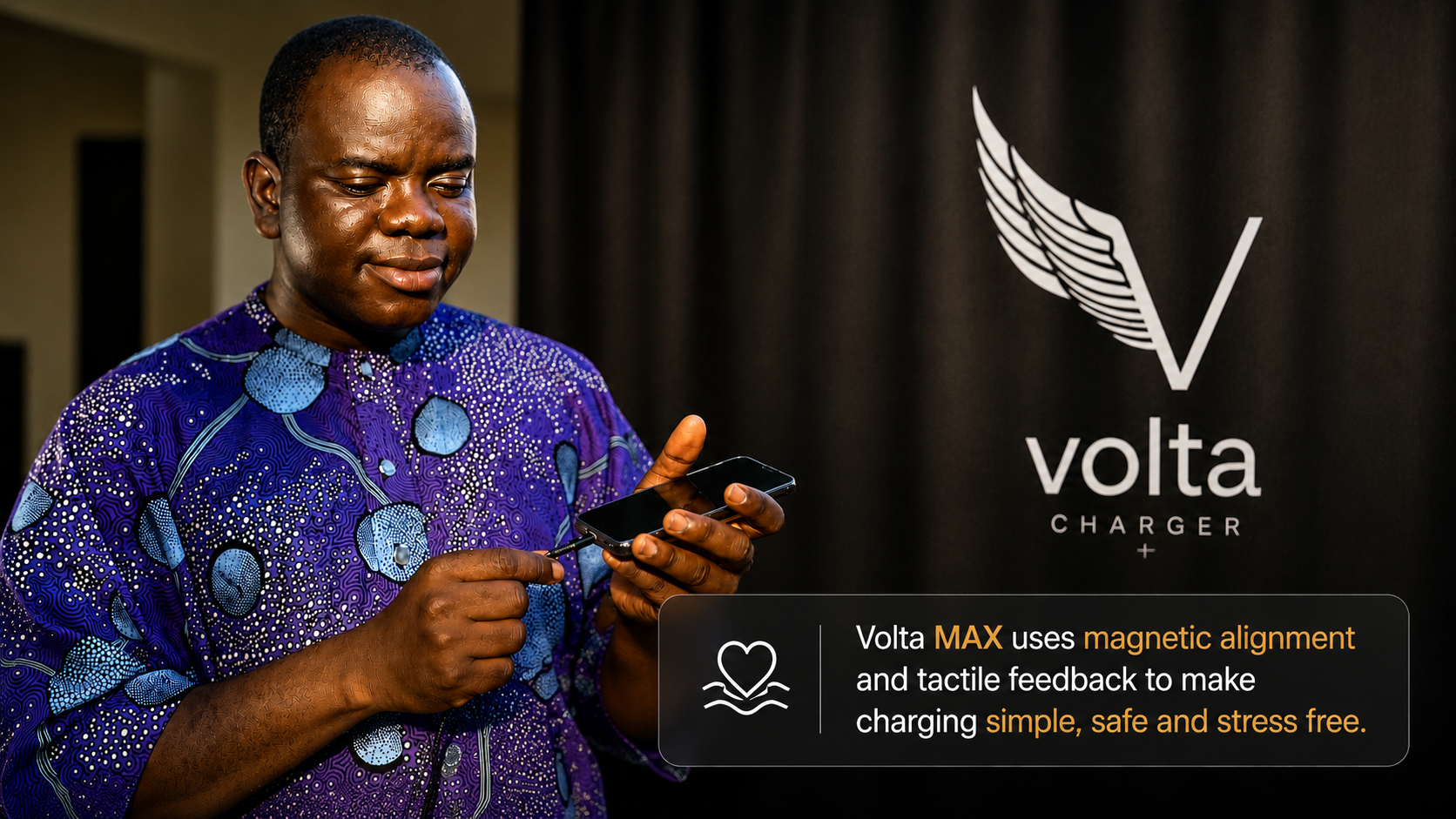
- The Cable Matters: Pair your high-output car plug with a Volta MAX cable. The magnetic connection is particularly useful in a car where space is tight and movement is constant. If you need to jump out a rest stop, you can grab your laptop and go without fumbling with a stuck cord.
Best for:
- Road trips
- Mobile workers
- Remote work
Emergency Laptop Charging: What to Do When You Have Zero Options
There are moments when you have no power bank, no car adapter, and no GaN charger. You are down to 3% and you have an email to send. This is the definition of emergency laptop charging. While these aren't long-term solutions, they can give you the 15 minutes of runtime you need to finish a task.
- The Laptop-to-Laptop Jumpstart: If a friend has a laptop with a USB-C port and a full battery, you can connect the two machines with a USB-C to USB-C cable. Because of the PD (Power Delivery) standard, the laptops will "negotiate" which one needs power more. In many cases, the fuller battery will slowly trickle-charge the empty one. It won't be fast, but it can be a lifesaver.
- The Phone Charger Trick: People often ask, "Can I charge my laptop with a phone charger?" The answer is: maybe. If your laptop is powered off, a 20W phone charger might slowly add 1% or 2% over an hour. It won't power the laptop while it is on, but it might give you enough juice for a quick reboot.
- The Low-Power Mode Strategy: If you manage to find a very weak power source (like a USB port on the back of a TV or an airplane seat), turn your laptop completely off. Let it sit for 30 minutes. A trickle charge that fails to keep the screen on might still add enough capacity to the battery cells while the motherboard is dormant.
Safety First: Magnetic Laptop Charger Safety and Motherboard Protection
When you move away from the original charger, safety becomes the primary concern. A laptop is a significant investment, and the motherboard is its sensitive and expensive component. The main risk with third-party charging isn't necessarily the wattage; it is the quality of the connection and the "handshake" between the power source and the device.
Preventing Port Failure
Physical wear and tear is the leading cause of hardware death. Constant plugging and unplugging creates friction that eventually loosens the solder joints on the USB-C port. Magnetic laptop charger safety parts with the "fixed" tip. By keeping the Volta tip inside the port, you eliminate mechanical stress entirely.
Electrical Protection and Arc Prevention
A common concern with magnetic connectors is "arcing". That tiny spark you sometimes see when metal gets close to a power source.
HIgh-end hardware like the Volta Max 240W is engineered with specific pin configurations and insulated housing to prevent this. Furthermore, the E-Marker chip acts as a digital gatekeeper. It ensures that the power source never sends more voltage than the laptop can handle. If the cable detects a short circuit or an unstable current, it cuts the power instantly, acting as a fuse between the wall and your computer.
Summary: How to Build a Setup That Never Leaves You Stranded
The goal isn't just to find a way to charge when you are in trouble; it is to make sure you are never in trouble to begin with. Building a "No-Fail" power kit means you stop thinking about "chargers" and start thinking about an ecosystem.
The Essential 2026 Power Kit:
- The Hub: A Volta Giga 140W GaN Charger. This replaces every other wall brick you own. It is small enough for a pocket but powerful enough for a MacBook Pro.

- The Cable: A Volta MAX 240W cable with multiple magnetic tips (USB-C, Lightning, Micro-USB). This ensures that no matter what device you grab, the cable in your bag is the right one.

- The Backup: A VoltaGo MAX power bank. This is your insurance policy for flights, long commutes, or outdoor work sessions where outlets don't exist.

By switching to this setup, you remove the stress of remembering specific cords. You have one system that charges everything at maximum speed, safely.
Frequently Asked Questions (FAQ)
Can I charge my laptop with a phone charger?
Technically, yes, but with a major catch. Most phone chargers only output 18W-30W. A laptop typically needs 60W or more to run. If the laptop is turned off, a phone charger will slowly add battery life. If the laptop is on, the battery will likely continue to drain, just at a slower rate.
Is it safe to use a 140W charger on a laptop that only needs 65W?
Absolutely. This is a common misconception. Your laptop "pulls" power; the charger doesn't "push" it. Using a Volta 140W GaN charger on a 65W Chromebook is perfectly safe because the laptop will only request.
Do magnetic chargers slow down data transfer?
Not if you use the right one. While cheap magnetic cables are only charging, the Volta MAX is designed for high-performance data transfer (up to 20Gbps) and 4K video output. You get the safety of a magnetic connection without losing the functionality of a high-end Thunderbolt or USB-C cable.
Will a power bank damage my laptop battery?
No, provided the power bank supports USB-C Power Delivery (PD). High-quality banks like the VoltaGo MAX use the same charging protocols as a wall outlet, ensuring your battery cells are charged at a stable, safe voltage.

Volta MAX Cable
✅ Easy Magnetic Connection ✅ Snap to Charge Your Phone, Laptop, and More ✅ Charges ALL Apple Lightning, USB-C & ...


Leave a comment
This site is protected by hCaptcha and the hCaptcha Privacy Policy and Terms of Service apply.