


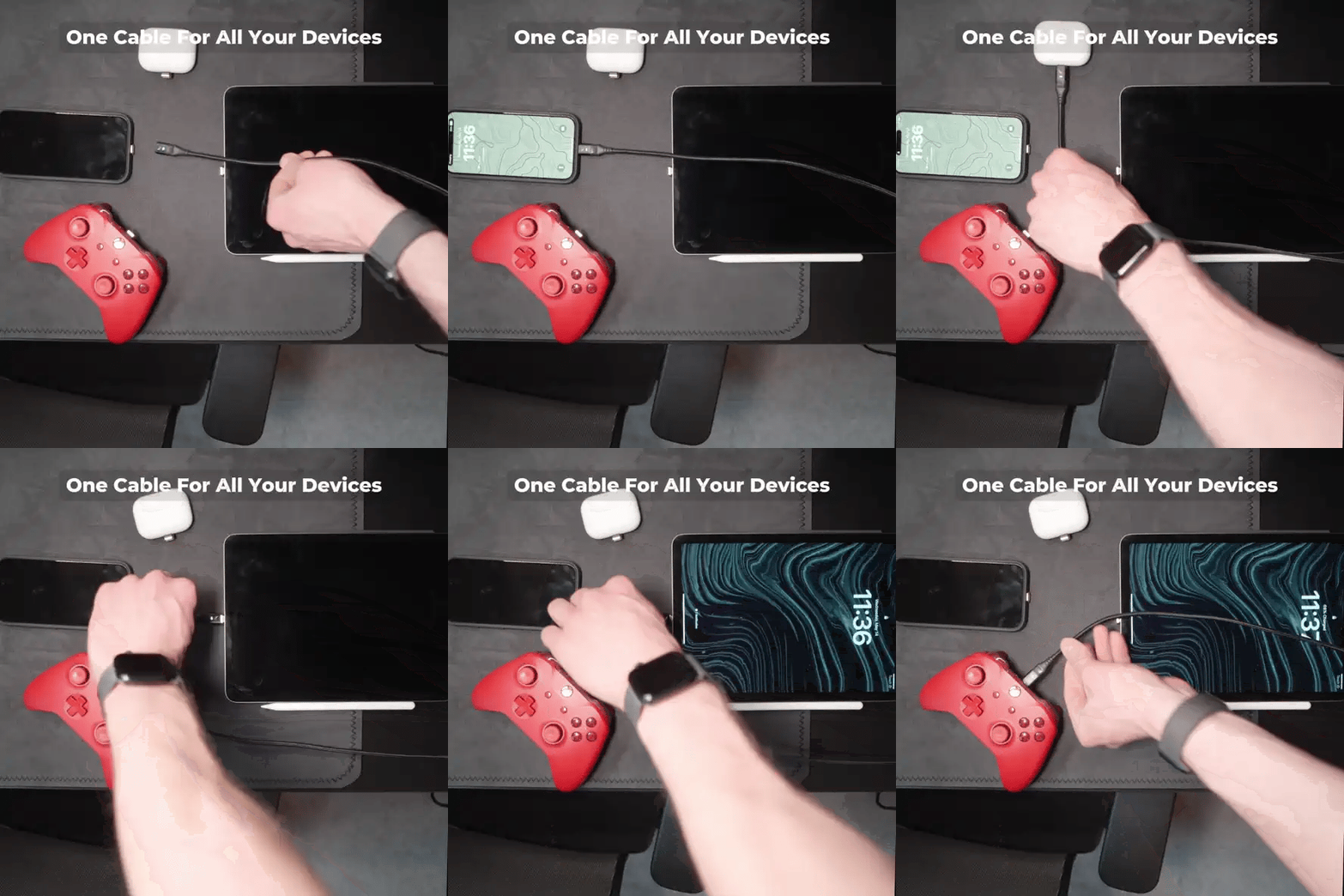


The best digital nomad charging kit gives each item a clear job: a wall charger for your working base, a cable for your devices, and portable power for time away from sockets. Start there, then add extra reach or an organiser only where it improves your routine.
For a straightforward starting point, choose a multi-port wall charger and a Volta MAX cable. Already happy with your cable? The Mag Adapter offers another route to a magnetic connection. Working with a power bank beside your phone? Volta Zero keeps that connection short. These are choices, not a shopping list you need to buy in full.
Whether your working week takes you through US coworking spaces, UK trains, Australian road trips or European city stays, build around where you work and how far you are from a socket.
Your Digital Nomad Charging Kit: What to Buy and Why
| Your situation | Our recommendation | Why it belongs in your kit |
|---|---|---|
| You want one wall-charging hub for several devices | 140W Giga GaN Charger | Two USB-C ports and one USB-A port provide a central charging point |
| You want a complete magnetic cable | Volta MAX | Interchangeable tips serve different device connections |
| You want to keep an existing cable and add a magnetic connection | Volta Mag Adapter | An alternative to replacing the whole cable, for compatible USB-C setups |
| Your phone sits beside your power bank | Volta Zero | A short USB-C-to-USB-C connection avoids unnecessary cable length |
| Your MAX cable does not reach your working position | MAX-series extension | Adds reach to the MAX cable series |
| You regularly work away from sockets | VoltaGo MAX | A 27,000mAh portable reserve with wired and Qi2 wireless charging |
| Cables and accessories get lost in your bag | Volta Carry Case | Dedicated storage keeps your charging accessories together |
| You travel between different socket formats | A suitable destination plug adapter | Connects your mains charger to the local socket format |
1. Start With Wall Power for Your Working Base
For café, coworking and hotel work, make a wall charger the foundation of your kit. It supplies power while you work and gives you somewhere to recharge portable equipment between journeys.
Choose the 140W Giga GaN Charger for a multi-device charging point
The 140W Giga GaN Charger brings two USB-C ports and one USB-A port into one charger. Choose it when you want a central place to charge phones, tablets, gaming devices and other supported equipment instead of carrying separate adapters for each.
Shop the 140W Giga GaN Charger
The 140W rating is not 140W for every port at once. Power available to a device depends on the port and the combination connected. If your existing charger already handles your working setup comfortably, keep it and spend on the gap that actually needs filling.
Deciding between wall power and portable power? Our laptop charger alternatives guide explains the different roles.
2. Choose the Cable Route That Suits You
You have three useful routes: a complete magnetic cable, an adapter for a cable you already own, or a short USB-C cable for nearby equipment. Start with the one that matches your main connection.
Choose Volta MAX for a complete magnetic cable
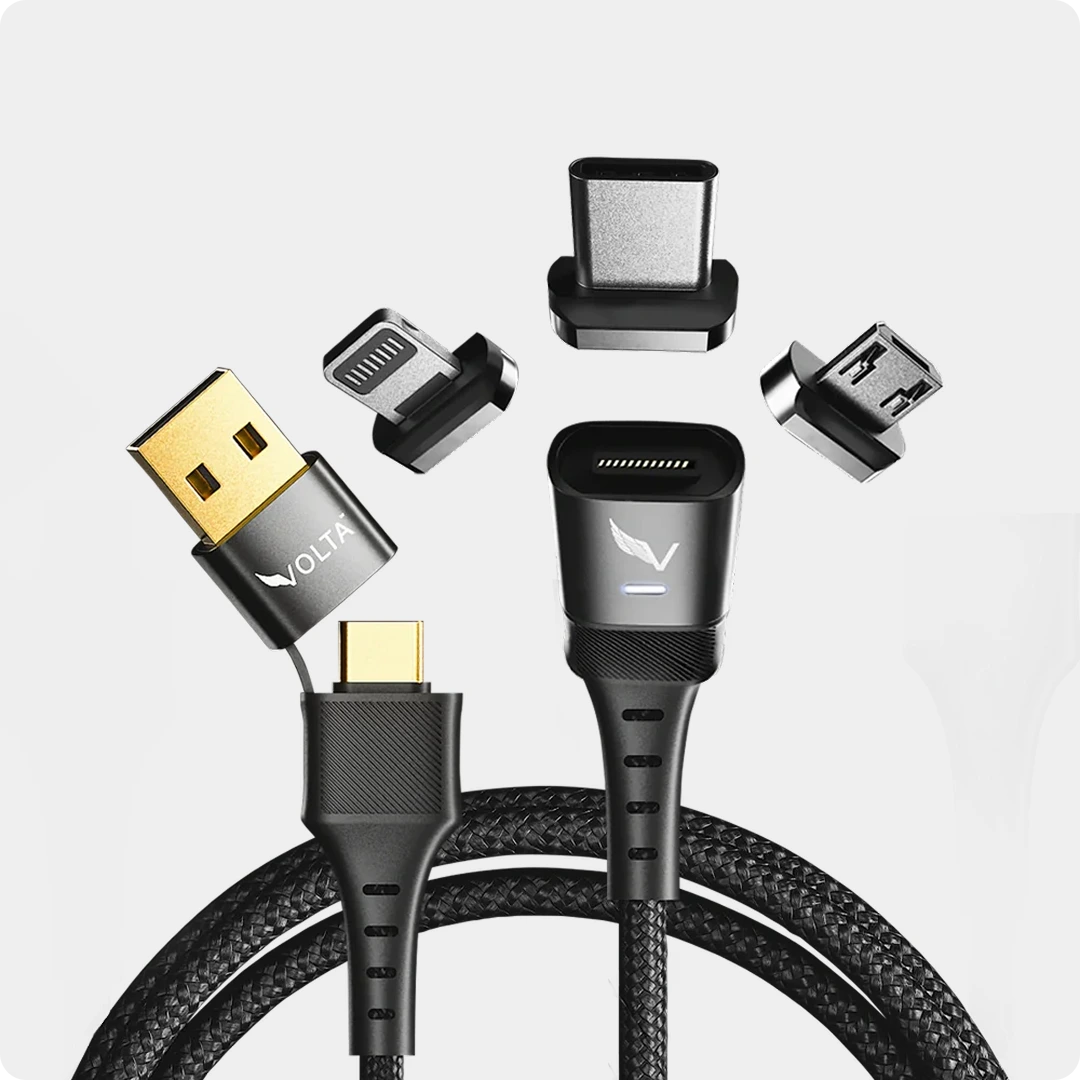
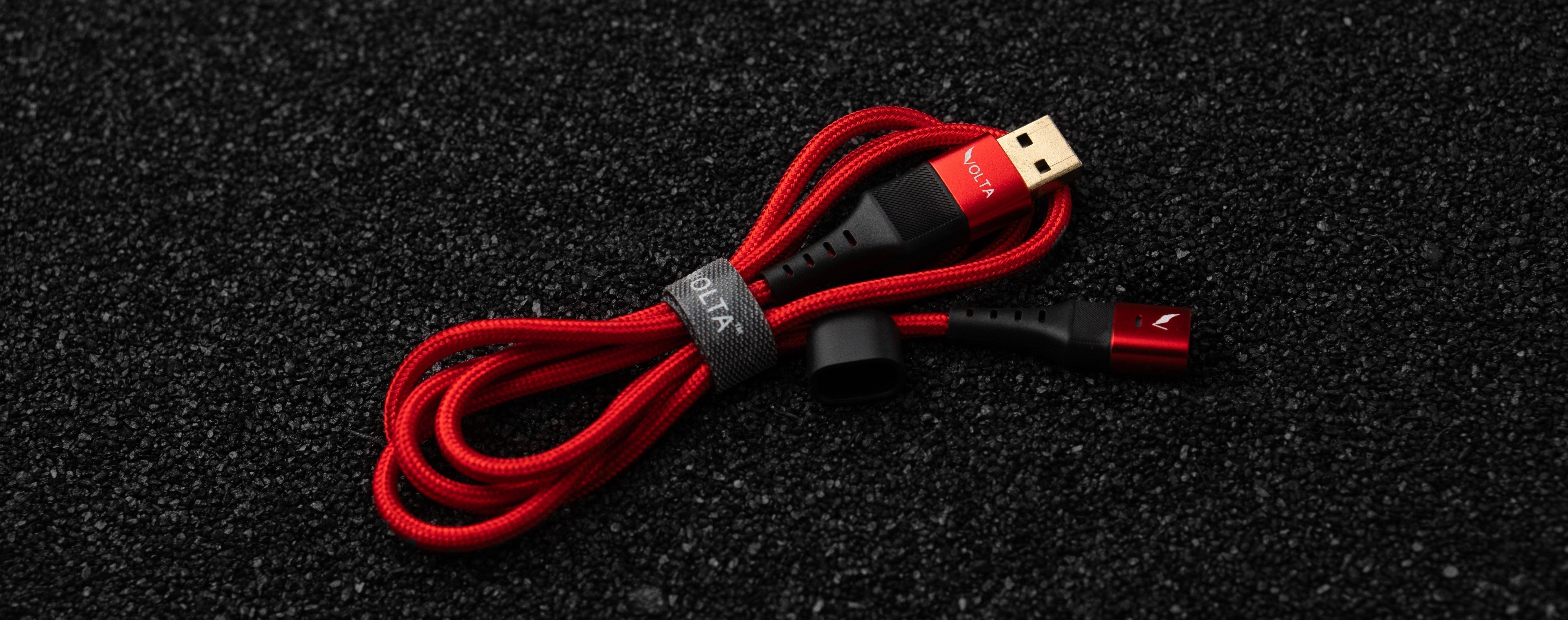
The Volta MAX Cable is our pick when you want a new cable with a snap-on magnetic connection and interchangeable tips for USB-C, Apple Lightning and Micro-USB devices. Select the tip combination that covers the devices you carry.


Volta MAX Cable
$50.00
✅ Easy Magnetic Connection ✅ Snap to Charge Your Phone, Laptop, and More ✅ Charges ALL Apple Lightning, USB-C & Micro USB Devices ✅ Supports ...
MAX is our 240W magnetic cable, supporting up to 20Gbps data transfer and 4K display output. It brings charging, data and display connectivity into one cable, with performance determined by the connected equipment and tip combination.
For a desk connection, choose enough length to reach your device comfortably. For material, choose nylon braid if you prefer a woven finish or TPE if you prefer a smooth jacket. Our braided-versus-TPE guide explains the difference.
One MAX cable can serve different devices in turn. To charge your laptop and phone simultaneously, pack a separate cable for each.
Add the MAX extension when you need more reach
A hotel socket behind a bedside table is no help if your cable stops short of the desk. Add the Volta USB-C & A Extension Cable when extra reach makes your working position more comfortable.

Perfect length, every time
This extension works only with the MAX cable series. It is not a universal extension or an extension for Volta Zero. Leave it out when your MAX cable already reaches comfortably.
Choose the Mag Adapter if you want to keep your existing cable
A working cable does not need replacing just because you want a magnetic connection. The Volta Mag Adapter offers that alternative for compatible USB-C setups, including USB-C laptops, tablets, phones and handheld gaming devices.


Choose the straight version for a straight cable route, or the right-angle option when you prefer the cable routed to the side. The adapter adds the magnetic connection; it does not upgrade the capabilities of the cable you already own.
The buying decision is simple: MAX gives you the complete cable; Mag Adapter lets you retain a compatible existing cable. You do not need both for the same job.
Choose Volta Zero for a short power-bank connection
When your phone sits beside your power bank, a long cable is often more than you need. The Volta Zero 240W provides a short USB-C-to-USB-C connection for nearby devices. Choose it for that compact arrangement rather than for reaching a distant wall socket.

Shop the Volta Zero 240W Cable
Zero is our short 240W USB-C-to-USB-C cable; MAX is our interchangeable magnetic-tip cable. Choose Zero for a compact direct connection, or MAX for the magnetic connection and tip options.
3. Add VoltaGo MAX for Work Away From Sockets
If you regularly work in transit or move between places without dependable charging access, add portable power. If you spend almost every working session beside a socket, wall power may already be enough.
The VoltaGo MAX 27,000mAh power bank gives you a portable energy reserve with three USB-C ports, one USB-A port and Qi2 wireless charging. Choose it when portable power is a regular part of your routine, rather than an accessory you might use once.

Shop the VoltaGo MAX Power Bank
A customer's travel experience
Jules T. shared this experience of taking VoltaGo MAX on a trip, including the carrying trade-off:

One customer's experience, not a guaranteed number of laptop charges or days of use. Your devices and workload determine how far the reserve goes.
For laptops, this is a route for models that support suitable USB-C charging. A laptop that requires its own proprietary power connection needs a different solution. For phone-only top-ups, a smaller power bank may be a better fit than carrying a larger reserve.
Pair nearby USB-C equipment with Zero for a short connection, or use MAX when you want its magnetic-tip arrangement. Recharge the power bank at your working base between outings. Our power bank buying guide helps you choose between a lighter phone-focused option and a larger reserve.
4. Keep the Kit Together With a Carry Case
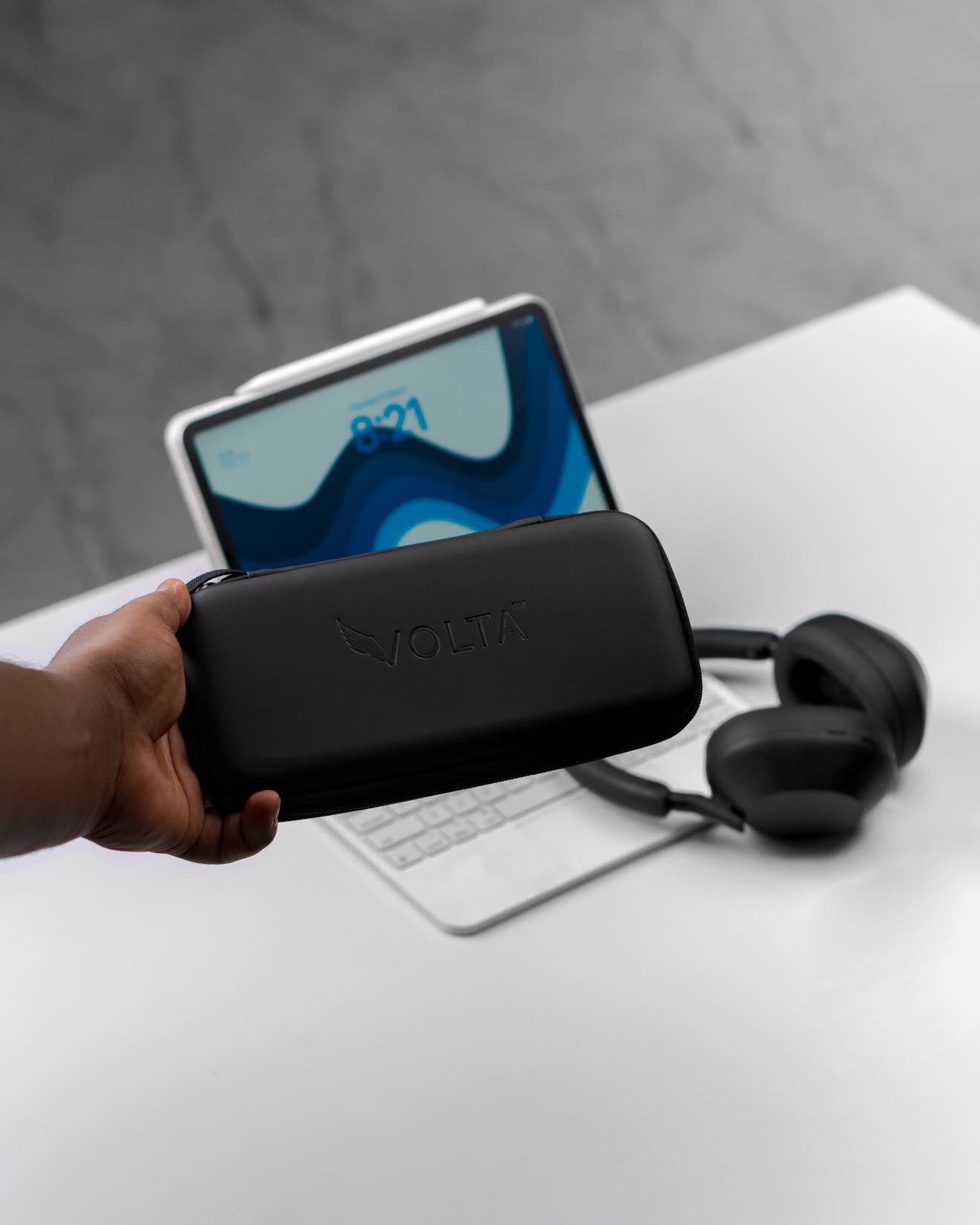
Choose the Volta Carry Case when loose cables and small accessories make your bag harder to use. The range offers MAX and VoltaGo MAX variants, with mesh pockets for small accessories.

Illustrative storage setup. The case is sold without the pictured accessories.
Choose the variant intended for your equipment. If an organiser you already own keeps the kit together, there is no need to replace it.
5. Add a Destination Plug Adapter for International Travel
For travel between the US, UK, Australia and European destinations, your mains plug needs to match the local socket. A destination plug adapter handles that physical connection. It does not convert voltage; the wall charger's stated input range determines the mains supplies it supports.
This is a destination-specific addition, not a reason to replace your cables or power bank. European socket formats also vary by destination.
Flying with a power bank is the one packing step that still needs your airline's current rules, including carry arrangements and onboard use. Those requirements can vary across an itinerary.
Three Kits to Make the Decision Easier
For café, coworking and hotel work
Start with a wall charger and the cables for your devices. Choose Giga GaN for a multi-port charging point and MAX for a complete magnetic cable. If your existing cable already works well, consider Mag Adapter instead of replacing it. Add the MAX extension only when you need extra reach.
For working in transit
Add VoltaGo MAX for portable reserve. Choose Zero when the power bank and USB-C device sit close together, or MAX for an interchangeable magnetic-tip connection. Keep the wall charger for recharging at your next stop.
For several devices at once
Use a multi-port charger with a separate cable for each device you need to charge simultaneously. Add portable power when you work away from sockets and a Carry Case when dedicated storage helps. More devices do not mean you need every cable option in this guide.
These are suggested configurations, not a single purchasable bundle.
The Short Version: Buy for the Job
- A multi-port wall-charging point: choose Giga GaN.
- A complete magnetic cable: choose MAX.
- A magnetic connection while keeping a compatible existing cable: choose Mag Adapter.
- A short USB-C connection beside a power bank: choose Zero.
- Extra reach for a MAX-series cable: add the MAX extension.
- Portable reserve away from sockets: add VoltaGo MAX.
- Dedicated storage for your accessories: add a Carry Case.
Keep suitable equipment you already own. Buy the piece that solves your problem, then leave the rest out of your bag.
Frequently Asked Questions
What is the minimum digital nomad charging kit?
A wall charger and the cables for your devices. Add a destination plug adapter for different socket formats and a power bank when you regularly work away from mains power.
Should I buy MAX or a Mag Adapter?
Choose MAX if you need a complete magnetic cable. Choose a Mag Adapter if you want a magnetic connection while retaining a compatible existing cable.
When is Volta Zero the better choice?
When you want a short, direct USB-C connection between nearby equipment, such as a phone beside a power bank. Choose a longer cable for greater reach.
Does the MAX extension work with Zero?
No. The extension recommended here works only with the MAX cable series.
Can one MAX cable charge my laptop and phone together?
One cable serves one connection at a time. Use separate cables when you want to charge both devices simultaneously.
Does the Carry Case include the equipment pictured?
No. The case is sold separately from the accessories shown.
Do I need to buy every item in this guide?
No. Start with wall power and suitable cables, then add portable reserve, reach or storage where your routine needs it.

Volta MAX Cable
✅ Easy Magnetic Connection ✅ Snap to Charge Your Phone, Laptop, and More ✅ Charges ALL Apple Lightning, USB-C & ...


Leave a comment
This site is protected by hCaptcha and the hCaptcha Privacy Policy and Terms of Service apply.