





Apple's release of the iPhone 17 has sparked plenty of questions: What charger does the iPhone 17 use? Is the iPhone 17 USB-C or lightning? How long does the battery last, and is fast charging safe? If you are upgrading or trying to make sense of how this new iPhone fits into your existing setup, the answers matter. The switch from Lightning to USB-C has big implications, not only for speed but also for the accessories you choose to keep around.
What Charger Does the iPhone 17 Use?
The iPhone 17 uses a USB-C port and does not come with a charging brick in the box. To achieve maximum fast-charging speeds (0% to 50% in just 20 minutes), you need a 40W USB-C Power Delivery (PD) charger paired with a high-quality, high-wattage USB-C cable. Your old Lightning cables will no longer work on the iPhone 17 without a specialized magnetic adapter.
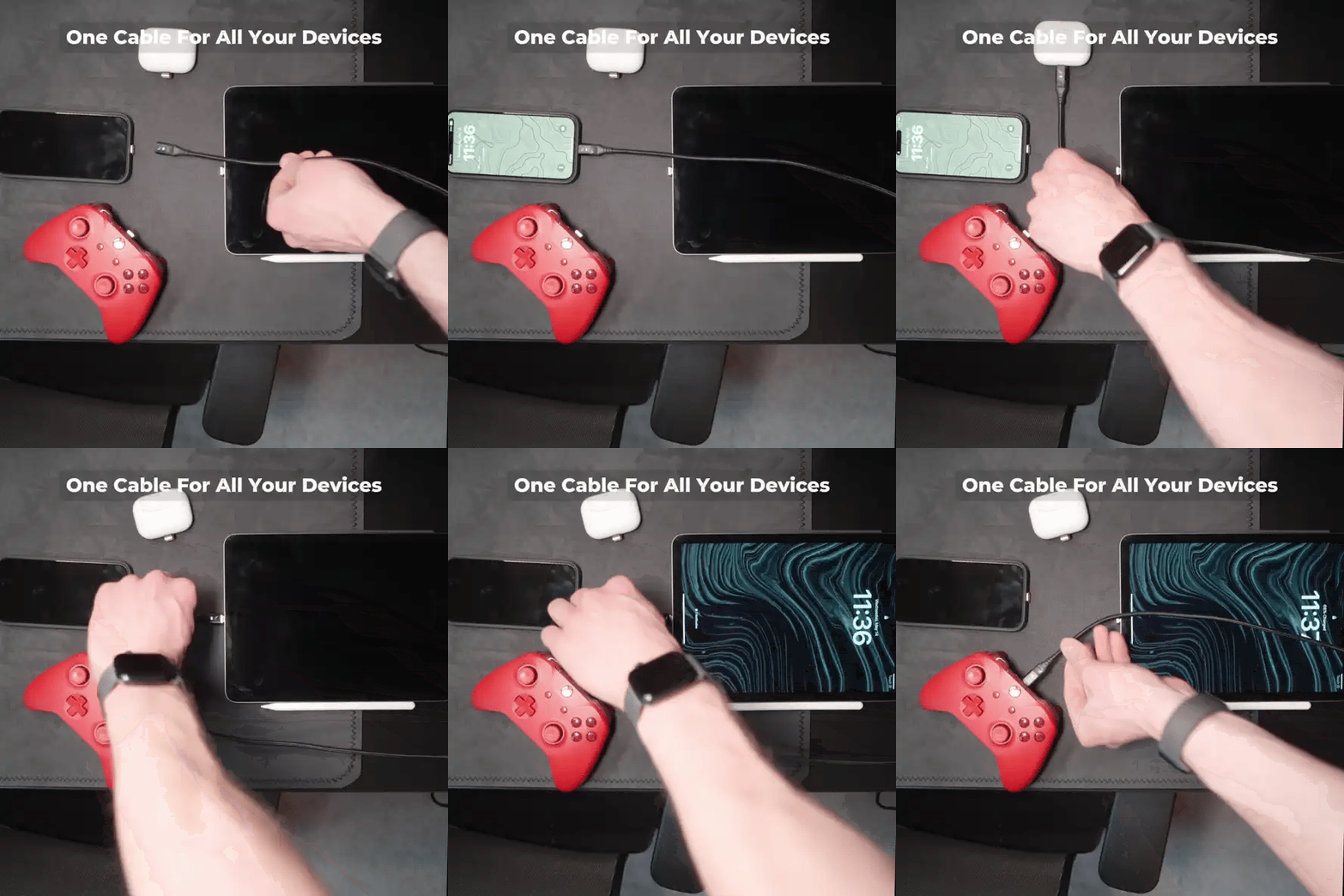
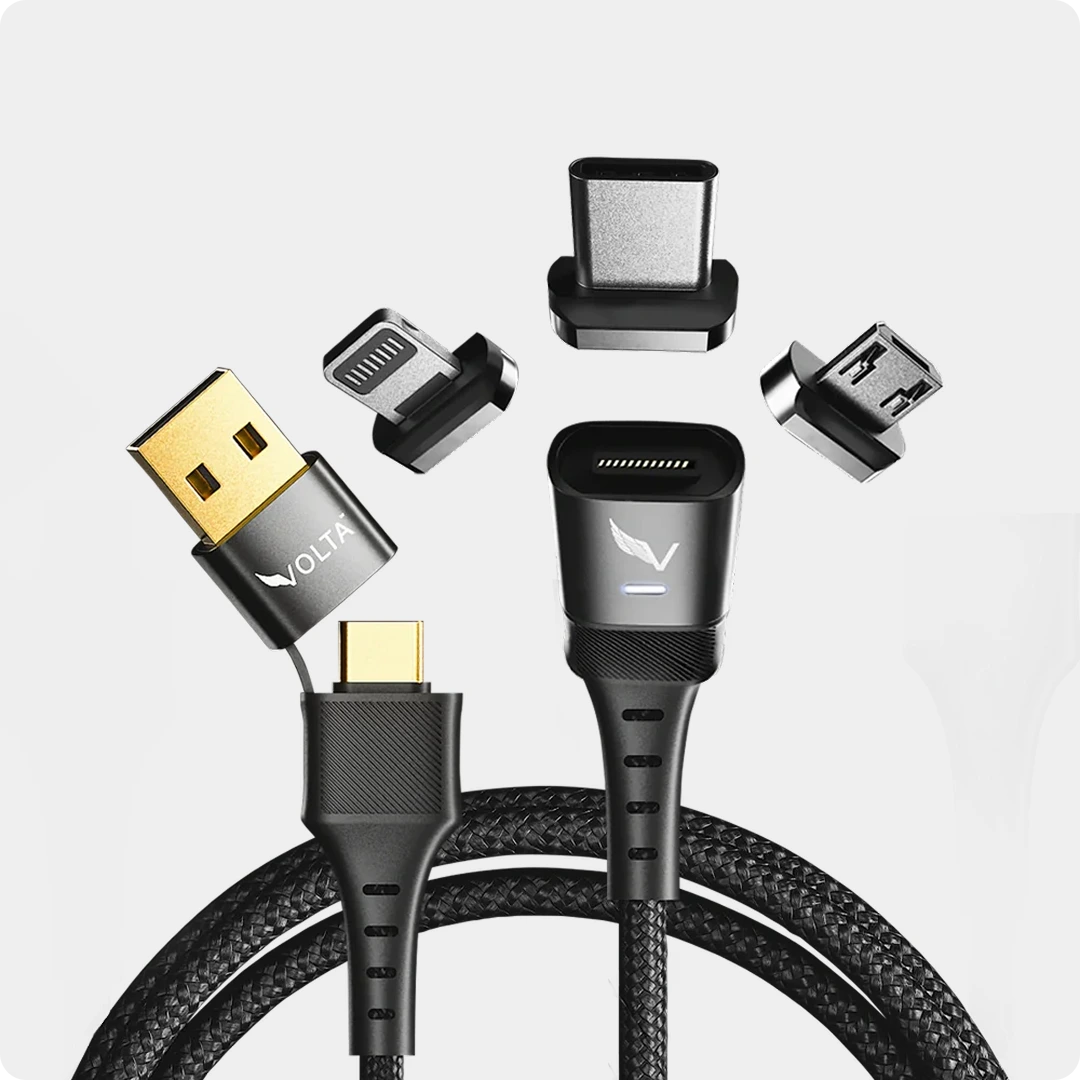
That shift is why cables matter more than ever. When designing the Volta Max, we accounted for this change by building in cutting-edge Power Delivery support for USB-C, while still offering Lightning compatibility through its magnetic tips. If you are someone with both a new iPhone 17 and an older Lightning iPhone, you can use one cable for both without compromise.

Volta MAX Cable
$58.00
✅ Easy Magnetic Connection ✅ Snap to Charge Your Phone, Laptop, and More ✅ Charges ALL Apple Lightning, USB-C & Micro USB Devices ✅ Supports ...
iPhone 17 Charging Specs by Model
Apple has unified the charging ports, but the battery sizes and maximum charging speeds differ depending on which model you buy. To get the fastest charge possible, you need to match your iPhone with a charger and cable that support its maximum wattage.
Here is a complete breakdown of the charging capabilities for the entire iPhone 17 lineup:
| iPhone Model | Est. Battery Capacity | Max Wired Speed | Max Wireless Speed | Time to ~50% Charge |
| iPhone 17 | ~3,692 mAh | 40W (USB-C PD) | 25W (MagSafe / Qi2) | ~20 minutes |
| iPhone 17 Pro | ~3,988 mAh | 40W (USB-C PD) | 25W (MagSafe / Qi2) | ~20 minutes |
| iPhone 17 Pro Max | ~4,823 mAh | 40W (USB-C PD) | 25W (MagSafe / Qi2) | ~20 - 25 minutes |
| iPhone 17 Air | ~3,036 mAh | 20W (USB-C PD) | 20W (MagSafe / Qi2) | ~30 minutes |
Note: To achieve these 40W speeds on the Base, Pro, and Pro Max models, you must use a high-wattage Power Deliver (PD) charger and a compatible cable like the Volta MAX.
Is the iPhone 17 USB-C?
Yes, the iPhone 17 charges through USB-C. After years of sticking with Lightning, Apple has now fully transitioned to the universal USB-C standard. This brings the iPhone in line with MacBooks, iPads, and most modern tech devices.
For users, it means one less proprietary cable to worry about, and for households with a mix of devices, it makes sense to have a cable that adapts easily between Lightning and USB-C.
How Long Does the iPhone 17 Battery Last?
Apple rates the iPhone 17 for around 30 hours of video playback, with the Pro Max model stretching up to 39 hours. While real-world battery life depends on individual usage, the iPhone 17 clearly improves on endurance compared to previous models.
Of course, even with a stronger battery, the ability to recharge quickly is essential. A high-quality cable paired with the right adapter ensures you can take full advantage of Apple's fast-charging claims without waiting around for hours.
Is USB-C Faster Than Lightning?
USB-C is faster than Lightning in both charging and data transfer. Lightning maxed out at lower wattages, but USB-C with Power Delivery supports significantly higher power levels. That is why the iPhone 17 can achieve 50 percent in just 20 minutes with a 40-watt USB-C charger.
However, speed depends not only on the adapter but also on the cable. Low-quality USB-C cables can bottleneck performance. A well-built cable like the Volta Max, ensures the phone actually benefits from the higher speeds USB-C offers.
Are USB-C and Type-C the Same?
Yes, USB-C and USB Type-C are the same thing. The terms are used interchangeably to describe the same connector. What matters more is the specification of the cable itself. Some USB-C cables only support basic charging, while others are rated for fast charging and high-speed data.
Why Standard Chargers Fall Short: 40W, GaN, and Qi2 Explained
Using an old 5W or even a standard 20W charger on the iPhone 17 will severely bottleneck your charging speeds. To truly unlock the iPhone 17's fast-charging capabilities, you need to understand the newer technology powering it:
- 40W Wired Charging & Power Delivery 3.1: The iPhone 17 requires a charger capable of delivering up to 40W of power to hit that "0 to 50% in 20 minutes" mark. This is achieved through Power Delivery (PD) 3.1. a smart charging protocol that allows the charger and the phone to communicate, ensuring maximum speed without overheating. Standard USB-A chargers do not support this.
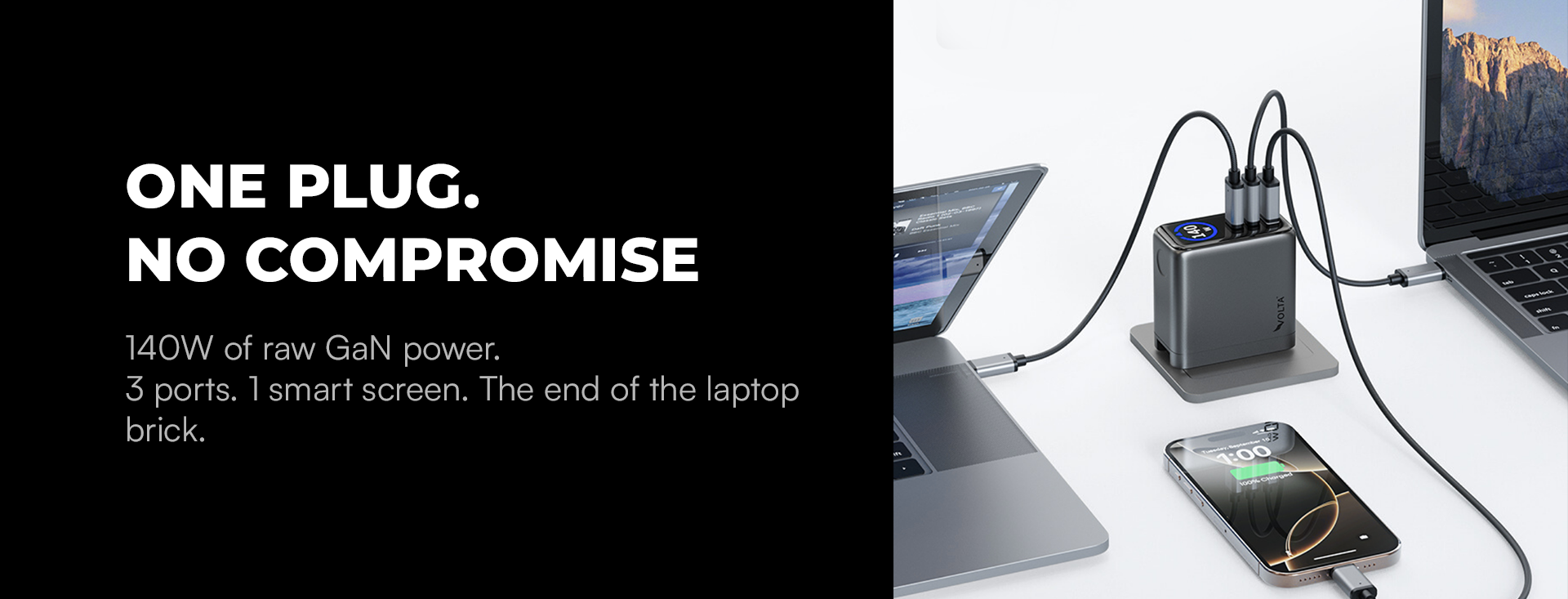
- GaN (Gallium Nitride) Technology: If you are buying a new charging brick to reach that 40W minimum, look for GaN technology. GaN chargers (like the 140W Giga GaN Charger) use Gallium Nitride instead of traditional silicon. This allows the charger to process high wattages while remaining incredibly compact and cool to the touch, which protects your battery's lifespan.
- Qi2 25W Wireless Charging: If you prefer to charge without plugging in, the iPhone 17 fully supports the new Qi2 wireless standard. This upgrades your wireless charging limit to 25W (up from the older 15W limit). Qi2 ensures perfect magnetic alignment and faster, more efficient wireless charging that rivals direct wired connections.
Does Fast Charging Damage the iPhone Battery?
Fast charging does not damage the iPhone 17 battery when done with the right equipment. Apple's battery management system regulates how much current the phone accepts, reducing the risk of stress or overheating. The real issue comes from cheap, unregulated cables that allow unnecessary heat build-up.
Ap premium cable helps keep charging safe by minimizing resistance and heat. That's why users who fast charge regularly should consider investing in a durable cable designed for high-wattage charging like the Volta Max.

Best Charger for iPhone 17
The best charger for the iPhone 17 is a USB-C Power Delivery adapter rated at 40 watts or higher, paired with a fast-charging USB-C cable. Wireless charging options like MagSafe and Qi2 support up to 25 watts, but wired charging is still the most efficient for quick top-ups.
For households with both new and old iPhones, juggling Lightning and USB-C can feel unnecessary. This is exactly where the Volta Max cable proves its worth. Its magnetic tips let you switch between Lightning and USB-C instantly, so you don't need multiples cables. It's engineered to handle high-wattage charging for the iPhone 17. while still giving older Lightning iPhones the safe power delivery they require.
Why the New Volta Cables are the Ultimate iPhone 17 Companion
While the iPhone 17's move to USB-C simplifies things, not all USB-C cables are created equal. To truly unlock the 40W fast-charging potential of the new iPhone 17 series, you need more than just a standard cord. You need the next generation of Volta.

Instead of relying on clunky adapters to bridge the gap between your old Lightning accessories and your new USB-C devices, our newest lineup of Sustainable Magnetic Cables (Volta Max) offers a seamless, "one-cable-for-all" solution.

Conclusion
The iPhone 17's switch to USB-C means faster charging, more universal compatibility, and longer battery life. But it also introduces a transition period where many people still have Lightning devices at home. Knowing the differences between USB-C and Lightning, how fast charging works, and what kind of charge the iPhone 17 actually needs helps you avoid slow or unsafe charging setups.
Rather than buying separate cables for each device, a single universal solution makes more sense. With switchable magnetic tips and secure connections, Volta Max was built to charge the iPhone 17 at full speed while still keeping older Lightning models supported. It is a practical way to keep your charging setup simple, fast, and future-proof.


Leave a comment
This site is protected by hCaptcha and the hCaptcha Privacy Policy and Terms of Service apply.