


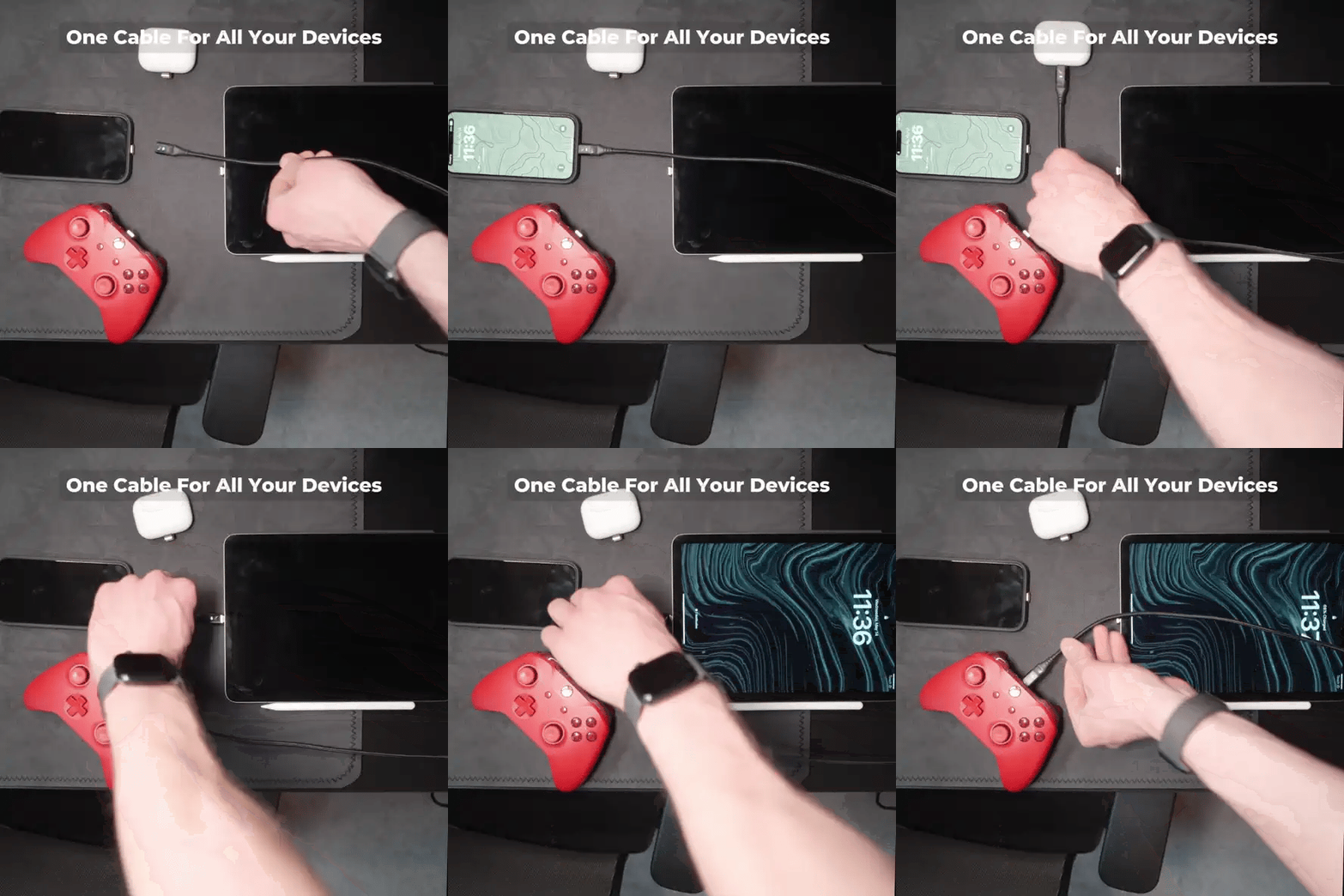


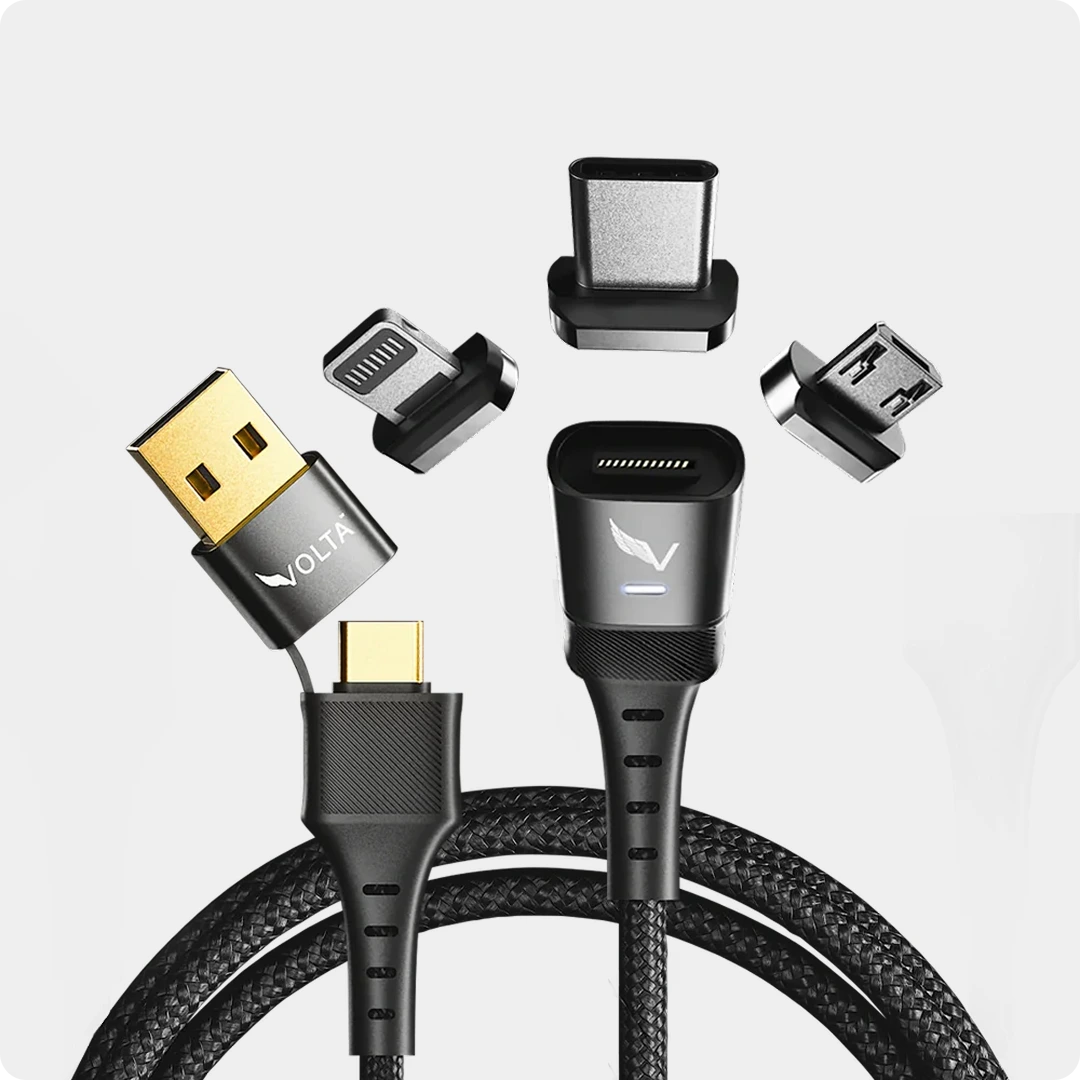
Have you ever fumbled in the dark to find your device charging port, tripped over cables, or accidentally yanked a laptop off a desk? The Volta Magnetic Cable was designed to solve these exact problems. It combines military-grade durability with the convenience of a magnetic connection.
However, to get the longest life out of your tips and cables, there is specific way to use them Here is your step-by-step guide to mastering the Volta Max.
However, to get the longest life out of your tips and cables, there is a specific way to use them. Here is your step-by-step guide to mastering the Volta Max.
Want to see it in action?
Sometimes it is easier to watch than to read. Check out our official video guide below to see the Snag-Safe technology in real-time:
The Components
Before you start, ensure you have your Volta Max Cable and the correct Magnetic Tip for your specific device (USB-C, Lightning, or Micro-USB).

Volta MAX Cable
$50.00
✅ Easy Magnetic Connection ✅ Snap to Charge Your Phone, Laptop, and More ✅ Charges ALL Apple Lightning, USB-C & Micro USB Devices ✅ Supports ...
Step 1: Insert the Tip (The "Set and Forget" Step)
Unlike standard chargers where you plug and unplug the head every day, the Volta system uses a detachable tip.

- Select the correct tip for your device.
- Firmly insert the tip into your device's charging port.
- Ensure a flush fit. Push it in until you hear a subtle click or feel that it is seated completely against the frame of the phone.
Why this matters: This tip now doubles as a dust plug. By leaving it in, you prevent lint and debris from accumulating inside your charging port, which is the #1 cause of charging failure in phones
Step 2: The Magnetic Snap-On
This is where magnetic connect happens. You no longer need two hands to plug in your phone.

- Plug the USB-A or USB-C end of the cable into your power brick.
- Bring your device close to the cable.
- Let the magnets do the work. You don't need to align it perfectly; the N54-grade magnets will instantly attract and snap the cable into place.

Pro Tip: This is "blind charging" at its best. Whether you are driving or lying in bed in the dark, you just need to get the phone near the cable, and it will connect itself.
Step 3: Fast Charging and Data Transfer
Once connected, the Volta Max isn't just a convenient charger; it is a powerhouse.

- Check the status: Your device screen should light up immediately indicating a charge.
- Optimal Speed: The Volta Max can charge everything from your small wireless earbuds to a high-powered MacBook Pro or Windows laptop at full speed.
- Data Transfer: This cable isn't just for power. It supports 20Gbps data transfer, so you can use it to sync to your phone to your car (Android Auto/CarPlay) or transfer photos to your computer.
Step 4: The Disconnect (CRITICAL STEP)
This is the most important part of the guide. If you use a magnetic cable like a "normal" cable, you might accidentally pull the magnetic tip out of your phone.

Do NOT pull the cable straight out.
Instead, use the "Snag-Safe" method:
- Bend, don't pull. Simply tilt the cable up, down, or to the side (like breaking a kit-Kat bar).
- This "bending" motion breaks the magnetic seal instantly and effortlessly without pulling on the tip inserted in your phone.
Why this matters: This design is a safety feature. If someone trips over your cable it will naturally "bend" and detach safely, rather than dragging your expensive laptop or phone onto the floor.
Summary Checklist
- Insert the tip firmly once.
- Snap the cable on magnetically.
- Charge at high speeds.
- Tilt/Bend to disconnect.


Volta MAX Cable
✅ Easy Magnetic Connection ✅ Snap to Charge Your Phone, Laptop, and More ✅ Charges ALL Apple Lightning, USB-C & ...


Leave a comment
This site is protected by hCaptcha and the hCaptcha Privacy Policy and Terms of Service apply.