



If you own a Steam Deck, ROG Ally, Nintendo Switch, or another gaming handheld, you probably already know that the charging cable is a bigger deal than it sounds.

You're not just plugging in a phone and leaving it on a nightstand.
You're holding the device, moving around, playing in bed, sitting on the couch, travelling with it, or trying to keep a cable out of the way while you're gaming.
And that's where a good charging cable can make a noticeable difference.
- A cable that is too short gets annoying.
- One that is too stiff can pull against the charging port.
- A connector that sticks straight out of the device can get in the way.
- And if you're carrying several handhelds and accessories, having a different cable for everything gets old quickly.
So what is the best magnetic cable for gaming handhelds?
For most gamers, the answer comes down to more than charging speed. You want a cable that is compatible with your device, delivers the power it needs, stays connected during normal use, doesn't become another piece of cable clutter, and ideally works with the other devices you already own.
This guide breaks down what actually matters when choosing one.
What is the best magnetic cable for gaming handhelds?
If you want one cable that can handle multiple gaming devices and other electronics, look for a USB-C magnetic charging cable with enough power capacity for your handheld, a secure magnetic connection, durable construction, and interchangeable tips if you use multiple device types.
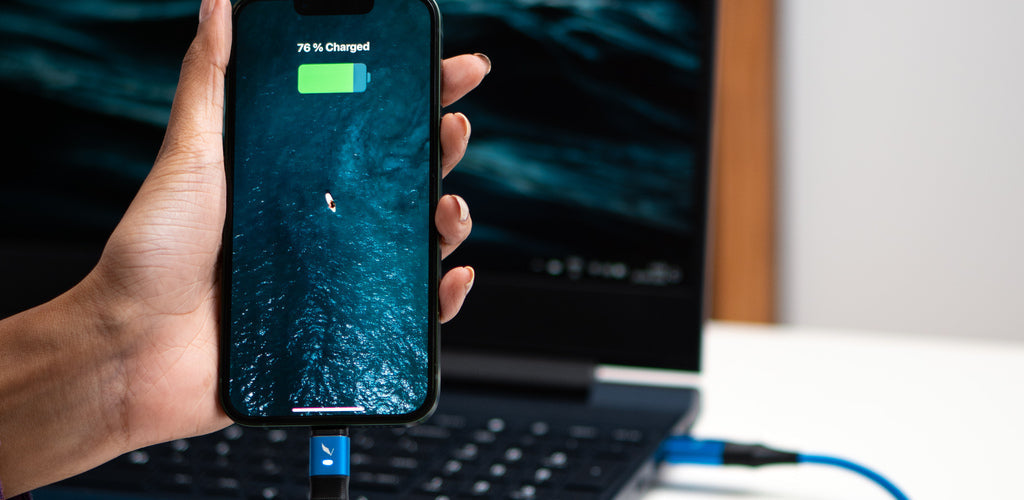
The Volta MAX Cable is built around exactly that setup.
6,000 kr
✅
Enkel
magnetisk
tilkobling
✅
Fest
for
å
lade
telefonen,
laptopen
og
mer
✅
Lader
ALLE
Apple
Lightning,
USB-C
og
Micro
USB-enheter
✅
Støtter
20
...

Volta MAX-kabel

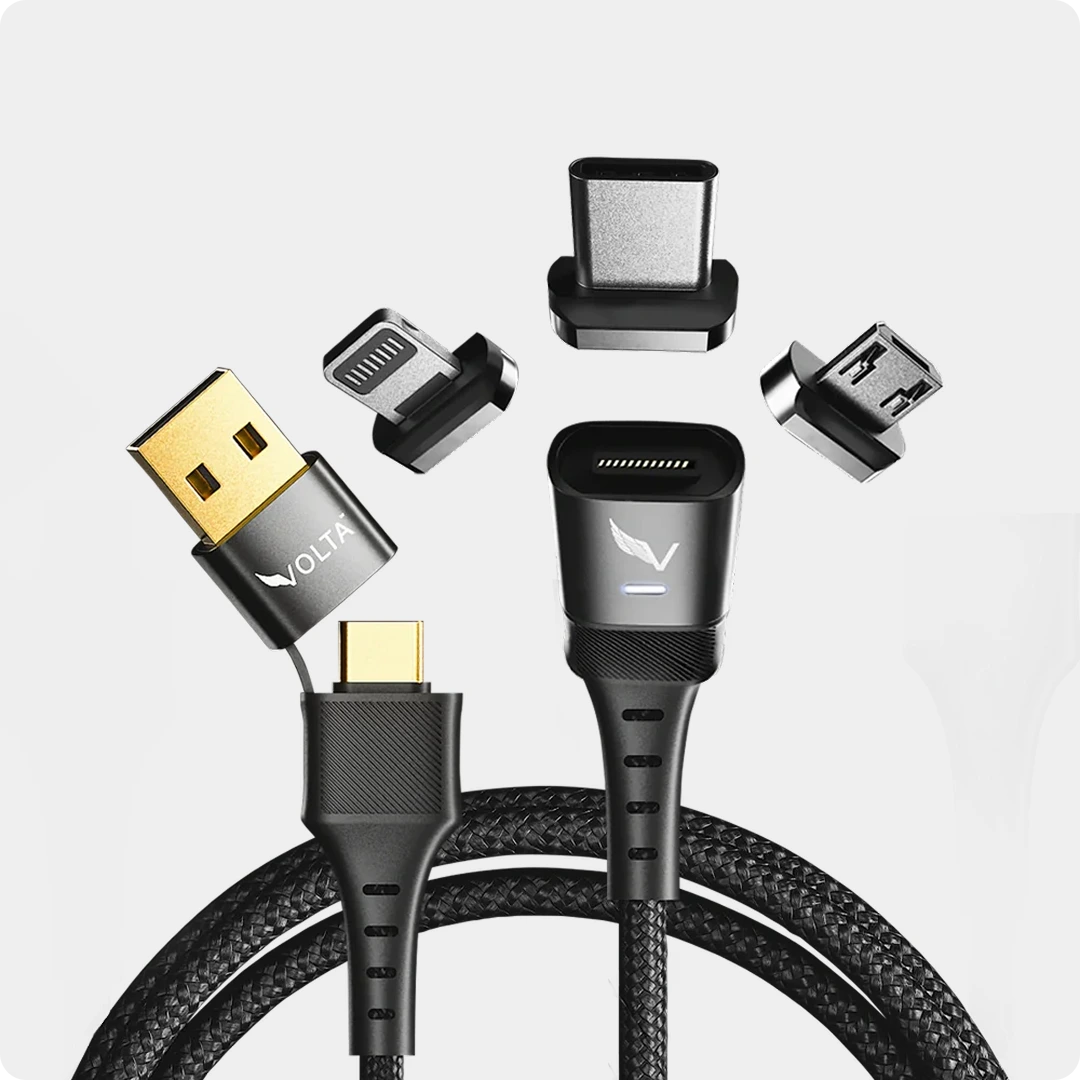
It supports up to 240W Power Delivery, 20Gbps data transfer and 4K display output, with interchangeable USB-C, Lightning and Micro-USB magnetic tips. That means the cable can be used with USB-C gaming handhelds as well as phones, controllers and other devices.
 The important thing to understand, though, is that a 240W cable does not force 240W into your gaming handheld.
Your device determines how much power it draws. The cable simply needs to be capable of delivering what the device requests.
That is why a high-power cable can be useful even when your handheld itself doesn't need anywhere close to 240W.
What should you look for in a gaming handheld charging cable?
There are a few things that matter much more than the word "gaming" printed on the packaging.
1. Make sure it supports the right connector
Most modern gaming handhelds use USB-C for charging.
That includes devices such as:
- Steam Deck
- Steam Deck OLED
- ROG Ally
- ROG Ally X
- Nintendo Switch
- Nintendo Switch OLED
- Many Android gaming handhelds
- Other USB-C gaming devices
But USB-C by itself doesn't tell you everything.
A USB-C cable can support different charging speeds, data-transfer speeds and protocols.
So when you're shopping for a cable, don't just look for "USB-C."
Look at what the cable actually supports.
For example, the Volta MAX is designed as a USB-C magnetic cable and supports USB-C, Lightning and Micro-USB tips, allowing one cable to work across different devices.
That becomes useful if your gaming setup includes more than just a handheld.
 Maybe your handheld uses USB-C.
Your phone uses USB-C.
Your controller uses another connector.
Your headphones use something else.
Instead of carrying several cables, you can use one main cable and switch the magnetic tip when needed.

How many watts does a gaming handheld actually need?
This is where a lot of cable shopping gets confusing.
You'll see cables advertised as:
- 60W
- 100W
- 140W
- 240W
And it is easy to assume that you need a 240W cable because it sounds faster.
That's not how it works.
Your gaming handheld has its own power requirements.
For example, ASUS lists a 65W USB-C power adapter with the ROG Ally.
Nintendo's official Switch AC adapter is rated up to 39W in its technical specifications.
So you don't need a 240W cable because your Switch suddenly wants 240W.
You might choose one because you want one cable that can also handle more demanding devices later.
That's an important distinction.
A higher-rated cable is about capability, not forcing more power into your device.
If your handheld needs 45W, a properly designed 240W cable doesn't make it consume 240W.
The device and charger negotiate the appropriate power level.
 That's why I would look at a cable's overall capabilities rather than choosing purely based on the biggest wattage number on the box.
60W vs 100W vs 240W gaming cables
One of the questions gamers commonly have is whether they actually need a 100W or 240W cable. The research behind this article specifically surfaced the 60W vs 100W question as a concern among people shopping for gaming cables.
Here's the simple way to think about it.
60W cable
Enough for many smaller devices and lower-power charging situations.
If you're only charging a relatively low-power device, you may not need anything beyond this.
100W cable
A more flexible option if you use laptops, gaming handhelds and other USB-C devices.
It gives you more headroom for devices that require higher power.
240W cable
This is where you are buying for maximum compatibility and future use.
A 240W cable can support much higher-power USB-C devices, assuming the charger, device and cable are all capable of the required USB Power Delivery mode.
The advantage isn't that your Steam Deck suddenly charges at 240W.
The advantage is that the same cable can stay in your setup when you move between your handheld, laptop and other high-power USB-C devices.
The Volta MAX supports up to 240W PD.
 Is a magnetic cable good for gaming?
This is probably the more important question.
A magnetic cable changes how you connect the cable to your device.
Instead of plugging the entire cable directly into the handheld every time, you leave the magnetic tip in the device and bring the cable close enough for it to snap into place.
 That can be especially convenient when you're gaming.
You can connect the cable without searching for the port and trying to line up the connector perfectly.
And when you want to move away from the cable, you can disconnect it without pulling the entire cable out of the device.
The Volta MAX uses a magnetic tip system and a braided nylon construction designed to handle daily bends and movement.
Can a magnetic cable disconnect while gaming?
This is one area where you should think about how you actually play.
If you are sitting at a desk and the cable is routed neatly, almost any decent cable can work.
But handheld gaming is different.
You might:
- Move the device around
- Change your sitting position
- Pull the device closer
- Rest the handheld on your lap
- Accidentally catch the cable
- Get up while the device is still connected.
 A magnetic connection can make these situations easier because the cable can separate from the tip rather than dragging the device with it.
That's one of the practical reasons magnetic cables are interesting for handheld gaming.
The point isn't that a magnetic cable magically makes gaming better.
It's that the cable becomes less intrusive while you're using the device.
Will a magnetic cable damage a Steam Deck or ROG Ally?
A magnetic connector by itself isn't automatically dangerous or safe.
The important thing is the quality of the cable, connector, magnetic tip and power-management electronics.
You should be looking for a cable that properly manages power rather than buying the cheapest magnetic cable you can find.
The Volta MAX uses a built-in smart chip and power regulation system designed to regulate charging and protect against conditions such as overcurrent and overheating.
You should also make sure the magnetic tip is seated properly and that the connector and port are clean.
And don't use a cable that is visibly damaged, frayed or behaving strangely.
The gaming-cable research also identified cable safety, temperature, damage and replacement as common concerns.
Best magnetic cable for Steam Deck
The Steam Deck is a particularly good use case for a magnetic charging cable because it is a handheld device that you are likely to use while sitting, lying down or moving around.
You don't necessarily need a 240W cable just because you own a Steam Deck.
What matters more is having:
- USB-C compatibility
- Appropriate USB Power Delivery support
- A reliable connection
- A cable that is long enough for how you play
- Durable construction
- A connector that doesn't constantly get in your way
A magnetic setup can also be useful if you use your Steam Deck alongside other USB-C devices.
Instead of keeping a dedicated cable for every device, one magnetic cable can become your main charging cable.
With Volta MAX, you can use the same cable with USB-C devices and swap to other tips for compatible Lightning or Micro-USB devices.
Best magnetic cable for ROG Ally
The ROG Ally is another strong use case.
ASUS lists a 65W USB-C power adapter for the ROG Ally, so a cable with sufficient USB Power Delivery capability is important if you want to take advantage of the device's charging requirements.
But again, you don't need a 240W cable because the Ally requires 240W.
It doesn't.
The benefit of using a 240W-rated cable is that you aren't buying a cable that is limited to the requirements of one relatively low-power device.
You can use it with your ROG Ally today and with higher-power USB-C equipment later.
That is where a high-spec cable makes more sense.
Best magnetic cable for Nintendo Switch
 The Nintendo Switch is a slightly different case.
Nintendo recommends its own AC adapter and tells users considering alternative charging solutions to check the console's power requirements and ensure the alternative adapter is compatible.
So don't assume that "240W" automatically means "better for Switch."
It doesn't.
The Switch will only use the power it is designed to accept.
What makes a magnetic cable useful here is the convenience.
If you already have a magnetic cable in your gaming setup, you can potentially use the appropriate compatible tip rather than keeping another cable on your desk.
For Switch users, however, pay particular attention to the charger and charging setup as a whole, especially if you're using the console in TV mode.
Nintendo specifically recommends the appropriate AC adapter for docked use.
Does the cable length matter for gaming?
Absolutely.
This is one of those things people don't think about until they've bought the cable.
The gaming-cable research specifically surfaced questions about how long a gaming charging cable should be and what length works best for a gaming setup.
A cable that is too short means you're constantly sitting closer to the charger.
A cable that is excessively long leaves you with another thing to manage.
Think about where you normally play.
Gaming at a desk
A shorter cable can be enough because your charger is usually close by.
Gaming on the couch
A longer cable gives you more freedom to move.
Gaming in bed
Length becomes even more important because your charger may be several feet away.
Gaming while travelling
You probably want something that packs easily without creating another tangled mess in your bag.
Volta MAX is available in 0.5m and 1.5m lengths, giving you a shorter option for compact setups and a longer option when you need more reach.
What about the cable getting in the way of the handheld?
This is one of the biggest reasons I would consider magnetic charging for gaming.
With a conventional cable, the connector is physically plugged into the device.
The cable sticks out from the port and moves with the handheld.
That isn't always a problem.
But if you're holding a handheld for several hours, even small things can become annoying.
A magnetic connection lets you leave the tip in the device and attach the cable when you need power.
It also gives you a simple way to disconnect when you want to move around.
And because the Volta MAX uses a magnetic connection, you don't have to repeatedly insert and remove the main cable from the device's charging port.
Can one magnetic cable charge a Steam Deck, ROG Ally and Switch?
This is where things get interesting.
The answer depends on the specific device, connector, charging requirements and the charging setup you're using.
A cable being physically compatible does not automatically mean every device will receive the same charging performance.
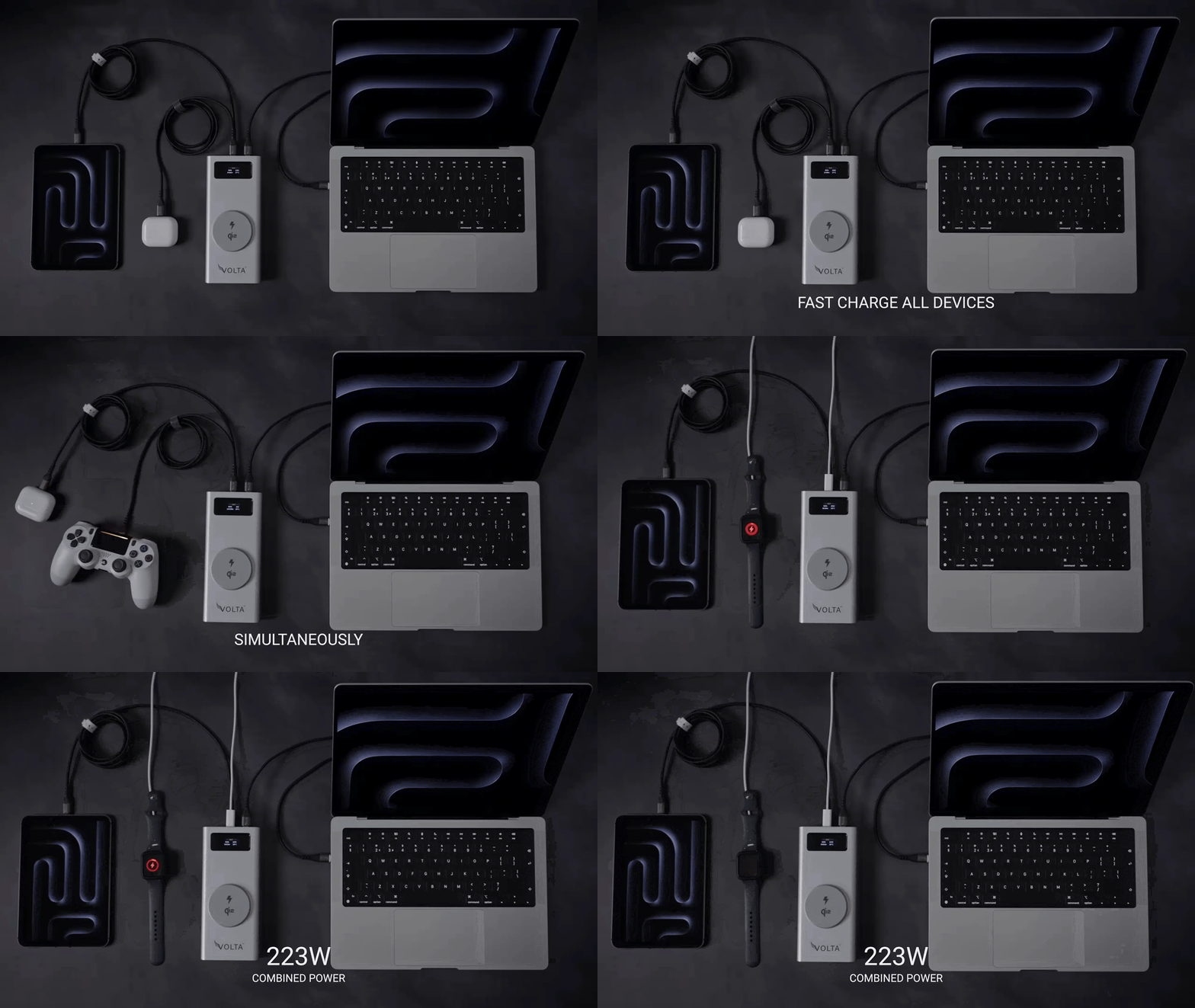
But one of the main advantages of a multi-tip magnetic system is that you can keep one main cable and use compatible tips for different devices.
Volta MAX supports USB-C, Lightning and Micro-USB magnetic tips.
So if most of your gaming equipment uses USB-C, you can keep one USB-C magnetic setup ready instead of having separate cables scattered across your desk.
And if you also have older Micro-USB accessories or Lightning devices, you can swap the tip instead of replacing the entire cable.
Does a better charging cable improve gaming performance?
Not directly.
A charging cable isn't going to give your Steam Deck more FPS.
It isn't going to make your ROG Ally's GPU faster.
And it isn't going to reduce your game's ping.
What a good cable can do is make sure your device gets the power it is designed to receive and make charging more convenient while you play.
That's why I wouldn't buy a gaming charging cable because it promises "better gaming performance."
I'd buy one because:
- It supports the required charging standard
- It has enough power capacity
- It doesn't constantly disconnect
- It is durable
- It fits your setup
- It doesn't get in your way
- It works with your other devices.
The research behind this article also specifically surfaced the question of whether high-speed cables actually make a difference for gaming.
The answer is that charging speed and gaming performance are two different things.
What about data transfer?
 This is another specification worth paying attention to if your gaming setup involves more than charging.
Some USB-C cables are designed primarily for power.
Others support much faster data transfer.
If you regularly move game files, connect accessories or use your handheld with other USB-C equipment, data capability can matter.
Volta MAX supports data transfer up to 20Gbps and can also support 4K display output.
That makes it more than just a charging cable.
It can become part of your broader gaming setup.
What should you avoid when buying a gaming charging cable?
There are a few red flags I'd watch for.
1. Buying based only on wattage
"240W" sounds impressive.
But wattage isn't the only thing that matters.
Check the cable's actual charging, data and compatibility specifications.
2. Buying the cheapest magnetic cable available
Magnets are not the feature that determines whether the cable is good.
Look at the construction, connector quality, power management and specifications.
3. Ignoring the charger
A 240W cable doesn't turn a 30W charger into a 240W charger.
Your charging setup works as a system.
The charger, cable and device all matter.
4. Choosing the wrong length
A cable that is too short can be just as annoying as one that is too long.
Choose based on where you actually play.
5. Assuming every USB-C cable is the same
They're not.
Two USB-C cables can look almost identical while having very different charging and data capabilities.
So, what is the best magnetic cable for Steam Deck, ROG Ally and Switch?
For a gaming handheld, I would look for five things:
USB-C compatibility.
Your handheld needs to connect properly to the cable.
Enough power capacity.
You want the cable to support your device's charging requirements with room to spare.
A reliable magnetic connection.
The whole point is convenience, so the connection shouldn't become another source of problems.
Durability.
Gaming cables get moved around a lot. Braided construction and proper strain relief are worth considering.
Compatibility beyond your handheld.
This is the one people often overlook.
If you have a Steam Deck, ROG Ally, phone, tablet, controller and laptop, buying a cable that only works for one device doesn't solve much.
That's where the Volta MAX wins.
It supports up to 240W PD, 20Gbps data transfer and 4K display output, while its magnetic tip system lets you switch between USB-C, Lightning and Micro-USB devices.
So instead of buying a "gaming cable" that only solves your handheld problem, you can use one cable across your wider setup.
Volta MAX vs a regular USB-C cable
|
Feature |
Regular USB-C cable |
Volta MAX |
|
USB-C charging |
Yes |
Yes |
|
Magnetic connection |
No |
Yes |
|
Up to 240W PD |
Depends on cable |
Yes |
|
Multiple connector tips |
Usually no |
Yes |
|
USB-C / Lightning / Micro-USB |
Usually one connector type |
Yes |
|
Data transfer |
Depends on cable |
Up to 20Gbps |
|
4K display support |
Depends on cable |
Yes |
|
Gaming handhelds |
Depends on cable |
USB-C devices |
|
Cable management |
Standard |
Magnetic snap-on design |
|
Durability |
Varies |
Braided nylon construction |
The key difference isn't simply that Volta MAX can carry more power.
It's that it combines high-power charging, data, display support and magnetic multi-device connectivity in one cable.
Conclusion
If you only need a cable to charge one gaming handheld beside your bed, you don't necessarily need the most powerful cable on the market.
But if your setup includes a Steam Deck, ROG Ally, Nintendo Switch, phone, controllers, laptop or other devices, the value of a good magnetic cable becomes much clearer.
You want one cable that is capable enough for your higher-power devices, convenient enough to use while gaming, durable enough for everyday handling and flexible enough to work with the rest of your gear.
That's where a cable like the Volta MAX stands out.
It gives you up to 240W charging, 20Gbps data, 4K display support and interchangeable magnetic tips in one cable.
For gamers, the biggest advantage isn't really the 240W number.
It's being able to pick up your handheld, snap the cable into place, keep playing, and then move on without having another collection of cables sitting around your setup.
Frequently Asked Questions
Can I use a magnetic cable with Steam Deck?
Yes, provided the cable and magnetic tip support the Steam Deck's USB-C charging requirements. A magnetic cable does not change the device's power requirements.
Can I use a magnetic cable with ROG Ally?
Yes. The ROG Ally uses USB-C charging and ASUS lists a 65W USB-C power adapter for the device.
Can I use a magnetic cable with Nintendo Switch?
USB-C charging is supported, but Nintendo recommends using compatible charging equipment and checking the console's power requirements when using an alternative charging solution.
Is a 240W cable too powerful for a gaming handheld?
No. A 240W rating describes the cable's maximum supported power capability. The device and charger determine the power actually delivered.
Do magnetic cables make gaming faster?
No. A cable doesn't increase FPS or reduce game latency. Its benefits are charging capability, connection convenience and, depending on the cable, data and display support.
Are magnetic charging cables safe?
A quality magnetic cable can be safe when properly designed and used with compatible devices and chargers. Look for appropriate power regulation, quality construction and proper charging support.
What is the best cable length for gaming?
It depends on your setup. A shorter cable can work well at a desk, while a longer cable is usually more convenient when gaming from a couch or bed. Volta MAX is available in 0.5m and 1.5m versions.
Can one magnetic cable charge multiple gaming devices?
Yes, if the devices use compatible connectors and charging standards. The advantage of a multi-tip system is that you can use one main cable with different compatible tips rather than carrying separate cables.

Volta MAX-kabel
✅ Enkel magnetisk tilkobling ✅ Fest for å lade telefonen, laptopen og mer ✅ Lader ALLE Apple Lightning, USB-C og Micr...


Legg igjen en kommentar
This site is protected by hCaptcha and the hCaptcha Privacy Policy and Terms of Service apply.