




If wired CarPlay or Android Auto keeps disconnecting, replace a damaged cable or one that fails while another cable works in the same setup. If several cables behave the same way, the next step is the phone, USB port or infotainment system, not another cable purchase.
For a replacement, prioritise a data-capable cable with the right connections and enough reach to your phone. A higher charging wattage alone will not fix a broken data connection. For wireless CarPlay or wireless Android Auto, a charging cable is not the wireless link, so start with the wireless setup instead.
Do You Need a New Cable? Start Here
| What happens | What it suggests | Our recommendation |
|---|---|---|
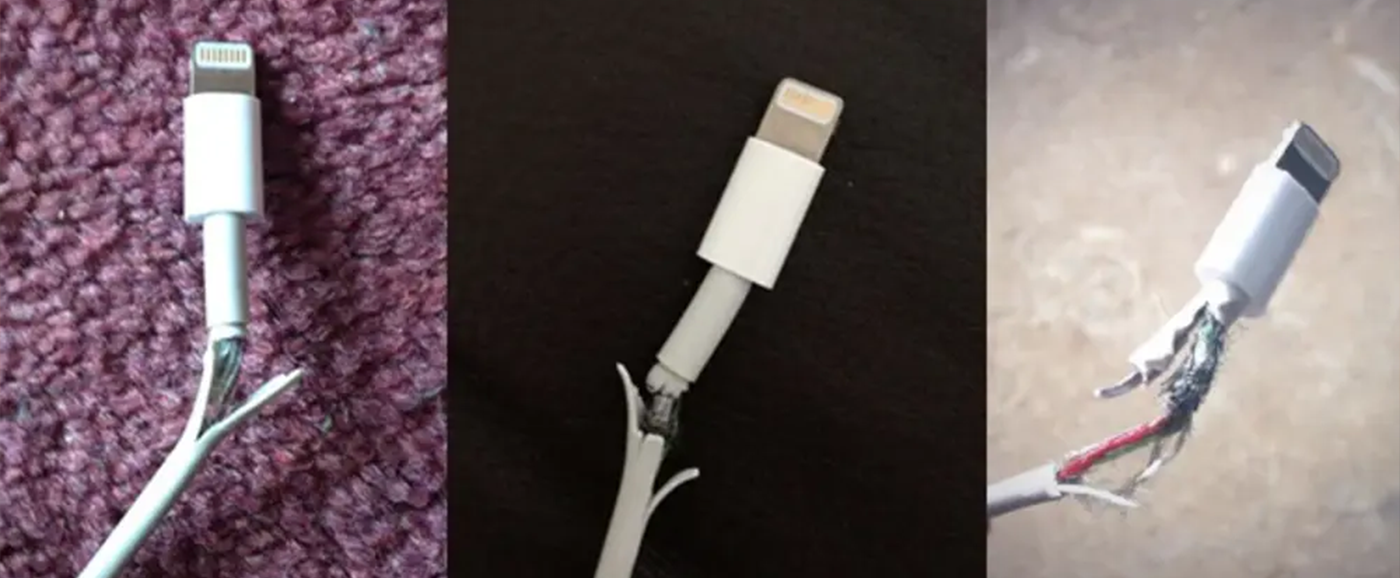
| The cable is split, frayed or has a damaged connector | The cable needs replacing | Stop using it and buy a suitable data cable |
| The connection drops when the cable or connector moves | A cable or socket connection may be loose or worn | Try one known-working data cable while parked to isolate the cause |
| A different cable works with the same phone and car port | The original cable is the likely problem | Replace the original cable |
| The phone charges but wired CarPlay or Android Auto does not launch | Charging is working, but the data path or setup may not be | Use the car's designated data port and a known-working data cable |
| Several working cables fail in the same setup | The phone, port or infotainment setup needs attention | Resolve that first rather than keep buying cables |
| Only the wireless connection drops | The wireless link needs troubleshooting | Start with wireless pairing and software, not a cable replacement |
Do connection tests and setup while parked. Position the phone and cable before starting your journey.
The One Cable Test Worth Doing Before You Buy
Use a known-working data cable between the same phone and the car's designated CarPlay or Android Auto USB port. Keep the phone in the same position and compare the connection while parked.
If the replacement cable works and your old one does not, buying a new cable is a sensible next step. If both fail, move to the short troubleshooting section below. This comparison is more useful than replacing several accessories at once.
A USB socket that charges a phone is not necessarily the socket that connects it to the infotainment system. A separate 12V USB charger supplies power; it does not create a wired CarPlay or Android Auto data connection.
Choose the Right Connection at Both Ends
| Connection | Choose this | What it means for MAX |
|---|---|---|
| iPhone 15 or later | USB-C at the phone | Choose the USB-C tip option |
| iPhone 14 or earlier, including iPhone SE | Lightning at the phone | Choose the Lightning tip option |
| Android phone with USB-C | USB-C at the phone | Choose the USB-C tip option |
| Car's designated data port is USB-A | USB-A at the car | Use MAX's USB-A connection |
| Car's designated data port is USB-C | USB-C at the car | Use MAX's USB-C connection |
The phone end and car end serve different jobs. A Lightning iPhone can connect to a car with either USB-A or USB-C; the phone still needs a Lightning connection. For a shared car with different phones, MAX's mixed-tip option lets the cable serve those devices in turn.
Choose Volta MAX for a Magnetic CarPlay or Android Auto Cable
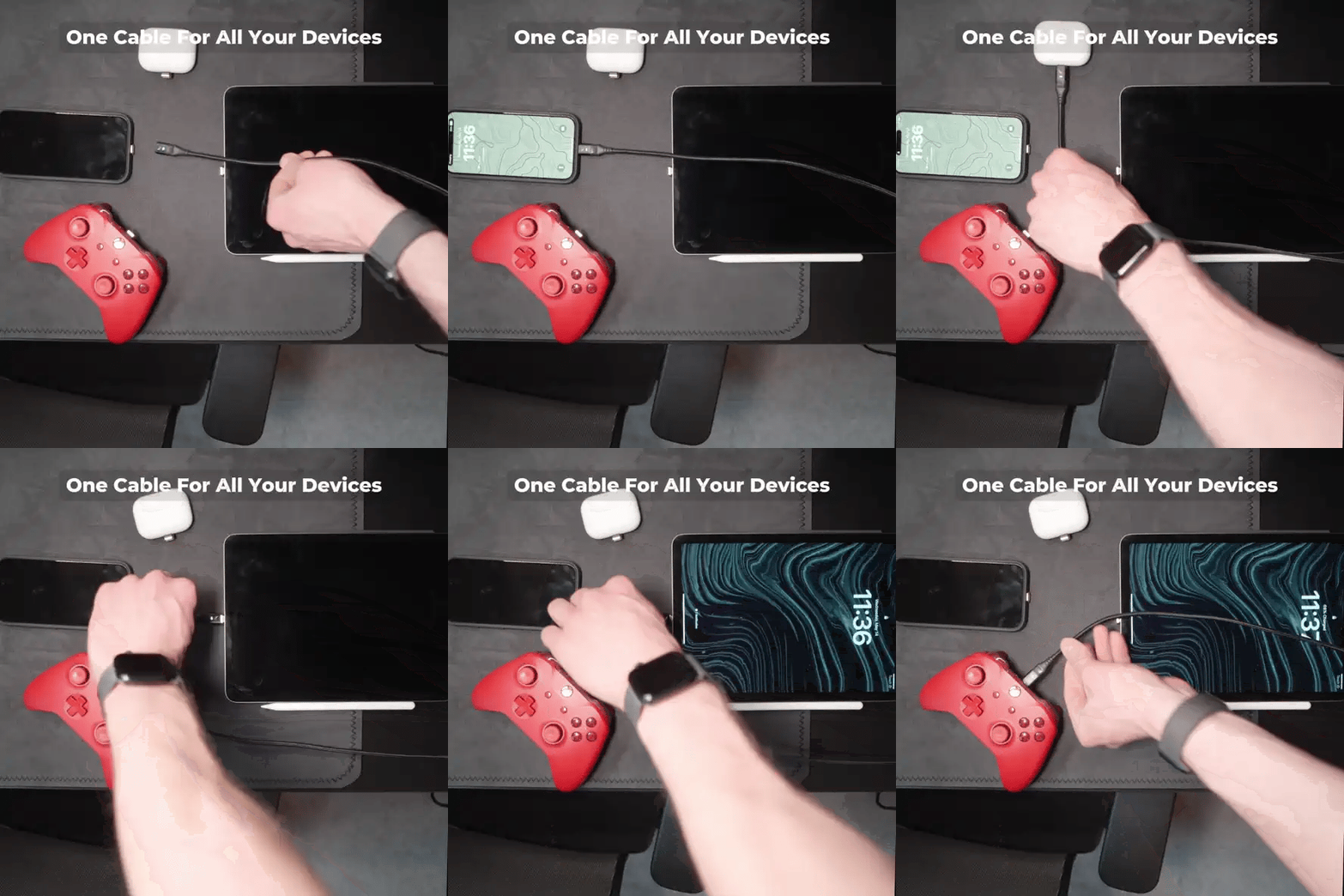
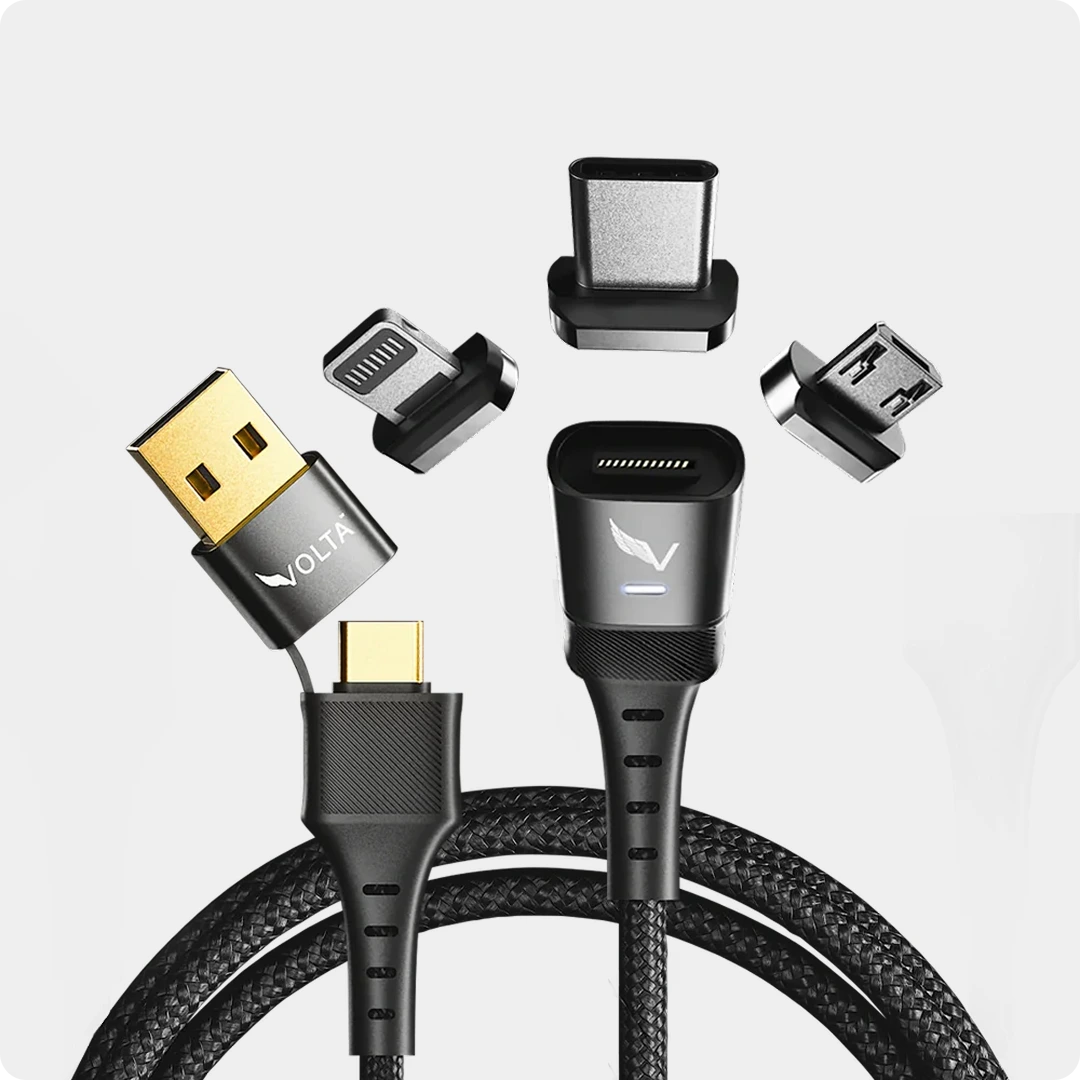
Volta MAX supports wired Apple CarPlay and Android Auto, carrying charging and data between a compatible phone and car system. The tip connects to your phone, and the cable attaches magnetically to the tip.


Volta MAX Cable
$50.00
✅ Easy Magnetic Connection ✅ Snap to Charge Your Phone, Laptop, and More ✅ Charges ALL Apple Lightning, USB-C & Micro USB Devices ✅ Supports ...
Choose MAX when you want a complete magnetic cable with interchangeable tips for different devices. It is our 240W cable with support for up to 20Gbps data transfer and 4K display output, but those headline ratings are not what makes the buying decision here. For CarPlay and Android Auto, the relevant features are data support, matching connections and a practical cable route.
MAX does not add CarPlay or Android Auto to a vehicle that lacks the feature, and it does not convert wired connectivity to wireless. It is a replacement cable for a supported wired setup, not a fix for every infotainment fault.
Watch the car-use video
Choose a Short, Direct Cable Route
Our first choice is the 0.5m MAX when it reaches comfortably from the data port to your phone's resting position or mount. It keeps the connection short without leaving a long loop across the console.
For Android Auto, Google's troubleshooting guidance recommends a cable under one metre and no USB hubs or extensions. If 0.5m does not reach, choose a suitable direct cable under one metre or a closer safe phone position rather than adding an extension.
MAX also comes in 1.5m for setups needing greater reach. For wired CarPlay, choose that length only when the shorter cable cannot reach comfortably. Keep the route clear of the gear selector, handbrake and other controls, and leave enough slack at the phone to avoid pulling on its connector.
Whether you are commuting in the UK, taking a US highway trip, travelling around Europe or driving between Australian towns, the useful choice is the distance between your car's data port and phone, not the country on the itinerary.
When Not to Buy Another Cable
Several known-working cables give the same result
Restart the phone and infotainment system, install available phone and vehicle-system updates, and reconnect. A damaged or loose car USB port needs attention to the port; another cable is not the solution.
CarPlay does not recognise the phone
Enable Siri and allow CarPlay in the iPhone's restrictions. For a fresh setup, use Settings > General > CarPlay, select the car and choose Forget This Car, then reconnect. If a previously working cable still works reliably, keep it.
The problem is wireless CarPlay
Turn on both Bluetooth and Wi-Fi, and enable Auto-Join for the CarPlay network. Re-pair the phone and car if needed. Buying a charging cable will not repair the wireless link. A wired connection is an alternative only when your vehicle also supports wired CarPlay.
The problem is wireless Android Auto
Revisit the phone-to-car pairing and available software updates. Moving to a cable is an alternative for a car that supports wired Android Auto, not a way to give an unsupported USB socket that capability.
Choose Your Replacement Without Overbuying
For a worn or unreliable cable in an otherwise working setup, choose MAX with the correct phone tip and the shortest comfortable direct route. There is no need to add a wall charger, power bank or extension to solve this particular problem.
For vehicle-focused buying options, explore our Honda Civic CarPlay cables or Ford Fiesta, Focus and F-150 cable collection. These help with cable selection; CarPlay and Android Auto availability still depends on the vehicle's model year and infotainment equipment.
For the connection system itself, read how magnetic charging cables work. If your old iPhone cable is visibly damaged, our frayed iPhone cable replacement guide covers the tip, finish and length choices.
Frequently Asked Questions
My phone charges, so why does CarPlay not work?
Charging confirms a power connection, not a working data connection. Wired CarPlay needs a data cable and the car's designated CarPlay USB port, along with a supported phone and vehicle setup.
Does Volta MAX support CarPlay and Android Auto?
Yes. MAX supports charging and data communication for wired CarPlay and Android Auto in compatible phone and vehicle systems.
Will a 240W cable make CarPlay more reliable?
The power rating alone does not determine CarPlay reliability. A suitable data connection, correct connectors and a sound cable route matter more for this job.
Should I buy the 0.5m or 1.5m MAX?
Choose 0.5m when it reaches comfortably. For Android Auto, keep the cable under one metre without an extension. For CarPlay setups needing more reach, 1.5m is the longer MAX option.
Will a new cable fix wireless CarPlay disconnecting?
Not by itself. The wireless connection uses Bluetooth and Wi-Fi. Start with pairing, wireless settings and software. A cable is an alternative connection only when the car supports wired CarPlay.
Can I use an extension for Android Auto?
Use a direct cable instead. Google's guidance recommends a cable under one metre without hubs or extensions.
When should I stop replacing cables and investigate the car?
When several known-working data cables fail with the same phone and car port. That points the next troubleshooting step toward the phone, port or infotainment setup rather than another cable purchase.
Setup references: Apple CarPlay connection guidance and Google Android Auto cable guidance.

Volta MAX Cable
✅ Easy Magnetic Connection ✅ Snap to Charge Your Phone, Laptop, and More ✅ Charges ALL Apple Lightning, USB-C & ...


1 kommentar
EYAD
In the car, CarPlay and Android Auto work when the date is set to 2025, but they do not work when the date is 2026. What is the solution to this problem?
Lämna en kommentar
Denna webbplats är skyddad av hCaptcha och hCaptchas integritetspolicy . Användarvillkor gäller.