




The right fast charger for your Samsung or Android phone is the one that supports your exact model's charging requirements, not simply the charger with the highest wattage. Check the phone's supported charging standard, the output of the port you will use and the cable needed to connect them.
For Samsung owners in particular, USB Power Delivery with PPS can matter more than a large number on the box. Other Android manufacturers may use different requirements for their fastest charging modes. A USB-C connector alone does not establish maximum-speed compatibility.
Whether you need a charger for a US desk, a UK commute, an Australian road trip or travel across Europe, this guide helps you choose what to buy and avoid replacing equipment that already works.
Which Fast-Charging Setup Should You Buy?
| Your situation | What to look for | What not to assume |
|---|---|---|
| Charging one Samsung phone | A charger explicitly compatible with your model's charging mode, plus the required cable | That any high-wattage USB-C charger supports Super Fast Charging |
| Charging another Android phone | The phone manufacturer's supported standards and accessory requirements | That every Android brand uses the same fast-charging system |
| Phone and laptop at one desk | A multi-port charger with suitable profiles and output sharing | That every port delivers the total wattage printed on the charger |
| Replacing a damaged cable | The right connectors, supported current and compatible accessories | That a new wall charger is also necessary |
| Travelling internationally | Compatible charging output, mains input rating and destination plug arrangement | That a plug adapter adds fast-charging support |
Start With Your Exact Phone Model
Before shopping, identify your phone's full model name and check the manufacturer's charging guidance. Do not apply one Galaxy model's requirements to every Samsung phone, or assume that all phones from another Android brand charge alike.
Write down the supported wired charging mode, the recommended charger specifications and any cable requirement. This gives you a buying checklist rather than a guess based on a product's headline wattage.
Samsung Fast Charging: Why PD and PPS Matter
USB Power Delivery, usually shortened to USB PD, is a charging standard. PPS stands for Programmable Power Supply. Samsung's support guidance says to check PPS support as well as power output when choosing equipment for Super Fast Charging.
That means a charger can have a high maximum output without providing the particular charging mode your phone needs. Look for explicit support in the charger's detailed specifications and compatibility information, not just the words “USB-C” or “fast charger.”
Cable requirements also vary with the phone and charger combination. Some Samsung charging setups call for a 5A cable, while newer supported combinations may have different requirements. Check the guidance for the exact setup instead of treating one cable rule as universal.
For model-specific details, consult Samsung's fast-charging compatibility guidance.
Choosing a Fast Charger for Other Android Phones
If you use a Pixel, OnePlus, Xiaomi or another Android device, check that model's requirements separately. Support for standard USB-C charging does not necessarily mean an accessory can reproduce the manufacturer's highest advertised charging speed.
If maximum-speed compatibility is unclear, start with the manufacturer's recommended accessories or an accessory that explicitly lists support for the required charging mode. A more powerful charger is not automatically a better match.
Do You Need a New Charger, a New Cable or Both?
Keep a compatible charger you already own
If your existing wall charger supports the required output and charging protocol, you may only need a suitable replacement cable. Check its specification label and documentation before replacing it.
Replace the charger when it does not support your target charging mode
A different cable cannot add PPS or another charging protocol to an adapter that lacks it. Choose a power adapter with documented support for your phone and then match the cable.
Choose a multi-port charger when you genuinely need several connections
For a phone, laptop and tablet, one multi-port charger may be more practical than separate adapters. Check how output is divided when those devices are connected. Also check that the phone's required protocol remains available in your chosen arrangement.
Wall Charger Option: the 140W Giga GaN Charger
The 140W Giga GaN Charger has two USB-C ports and one USB-A port. It is an option to assess if you want one charger for a desk or travel kit with several devices.

Do not choose it solely because its headline output exceeds your phone's requirements. Confirm the supported protocols, including PPS where required, and the relevant output profile for your phone before ordering.
See why shared output matters

The power-sharing diagram illustrates how the available output changes with the connected ports. It does not, by itself, establish support for a particular phone's charging protocol.
Check the Giga GaN charger's current specifications.
Cable Option: Volta MAX Magnetic Charging Cable
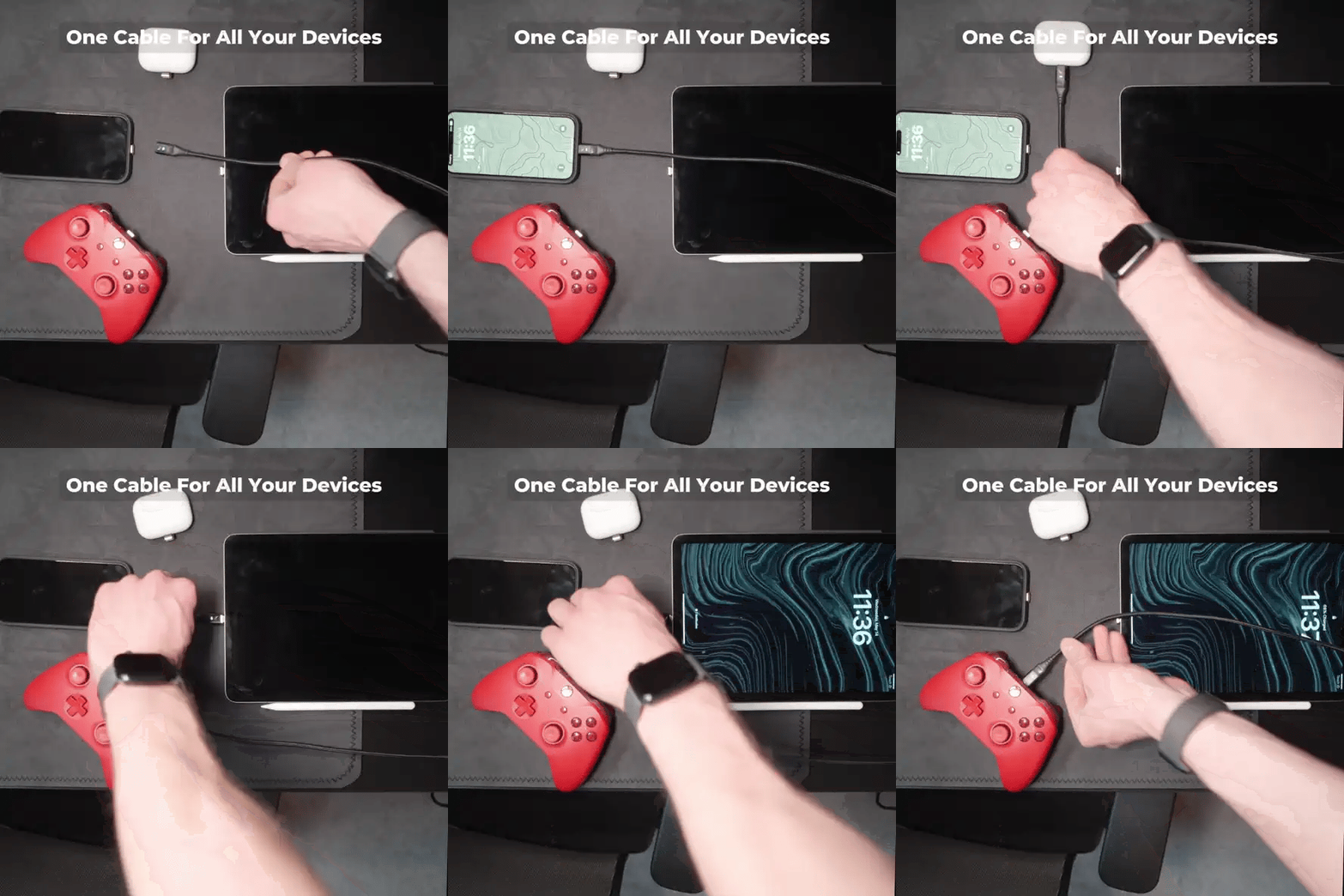
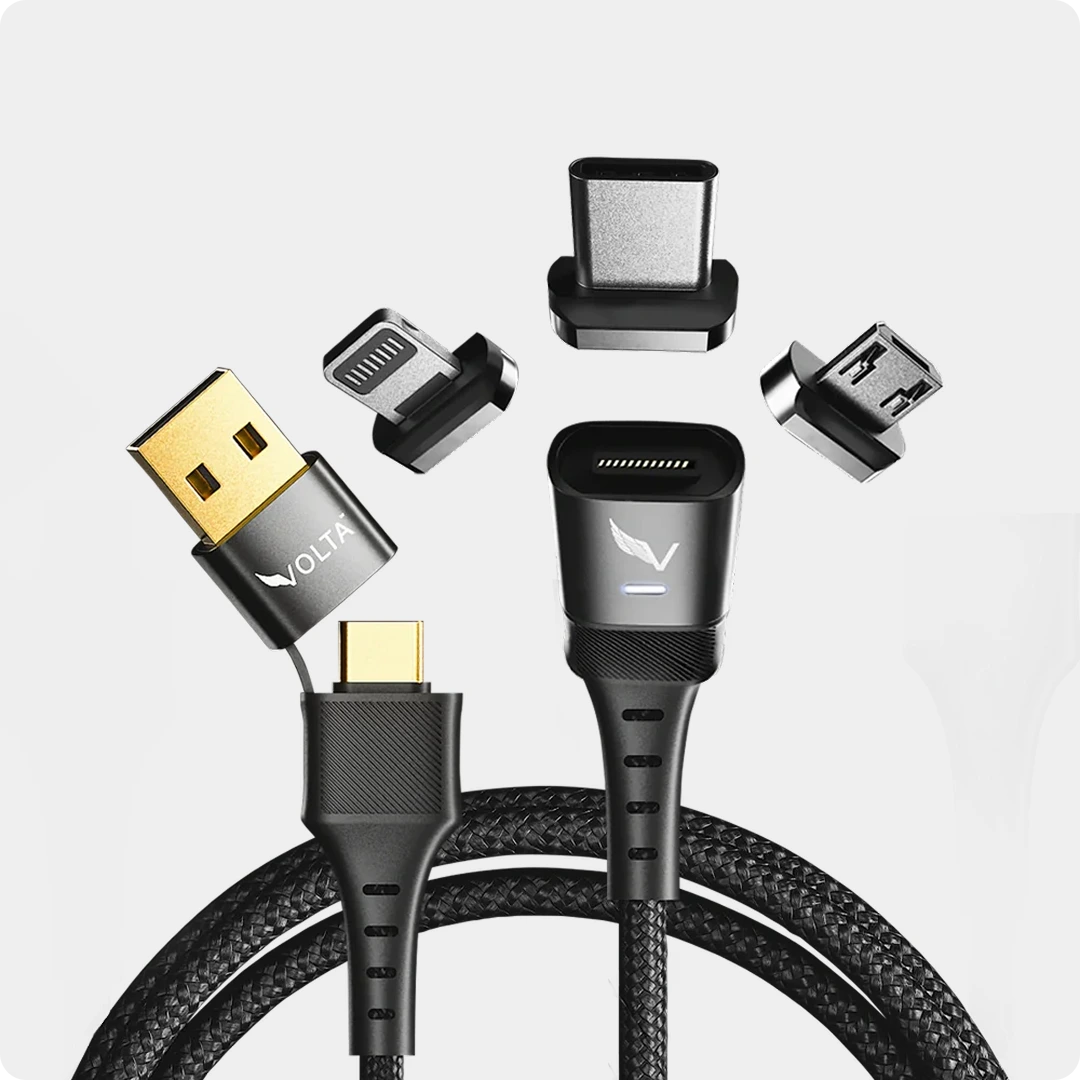
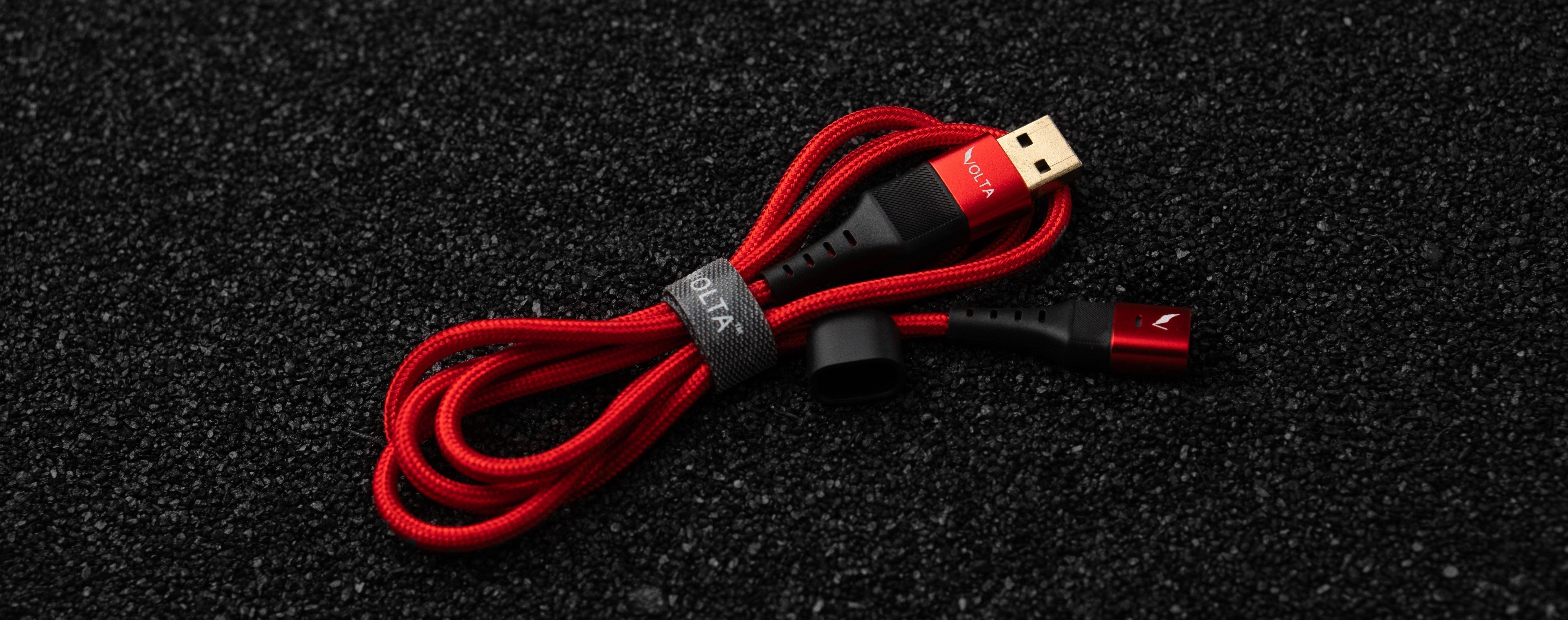
If you want a magnetic connection, the Volta MAX Cable is an option to assess for your setup. It offers interchangeable tips and an advertised maximum power capability of up to 240W.

Volta MAX Cable
$50.00
✅ Easy Magnetic Connection ✅ Snap to Charge Your Phone, Laptop, and More ✅ Charges ALL Apple Lightning, USB-C & Micro USB Devices ✅ Supports ...
For a USB-C Android phone, choose the appropriate USB-C tip and check the requirements of the full cable-and-charger connection. A maximum cable power rating is not a guarantee that every Samsung or Android charging mode is supported.
A closer look at the magnetic connection

The cable connects to a separate tip fitted to the device. This physical connection is distinct from the charging protocol: check compatibility with your phone and adapter as well.
Watch the Snap Magnetic video
Product use case video. Use the playback controls to watch; this is not a charging-speed test or proof of compatibility with a particular Samsung charging mode.
Choose this cable for a compatible magnetic setup and the convenience of interchangeable tips. If your existing cable already meets your requirements and you do not need those features, you do not have to replace it.
Buying for the US, UK, Australia or Europe
The phone's charging requirements remain the starting point wherever you shop. What changes for a wall charger is the mains connection and the practical arrangement needed at your destination.
- Check the exact plug version supplied, rather than relying on a product image.
- Check the charger's mains input rating before taking it abroad.
- If you need a plug adapter, verify that it suits both the charger and destination.
- Keep protocol and cable checks separate from plug compatibility.
- Review the displayed currency, delivery information and purchase terms for your destination.
For a UK or European rail commute, a US campus day or an Australian road trip, decide whether you will actually have a suitable socket. If your problem is access to power rather than wall-charger speed, our power bank buying guide explains the portable alternative.
Before Replacing Anything: Check These Common Bottlenecks
If a setup that previously charged well becomes slower, buying a higher-wattage adapter may not solve the problem. Check the cable and connections for damage, consult the phone's charging settings and note whether another device is sharing the charger.
Temperature, battery level and use during charging can affect the charging rate. Avoid comparing an idle phone at a low battery level with one running demanding apps near a full charge. For a wider troubleshooting checklist, read why your phone may be charging slowly.
Your Fast-Charger Buying Checklist
- Confirm your phone's exact model.
- Identify its supported charging mode and manufacturer recommendations.
- Check the adapter's protocols and relevant output profiles.
- Confirm PPS support if your Samsung charging mode requires it.
- Match the cable and any interchangeable tips to the setup.
- Check output sharing if you will connect other devices.
- Confirm mains input and plug compatibility for where you will use it.
For a magnetic cable setup, explore Volta MAX. For a multi-device wall adapter, assess the Giga GaN charger. In both cases, match the detailed specifications to your phone before buying.
Frequently Asked Questions
What charger should I buy for my Samsung phone?
Choose a charger documented to support your exact Galaxy model's charging requirements. Check the supported output, PPS where required and the specified cable. A higher maximum wattage alone is not enough.
Will a 140W charger charge my phone at 140W?
No. The charger's maximum capability does not override the phone's supported input. Actual charging depends on a compatible charging arrangement, the cable and operating conditions.
Does every USB-C charger support Samsung Super Fast Charging?
No. Samsung's guidance says to check USB PD PPS support as well as output. Verify the detailed specifications for the charger and your phone.
Do I always need a 5A cable for Samsung fast charging?
Not as a universal rule. Requirements vary by the phone, charger and charging mode. Follow the model-specific guidance rather than choosing by connector shape or cable wattage alone.
Does a 240W cable make my Android phone charge faster?
Not by itself. The cable must meet the setup's requirements, but it cannot add a missing charging protocol to the adapter or increase the phone's supported input.
Should I buy a new charger if my phone charges slowly?
First check whether the existing charger and cable meet the phone's requirements and whether the slow charging is caused by settings, connections, temperature or shared output. Replace the component that is unsuitable rather than automatically buying a complete new setup.

Volta MAX Cable
✅ Easy Magnetic Connection ✅ Snap to Charge Your Phone, Laptop, and More ✅ Charges ALL Apple Lightning, USB-C & ...


Laisser un commentaire
Ce site est protégé par hCaptcha, et la Politique de confidentialité et les Conditions de service de hCaptcha s’appliquent.