Have you experienced your phone heating up during charging? It's a common issue, but understanding the reasons behind it and adopting preventive measures is essential. Explore the causes and learn effective tips to keep your device cool.

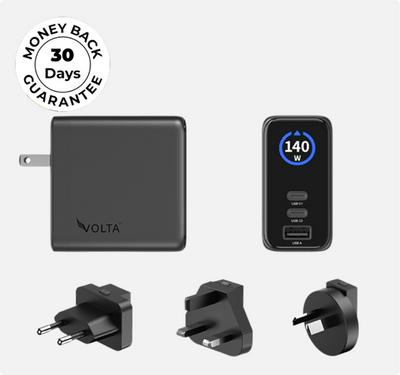
140W Giga GaN Charger
140W
3-Port
GaN
Charger
-
the
mini
charger
with
mighty
power.
Charge
via
two
USB
Type-C®
and
one
through
USB
Type-A.
Perfect
for
charging
smartphones,
...
Reasons Behind Phone Overheating While Charging
Let's break down the various contributing factors:
Myth: Higher Wattage Equals More Heat: Many people assume using a high-output charger (like a 65W or 140W brick) will cook their phone's battery. This is incorrect. Your phone only draws the maximum wattage it can safely handle.
The real cause of overheating is inefficient energy transfer in cheap, older silicon chargers. Modern GaN (Gallium Nitride) chargers, like the Volta 140W Giga GaN, operate at up to 95% efficiency. Because they waste almost no electricity as excess heat, they stay remarkably cool while charging your devices at lightning speeds.
Overusing Phones while Charging: Constantly using your phone during charging stresses the battery, contributing significantly to overheating.
Lifespan of Batteries: Over time, mobile phone batteries degrade, potentially causing overheating issues.
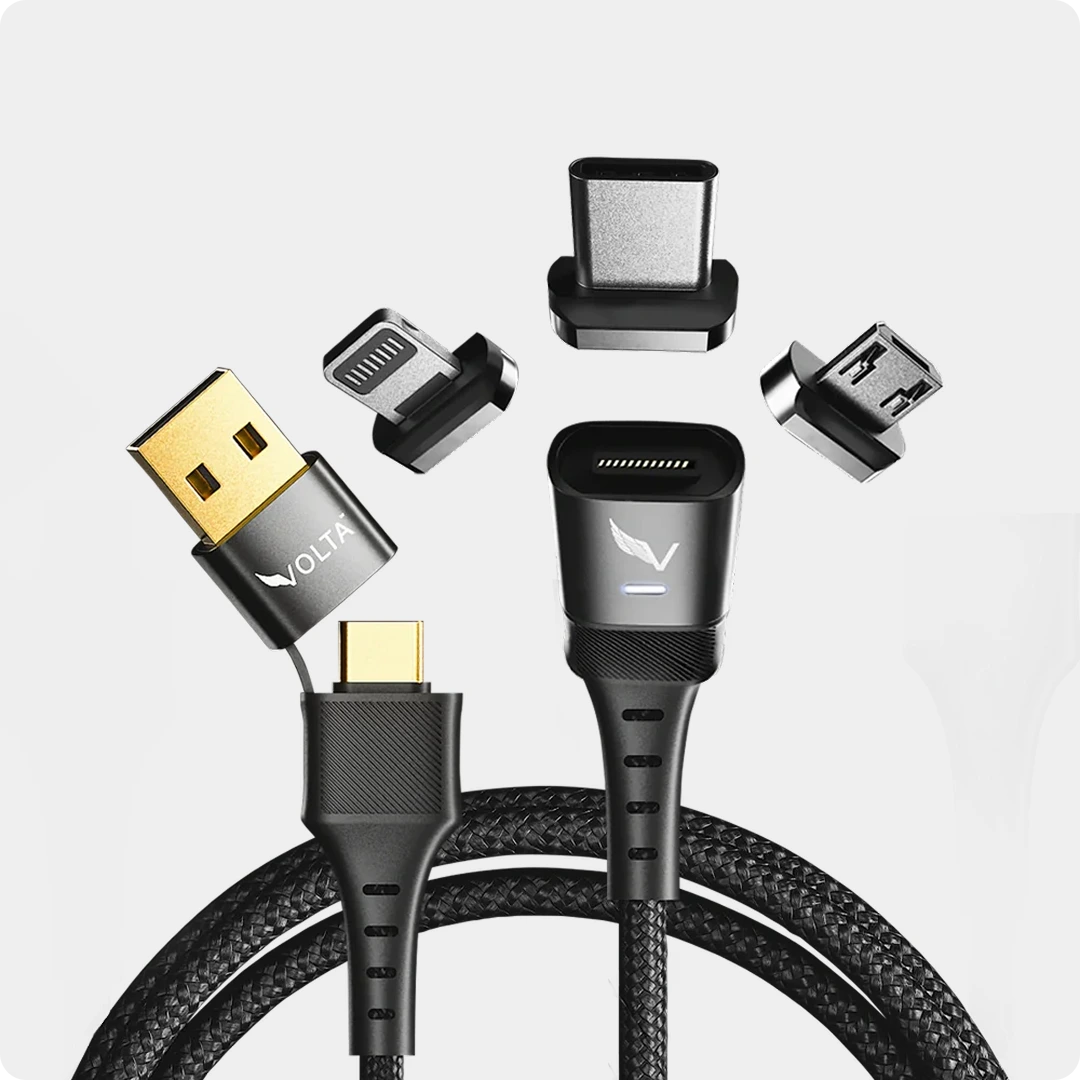
Poor Quality Cables and Chargers: Substandard accessories result in inefficient energy conversion, leading to prolonged charging and increased heat. This is why we recommend efficient cables like the
Volta Max.
Overcharging: Some phones continue to draw power even when fully charged, resulting in excess heat.
Consequences of Phone Overheating
Continuous overheating can lead to the following effects
Permanent Battery Damage: Prolonged overheating may permanently damage the battery, reducing its lifespan and capacity.
Reduced Charging Efficiency: Excessive heat slows down the charging process, decreasing overall efficiency.
Not sure how fast your iPhone should be charging? Our iPhone charging times guideiPhone charging times guide shows the expected times by model so you can spot if overheating is slowing yours down.
Rapid Component Degradation: Overheating accelerates the degradation of internal components, impacting their longevity.
Poor Performance Display: Overheating can cause lagging and freezing, affecting overall device performance.
Preventing Phone Overheating: Tips for Keeping Your Phone Cool
Now that you understand the reasons and consequences, let's explore 10 practical tips to keep your phone cool during charging:
#1. Use GaN Technology, Not Old Silicon Throw away the cheap, bulky brick that came with your old electronics. Upgrade to a compact GaN charger. It utilizes advanced semiconductor materials to transfer power efficiently without generating the extreme thermal output of standard wall plugs.
#2. Switch to Airplane Mode: Activate airplane mode during charging to decrease power consumption, reducing strain on the battery.
#3. Avoid Overcharging: Charge your phone only as long as necessary and unplug it once fully charged to prevent overheating.
#4. Stop Forcing Loose Cables into Worn Ports When a charging cable doesn’t fit tightly into your phone's port, it creates micro-arcing and massive resistance. This causes intense localized heat right at the bottom of your phone. Using a magnetic system like the Volta MAX Cable eliminates plug friction, keeping the port dust-free, tight, and completely cool.
👉 Upgrade to the Friction-Free Volta MAX Cable
#5. Limit Usage: Reduce active usage and avoid running resource-intensive apps to decrease heat generation.
#6. Close Unused Apps: Shut down unnecessary background applications to relieve the strain on the phone's processor.
#6. Unplug from Charger: If your phone is charging and overheating, disconnect it from the charger to prevent additional heat buildup.
#7. Turn Off Unused Features: Disable features like Bluetooth, Wi-Fi, and location services to reduce power consumption and heat generation.
#9. Check for Updates: Ensure your phone's operating system and apps are up-to-date, as updates may include fixes for overheating issues.
#10. Inspect for Damage: Check for physical damage or blockages in the phone's ventilation areas and ports.
Conclusion
Understanding why your phone gets hot while charging is crucial. Implementing these tips can help prevent overheating issues and maintain your device's optimal performance.
FAQs about Phone Overheating
Is it Normal for iPhones to Get Hot while Charging?
While devices may warm up during use or charging, excessive heat indicates an underlying issue.
Should I Be Worried if My Phone is Hot while Charging?
While not alarming, consistent overheating should be addressed promptly to identify and resolve potential problems.
Why does my phone get hot when fast charging?
Fast charging forces a large current into the battery quickly during the 0% to 50% stage. While a slight warming is normal, excessive heat means your wall adapter or cable lacks a smart negotiation chip to regulate current.
Is it safe to use my phone while it's charging?
No. Doing intensive tasks like gaming or watching video while charging causes "parasitic load." The battery is forced to charge and discharge simultaneously, generating double the thermal stress and rapidly degrading battery health.
Can a protective case cause phone overheating?
Yes. Most plastic, rubber, or leather cases act as insulators, trapping the natural heat your phone generates while charging. If your phone feels hot to the touch, snap the case off until it reaches 80%
Featured product

140W 3-Port GaN Charger - the mini charger with mighty power.
Charge via two USB Type-C® and one through USB Type-A.
...
$113.00












5 comentarios
Volta Charger
Thanks, Samrat! I’m so glad those tips resonated with you. Keeping those background apps in check is definitely one of the easiest ways to keep the temperature down. Thanks for the kind words
Volta Charger
Hi J.C. Lee! Thanks for stopping by and sharing your support. Glad you found the post helpful!
J . C. . LEE
SENTING , A GOOD . , .
Samrat Rajput
Great article with practical tips to prevent phone overheating while charging! Keeping apps closed, using quality chargers, and avoiding hot environments are very useful. Thanks for the advice!
Samrat Rajput
Great advice on preventing phone overheating while charging! Simple steps like removing the case and using quality chargers are very effective. Thanks for the tips
Dejar un comentario
Este sitio está protegido por hCaptcha y se aplican la Política de privacidad de hCaptcha y los Términos del servicio.