






- What You Actually Need to Charge a MacBook
- The Top Power Banks for MacBook in 2026
- TSA Rules for Power Banks in 2026 (Updated)
- How to Actually Use a Power Bank to Charge a MacBook
- Frequently Asked Questions
To charge a MacBook Pro you need a power bank with USB-C Power Delivery at 100W or higher and a capacity under 100Wh for TSA compliance. In 2026, only a handful of power banks meet both requirements. This guide tests the top options so you don't have to.
What You Actually Need to Charge a MacBook

You cannot simply use the same small, cheap power bank that you use to top up your smartphone to charge a modern MacBook. Laptops demand vastly more power, and understanding the specific requirements is the difference between a dead battery and a fully productive remote workday.
USB-C Power Delivery: Minimum 100W for MacBook Pro
The charging protocol that dictates how power flows from a battery to your laptop is called USB-C Power Delivery (PD). To keep a 14-inch or 16-inch MacBook Pro charged, especially while you are actively using it for intensive tasks like video editing or coding. The power bank must be capable of outputting a minimum of 100W through a single USB-C port. If it outputs less, your laptop will drain its own battery faster than the power bank can refill it.
MacBook Air: Charges Well at 65W
If you use a MacBook Air (M1, M2, or M3), the requirements are slightly more forgiving. The Air is incredibly power-efficient and will comfortably charge from a 65W output power bank, even during active use. However, buying a 100W+ power bank is still recommended to future-proof your setup.
Why Most Power Banks Fail
Walk into any electronics store, and you will see shelves packed with "laptop power banks." Most of these are misleading. They might advertise "100W total output," but when you read the fine print, that 100W is divided across three ports (e.g., 60W + 20W + 20W). A MacBook Pro requires 100W dedicated to a single port. If the maximum single-port output is only 60W, the power bank will fail to keep your MacBook Pro alive under load.
The 100Wh TSA Limit (And Why It Matters)
Capacity is just as crucial as wattage. You want the largest battery possible, but you are legally constrained by aviation laws. The Federal Aviation Administration (FAA) and international regulators mandate that portable batteries carried onto commercial flights must have a capacity of 100 Watt-hours (Wh) or less. If your power bank exceeds 100Wh, airport security will confiscate it. Therefore, the perfect MacBook power bank must walk a tightrope: outputting massive 100W+ power while staying strictly under the 100Wh legal capacity limit.
The Best MacBook Power Banks of 2026 Compared
We tested the heavyweights of the laptop power bank category. To be viable for modern travel and remote work, a power bank must be reliable, TSA-compliant, and genuinely capable of pushing high wattage to a single device. Here is how the market leaders stack up.
CUKTECH 20 Power Bank
- Specs: 140W max single-port output (210W total) | 25,000mAh | 90Wh
- The Good: The CUKTECH 20 features one of the most advanced displays on the market, a crisp 1.54-inch TFT color screen that functions like a live tech HUD, showing real-time power graphs and voltage tracking. It utilizes high-density automotive-grade cells rated for over 1,000 cycles and supports a rapid 110W self-charging speed that can replenish 40% of its battery in under 20 minutes.
- The Bad: Its physical form factor is a thick, columnar cylinder that resembles a soda can, causing it to bulge awkwardly inside slim backpacks. Its primary flaw is complete "Cable Dependency" because it completely lacks a magnetic or wireless charging pad, you are forced to untangle and carry separate wires just to power up your smartphone or accessories. Furthermore, by capping out at 90Wh, it leaves a noticeable 10% of valuable, TSA-allowed capacity entirely on the table compared to the legal airline limit.
Anker 737 (PowerCore 24K)
- Specs: 140W max output | 24,000mAh | 86.4Wh
- The Good: The Anker 737 has been a staple for power users for years. It features a bright, detailed smart display that shows exactly how many watts are flowing in and out of the device, alongside an estimated time to recharge. Pushing 140W means it can fast-charge a 16-inch MacBook Pro efficiently.
- The Bad: Asides the risk of fire hazard due to lithium-ion battery overheating, as seen in Ankers Power banks recall in June 2025 ( Involved over 1.1 million PowerCore 10000 units (Model: A1263) ) and September 2025 (Involves about 481,000 units (Models: A1647, A1652, A1257, A1681, A1689) ), it is also heavy and shaped like a thick brick, making it awkward to slip into the flat pockets of a laptop bag. At 24,000mAh, it leaves some TSA-legal capacity on the table.
Ugreen Nexode 25,000mAh
- Specs: 130W max output (145 total) | 25,000mAh | 90Wh
- The Good: Ugreen built a fantastic, reliable tank of a battery. It offers slightly more capacity than the Anker 737 and features a more traditional, flatter rectangular shape that is much easier to pack alongside a laptop. It sustains a 100W charge to a MacBook flawlessly.
- The Bad: It peaks at 130W rather than 140W, which is a minor technicality but means it doesn't utilize the absolute maximum charging speed of the newest 16-inch MacBook Pros.
Anker Prime 27,650mAh (250W)
- Specs: 140W max single-port output (250W total) | 27,650mAh | 99.54Wh
- The Good: The Anker Prime is a powerhouse designed for demanding setups. It boasts a staggering 250W maximum combined output, allowing it to easily push a full 140W to a power-hungry 16-inch MacBook Pro while simultaneously supplying high speeds to two other devices. It features an advanced smart display and Bluetooth app control to easily track real-time charging stats.
- The Bad: To get the most out of this battery, you are practically forced to buy a separate, highly expensive proprietary desk charging dock to utilize its seamless pogo-pin charging connection. Without it, manual cable recharging is much less convenient. Structurally, it is shaped like a thick, vertical monolith block rather than a flat pack, making it incredibly awkward to slide into a standard flat laptop bag sleeve. It also lacks any wireless charging integration, meaning you are still entirely dependent on carrying multiple cords for smaller gear
Baseus Blade 100W
- Specs: 100W max output | 20,000mAh | 74Wh
- The Good: The Blade's selling point is its form factor. It is remarkably thin, roughly the dimensions of a small notebook. Meaning it vanishes into a backpack sleeve. It hits the necessary 100W output required for a MacBook Pro.
- The Bad: The 20,000mAh capacity is noticeably lower than the competition. While it will charge your laptop, it won't give you as much total runtime. The build quality also feels slightly more hollow than the premium density of Anker or Ugreen.
The Recommended Pick: VoltaGo MAX

- Specs: 140W max output (223W total) | 27,000mAh | 99.9Wh
- Why it Wins: In 2026, the VoltaGo MAX is simply the most mathematically optimized power bank you can legally carry on an airplane. By hitting exactly 99.9Wh (roughly 27,00mAh), Volta squeezed every single drop of legal capacity into the chassis, giving you noticeably more laptop runtime than the Anker or Baseus.
- Furthermore, it is most versatile hub on the market. It features a built-in Qi2 magnetic wireless charging pad on the face of the battery, allowing you to snap your iPhone onto it while simultaneously pushing 140W to your MacBook through the main USB-C port. With a massive 223W total output distributed across 5 simultaneous devices, it replaces every other charger in your bag. It wins on pure utility and capacity limits.


VoltaGo MAX - 27,000 mAh
23.300 kr 36.700 kr
Save 13.400 kr27,000 mAh Airline-Safe Portable Power Bank VOLTAGO Max is a singular power system that will work with just about any device you own. Made to ...
TSA Rules for Power Banks in 2026 (Updated)
While the baseline FAA rule of "100Wh maximum" remains the standard, international airlines have drastically tightened how you handle power banks during flights in 2026 due to safety concerns regarding lithium-ion fires.
The Baseline Rules (Global)
Power banks are strictly prohibited in checked luggage. If your bag is gate-checked at the last minute, you must physically remove the power bank and carry it into the cabin with you.
Emirates Airlines (New October 2025 Policy)
Emirates now enforces some of the strictest battery rules in the sky:
- Quantity: You are permitted exactly one power bank per passenger.
Capacity: It must be under 100Wh (approximately 27,000mAh), and the capacity rating must be clearly legible on the device's casing. - Usage: You are strictly prohibited from using the power bank to charge devices at any point during the flight.
- Storage: The power bank must be stored in the seat pocket or a bag under your seat, never in the overhead bins.
Singapore Airlines (New April 2026 Policy)
Following updated ICAO guidelines, Singapore Airlines implemented new restrictions this year:
- Quantity: A strict maximum of two power banks per passenger. Excess devices must be disposed of prior to boarding.
- Usage: Like Emirates, Singapore Airlines prohibits the use or charging of power banks during during the flight.
If you are unsure whether your current power bank is legal to fly with, input your device's specifications into the calculator below.
How to Actually Use a Power Bank to Charge a MacBook
Buying a high-end power bank is only the first step. If you connect it incorrectly, you will still experience slow charging.
The Right Cable Matters (You Need at least a 100W Rated Cable)
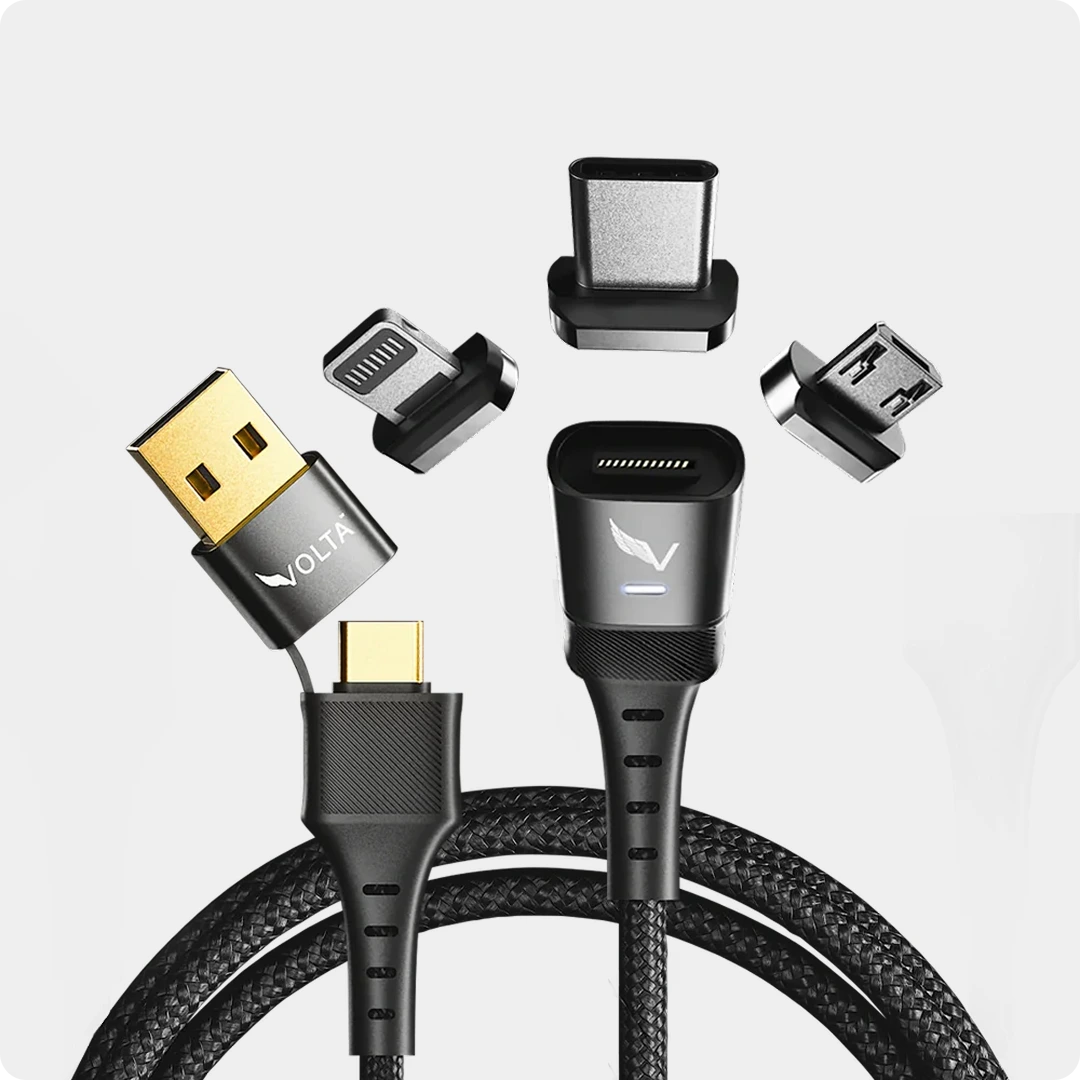
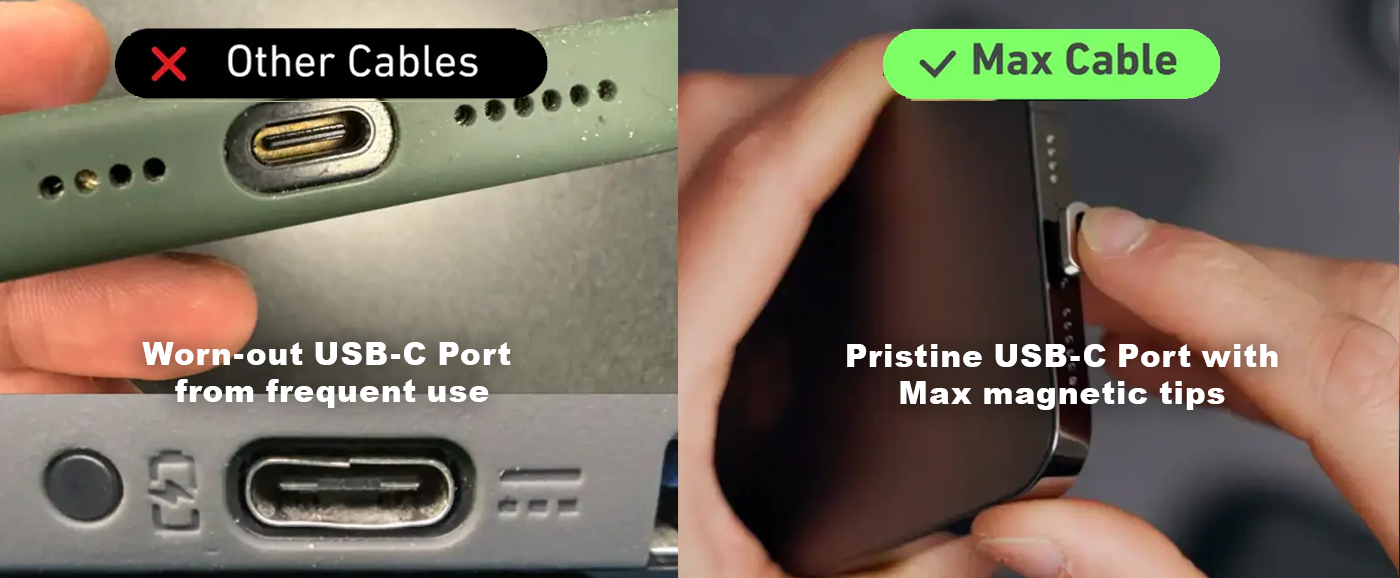
The cable is the bridge between the battery and your laptop. If you use a cheap gas-station cable, or even the cable that came with your phone, it likely contains a microchip that limits power transfer to 60W or less. To utilize a 140W power bank, you must pair it with a cable specifically high rated cable like the Volta MAX (often labeled as PD 3.1 or EPR).


USB-C to USB-C Only
Do not attempt to charge a modern MacBook using a USB-A to USB-C cable. The older rectangular USB-A standard simply cannot carry the wattage required for Power Delivery. You must use a high-quality USB-C to USB-C connection. This is were the Volta Max Shines, giving you the best experience of both worlds

Which Port to Use for Laptop Priority
Most multi-port power banks, including the VoltaGo MAX, have a designated "priority" port. Look closely at the labeling above the USB-C slots. Usually, "USB-C 1" is wired directly to the main power controller and is the only port capable of pushing the full 140W. Always plug your laptop into port 1.

Pass-Through Charging Explained
A premium feature on the VoltaGo MAX is "pass-through charging." This allows you to plug the power bank into the wall to recharge it, while simultaneously plugging your laptop into the power bank. The internal circuitry intelligently passes power straight through to your laptop first; once the laptop is full, it redirects the current to refill its own internal battery. You wake up with both devices at 100%.
For Digital Nomads: The Complete One-Bag Charging Setup
If your goal is to minimize weight while ensuring you can work from anywhere in the world indefinitely, you need a cohesive system, not a random collection of cables. The ultimate 2026 setup looks like this:
- The Battery: VoltaGo Max (99.9Wh / 27,000mAh)
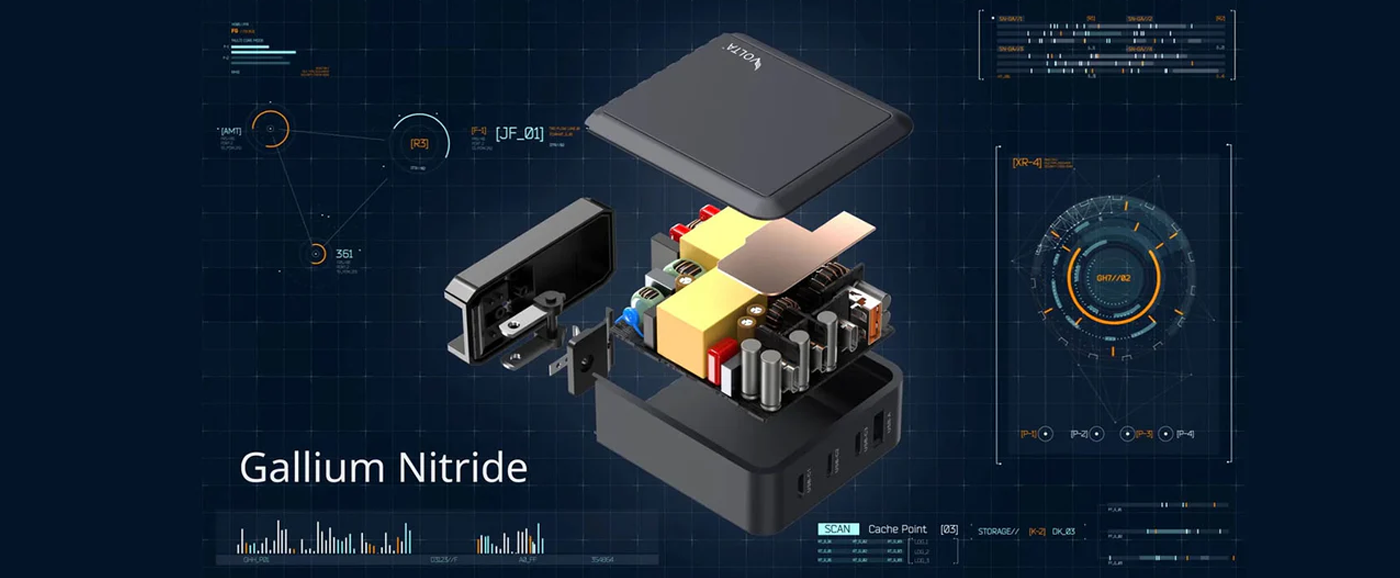
- The Wall Adapter: Volta GIGA GaN 140W Charger
- The Bridge: Volta Max Cable (140W PD 3.1 rated)
Everything You Need, Nothing You Don't
This three-piece kit handles everything. When you are at a coffee shop without an outlet, the VoltaGo MAX pushes 140W to keep your MacBook rendering video, while the built-in Qi2 pad charges your iPhone.

When you finally reach your hotel or a co-working space, the incredibly compact GIGA GaN adapter plugs into the wall (handling global 100V-240V inputs seamlessly) to quickly recharge both the power bank and your laptop using pass-through charging.
Weight and Size Breakdown
Instead of carrying a laptop brick, an iPad charger, an iPhone block, and an Apple Watch adapter, you carry two hyper-efficient items. The combined weight of the VoltaGo MAX and the GIGA GaN adapter is roughly equivalent to a single hardcover book, yet provides enough centralized power to run a mobile production studio from a single wall outlet or off the grid entirely.
Frequently Asked Questions
1. Will a 140W power bank damage my phone?
No. Modern power banks use intelligent Power Delivery chips. When you plug a device in, the battery "talks" to the device to see how much power it can safely accept. If you plug a smartphone into a 140W port, the battery will safely step down the output to the 20W or 30W your phone requests.
2. How many times can a 27,000mAh power bank charge my MacBook?
A 27,000mAh (99.9Wh) power bank will provide roughly one full charge (0 to 100%) for a 14-inch MacBook Pro, or about 0.8 charges for a larger 16-inch model. It acts as a complete second battery for your machine, effectively doubling your runtime away from a wall outlet.
3. Why does my power bank get warm when charging my laptop?
Heat is a natural byproduct of rapidly transferring large amounts of electricity. When pushing 100W or 140W consistently, the internal cells and the power-conversion chips will generate heat. High-quality power banks have built-in thermal monitors that will safely throttle the speed if the device gets dangerously hot.
4. Can I use a power bank while on an airplane?
As of 2026, it depends entirely on the airline. While carrying a power bank under 100Wh into the cabin is legal globally, airlines like Emirates and Singapore Airlines strictly prohibit actually using or charging devices with the power bank while the aircraft is in flight. Always check your specific carrier's rules before boarding.
5. How long does it take to recharge a 27,000mAh power bank?
If you use a high-quality 140W GaN wall charger and a 140W rated cable, a massive 27,000mAh battery like the VoltaGo MAX can recharge from 0 to 100% in roughly 90 to 120 minutes. If you try to recharge it using a standard 20W phone brick, it could take well over 10 hours.

VoltaGo MAX - 27,000 mAh
27,000 mAh Airline-Safe Portable Power Bank VOLTAGO Max is a singular power system that will work with just about any...


Leave a comment
This site is protected by hCaptcha and the hCaptcha Privacy Policy and Terms of Service apply.