





If your laptop becomes excessively hot during charging, especially around the keyboard or charging port, it's more than a minor inconvenience. Overheating can degrade performance, shorten battery life, and potentially damage internal components. Understanding the causes and implementing effective solutions is crucial to maintaining your device's health.
Why Does Your Laptop Overheat While Charging?
1. Increased Power Draw During Charging
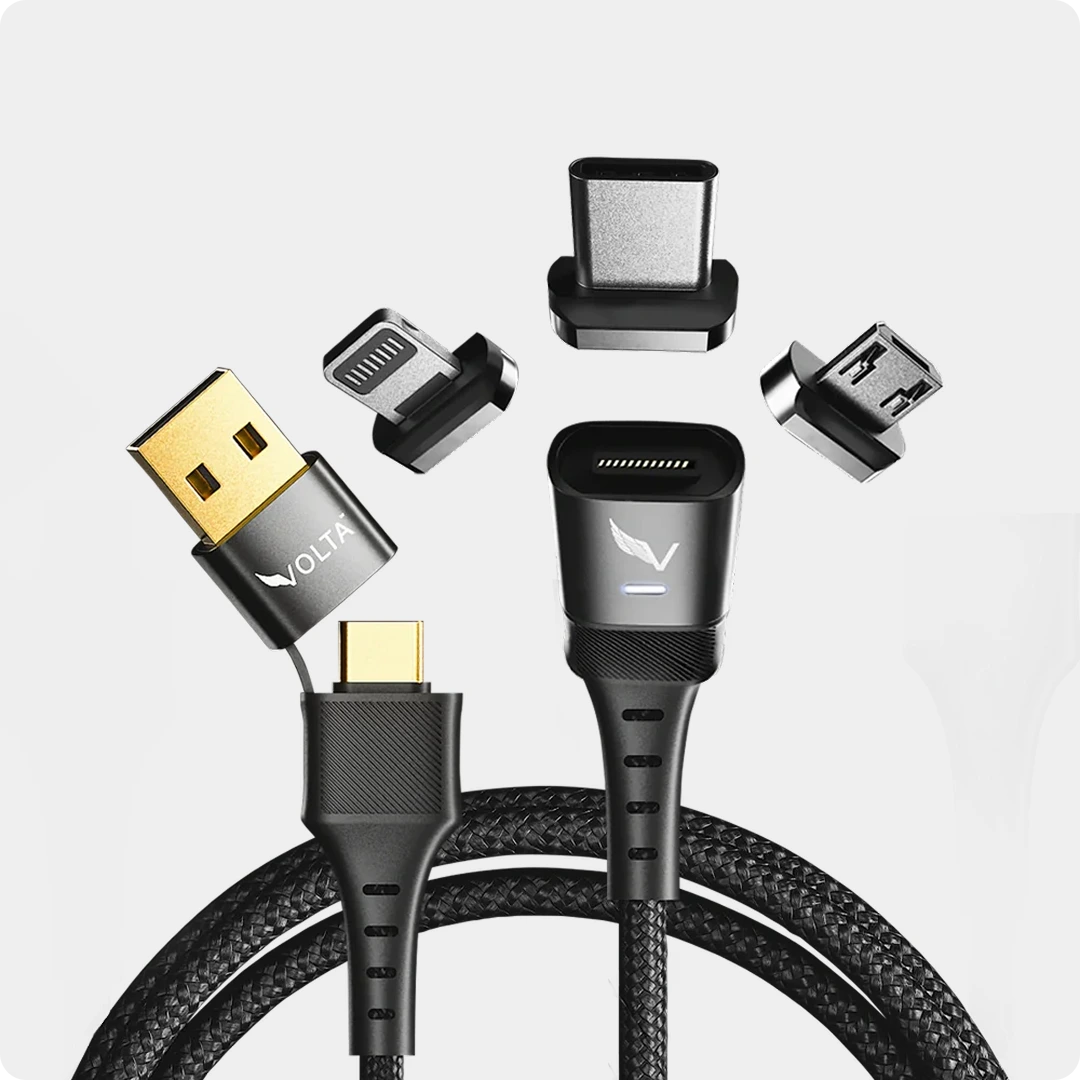
 This increased power draw generates additional heat, especially during resource-intensive activities. However, using the right hardware can mitigate this thermal stress. Advanced systems like the Volta MAX combined with our Giga GaN charger ensure that high-wattage power delivery remains stable and efficient, reducing the 'resistance heat' common in standard cables.
Rated #1 for Heat Efficiency


2. Aging Battery and Charging Circuitry

Over time, lithium-ion batteries degrade, increasing internal resistance. This degradation leads to inefficient charging and excess heat generation.
3. Inadequate Ventilation

Using laptops on soft surfaces like beds or couches can block air vents, restricting airflow and causing heat buildup.
4. Environmental Factors
High ambient temperatures or direct sunlight can exacerbate overheating issues during charging.
5. Faulty or Incompatible Chargers
Using chargers that don't match your laptop's specifications can lead to inefficient power delivery and increased heat. This is why we recommend efficient chargers that our customers love and have tested like the Volta GIGA GaN charger.
🛑 Stop Your Laptop from Overheating While Charging
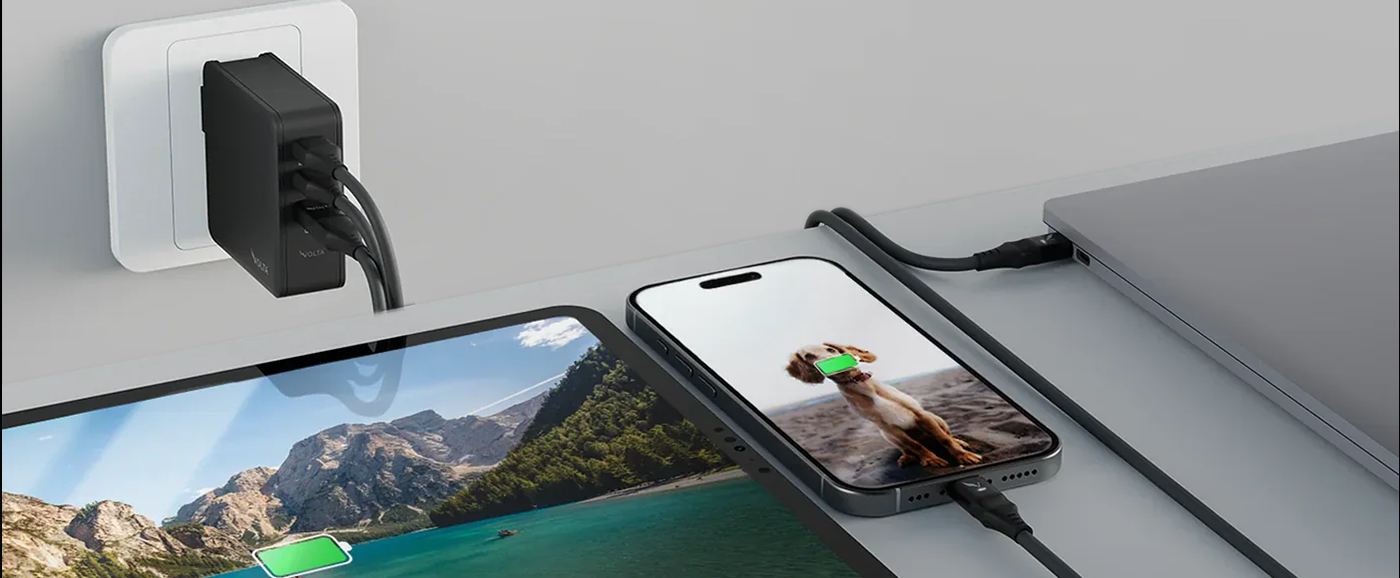
Cooler GaN Tech: Unlike standard "silicon" bricks that trap heat, our Giga GaN chargers are built with Gallium Nitride to stay 40% cooler while delivering max power.

$113.00
140W
3-Port
GaN
Charger
-
the
mini
charger
with
mighty
power.
Charge
via
two
USB
Type-C®
and
one
through
USB
Type-A.
Perfect
for
charging
smartphones,
...

140W Giga GaN Charger


| Feature | Standard Chargers | Volta Chargers |
| Laptop Protection | Irregular power control, leading to your laptop overheating | Efficient power control. |
| Heat Management | Traditional Silicon (Gets very hot) | GaN Technology (Stays 40% Cooler) |
| Efficiency | Wastes energy as heat | Maximum Power Transfer |
How to Prevent Overheating While Charging
1. Optimize Power Settings
Adjust your laptop's power settings to balance performance and energy consumption. Reducing processor speed and disabling unnecessary background processes can minimize heat generation.
2. Ensure Proper Ventilation
Place your laptop on hard, flat surfaces to allow adequate airflow. Consider using a cooling pad to enhance heat dissipation.
3. Update BIOS and Drivers
Keeping your system's BIOS and drivers up to date can improve thermal management and overall efficiency.
4. Upgrade to Heat-Efficient Hardware
Employ chargers and cables that meet your laptop's power requirements. High-quality accessories like the Volta Max ensure efficient power delivery and reduce the risk of overheating.

Enhancing Charging Efficiency
For those seeking to optimize their charging experience, consider using high-quality cables designed for efficient power delivery and data transfer. Such cable can help maintain optimal temperatures and ensure your laptop charges safely and effectively.
Frequently Asked Questions (FAQs)
Q: Why does my laptop get hot when charging?
A: Laptop heat during charging is caused by two simultaneous processes — the battery management system is actively converting AC power into stored DC energy while the processor is running your applications. Both processes generate heat. High-wattage charging, a blocked ventilation area, accumulated dust in fans, or a failing battery can all cause excessive heat beyond normal warm operation.
Q: Is it normal for a laptop to get warm while charging?
A: Mild warmth is completely normal. Laptops typically run between 40°C and 65°C under normal charging and light use. If your laptop feels hot to the touch, above 70°C to 80°C or if the fan is running loudly and constantly, that indicates excessive heat that could damage components over time.
Q: Can a bad charging cable cause a laptop to overheat?
A: Yes. An underpowered or low-quality cable that cannot deliver the required wattage forces the laptop's power management system to work harder, generating more heat. Using a cable not rated for your laptop's charging wattage, for example, a 60W cable on a laptop that needs 140W, causes thermal stress. Always use a cable rated at or above your laptop's maximum charging wattage.
Q: Does fast charging make a laptop hotter?
A: High-wattage charging does generate more heat than slow charging during the charging process itself. However, modern laptops and quality chargers like Volta's 140W GaN charger use intelligent power regulation to deliver high wattage efficiently with minimal heat loss. GaN technology specifically runs significantly cooler than traditional silicon chargers at the same wattage.
Q: How can I stop my laptop from overheating while charging?
A: Five practical steps help most users. First, charge on a hard flat surface — never on beds or sofas that block ventilation. Second, clean your laptop's fans and vents with compressed air every 6 months. Third, use a charger rated for your laptop's exact wattage. Fourth, avoid running intensive applications while charging if heat is a concern. Fifth, consider a laptop cooling pad for extended charging and use sessions.
Q: Can overheating while charging damage my laptop battery?
A: Yes. Sustained high temperatures during charging are the number one cause of premature lithium-ion battery degradation. Heat accelerates the chemical breakdown of battery cells, reducing total capacity over time. A laptop that regularly runs very hot during charging will have noticeably reduced battery life within 12 to 18 months compared to one that charges at normal temperatures.

Volta MAX Cable
✅ Easy Magnetic Connection ✅ Snap to Charge Your Phone, Laptop, and More ✅ Charges ALL Apple Lightning, USB-C & ...


6 komentářů
Volta Charger
Hi Dharmaraj! That sounds like a technical glitch. It could be related to the laptop’s internal thermal protection, if the system detects too much heat or an unstable current, it will stop charging to protect the hardware. Have you tried using a different cable like the Volta Max, to see if the issue persists?
Dharmaraj Bhupal magdum
चार्जेर हिट होता है,
Dharmaraj Bhupal magdum
लॅपटॉप हिट नही होता सिर्फ चार्जेर हिट होता है, बॅटरी चार्जिंग होना बंद होता है
Dharmaraj Bhupal magdum
लॅपटॉप हिट नही होता सिर्फ चार्जेर हिट होता है, लॅपटॉप चार्जिंग होना बंद होता hai
Dharmaraj Bhupal magdum
लॅपटॉप बॅटरी चार्जे होते, चार्जिंग बंद होता है, चार्जेर हिट होता है क्या करे
Napsat komentář
Tento web je chráněn službou hCaptcha a vztahují se na něj Zásady ochrany osobních údajů a Podmínky služby společnosti hCaptcha.