




If you just bought a new iPhone and realized there isn't a power adapter in the box, you have probably ended up asking the same question as thousands of other iPhone owners:
Do I actually need to buy Apple's charger?
Not necessarily.
Apple itself says you can charge your iPhone with compliant third-party power adapters. You can also use a Mac USB-C power adapter or another compatible USB-C adapter that meets applicable safety standards.
So the real question isn't whether you can use a third-party charger.
You can.
The better question is:
Which third-party iPhone charger is actually worth buying?
That depends on what you want from it.
If you only need to charge your iPhone, a small single-port charger may be enough. If you also charge an Apple Watch, AirPods, iPad or MacBook, a higher-output multi-port charger can make much more sense.
And if you travel frequently, buying one charger that works across several devices can save you from carrying a bag full of charging bricks.
In this guide, we'll look at what actually matters when choosing a third-party iPhone charger, how much wattage you need, whether third-party chargers are safe, and which type makes the most sense for different setups.
What is the best third-party charger for iPhone?
For most people, the best third-party iPhone charger is one that gives you the right amount of power, USB-C Power Delivery, reliable safety protection, and enough ports for the devices you actually use.
If you're charging only an iPhone, you don't need a huge desktop charging station.
But if your iPhone is just one part of your setup, a higher-output GaN charger with multiple ports can be much more useful.
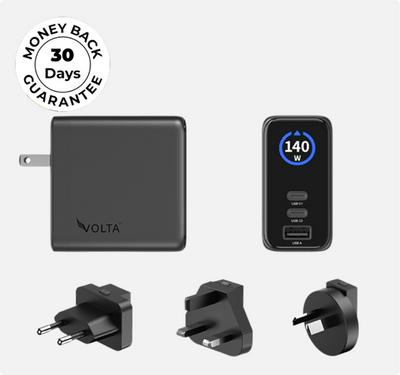
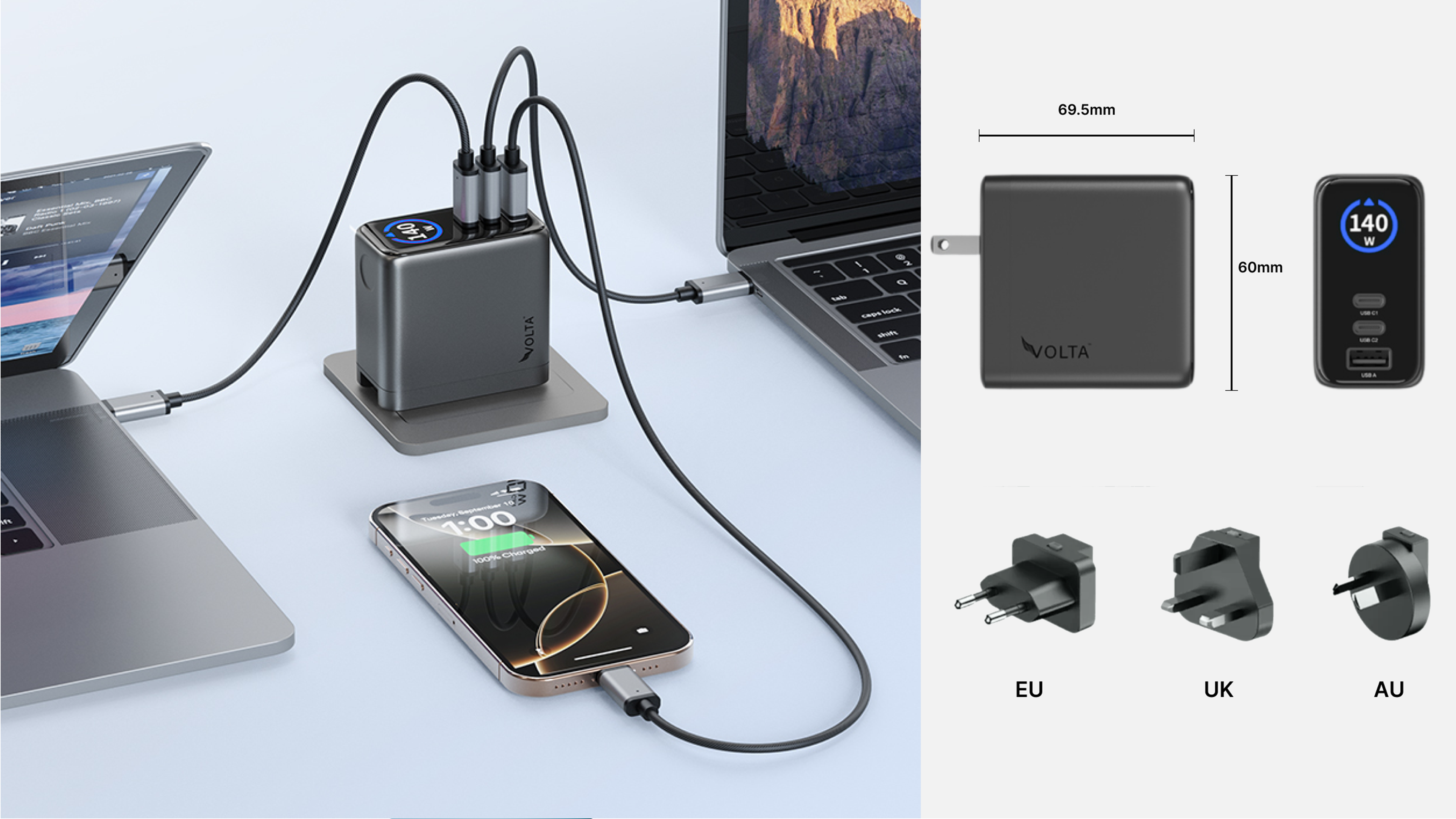
For example, the Volta 140W Giga GaN Charger has three ports, with up to 140W available through USB-C, plus intelligent power distribution when multiple devices are connected. It supports USB-C PD 3.1 and comes with interchangeable US, UK, EU and AU plug pins for travel.

See the Volta 140W Giga GaN Charger
$112.00
140W
3-Port
GaN
Charger
-
the
mini
charger
with
mighty
power.
Charge
via
two
USB
Type-C®
and
one
through
USB
Type-A.
Perfect
for
charging
smartphones,
...

140W Giga GaN Charger
 The important part is that you don't need 140W for your iPhone.
The extra capacity is useful because the same charger can power your other devices too.
Do you need Apple's charger for an iPhone?
No.
This is probably the biggest misconception worth clearing up.
Apple says that iPhones can be charged using third-party power adapters as long as they comply with applicable safety standards. Apple also specifically says that a Mac USB-C power adapter can be used.
So if you already have a good USB-C charger from another reputable manufacturer, you don't necessarily need to buy another Apple-branded adapter just because you bought a new iPhone.
What matters is what's inside the charger and what standards it supports.
A reputable third-party charger should have the appropriate power delivery capabilities and safety protections.
That's very different from buying the cheapest unbranded charger you can find.
Why buy a third-party iPhone charger instead of Apple's?
There are a few reasons people choose third-party chargers.
1. More ports
Apple's small single-port adapters are simple.
That's useful if you only need to charge one device.
But your charging setup probably contains more than one device.
Your iPhone might be sitting next to:
- AirPods
- Apple Watch
- iPad
- MacBook
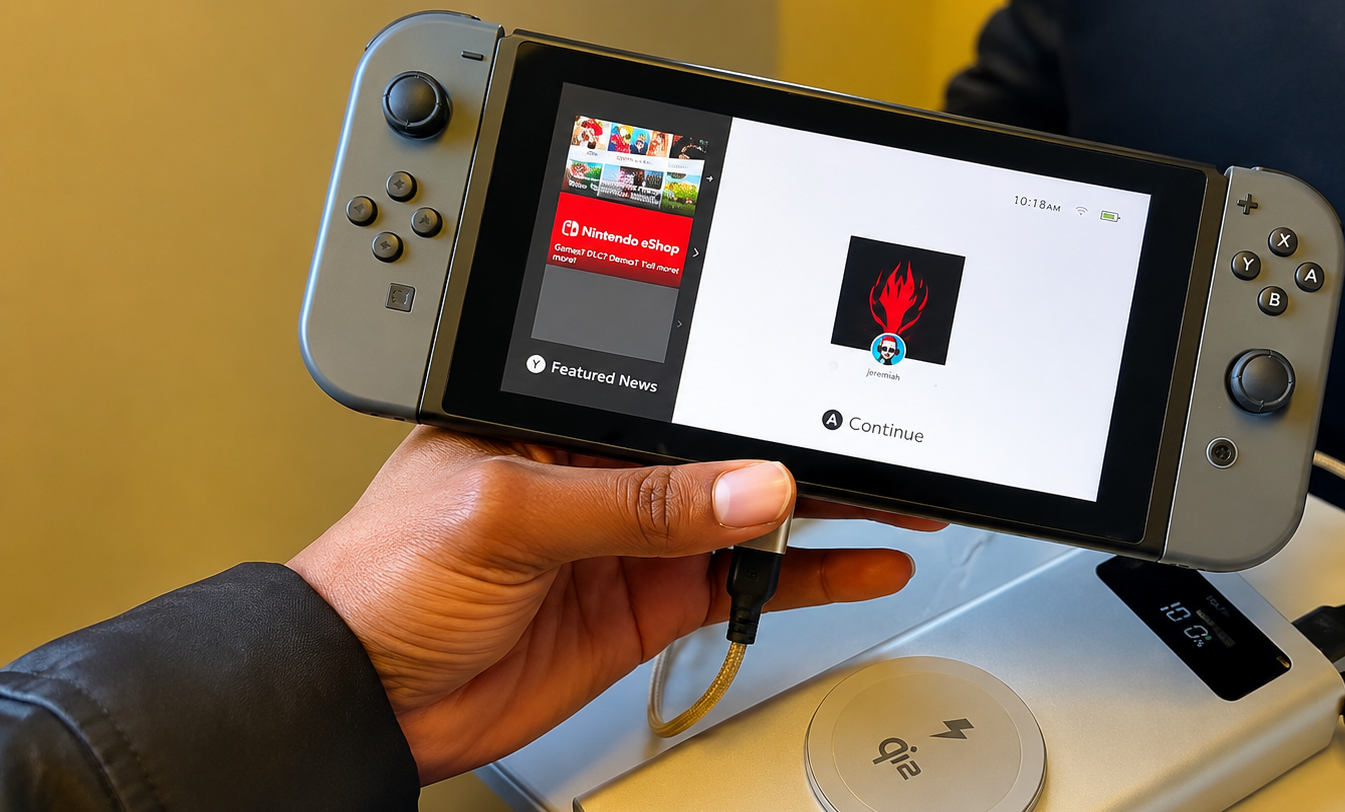
- Nintendo Switch
- heeadphones
- power bank
-
another phone
A multi-port charger lets you consolidate some of that.
Instead of:
One device → one charger
you can have:
One charger → several devices
That can be particularly useful on a desk or bedside table.
2. Higher power for other devices
Your iPhone doesn't need 140W.
Your MacBook might.
That's one reason a higher-wattage charger can make sense even if your main reason for buying it is your iPhone.
You aren't really buying a "140W iPhone charger."
You're buying a 140W charger that can also charge your iPhone.
The Volta Giga, for example, distributes power intelligently between connected devices.

That means the same brick can handle your phone in the morning, your laptop during work and several accessories at the same time.
3. Better travel options
If you travel, a charger with multiple ports can replace several individual adapters.
The Volta Giga supports 100-240V input and includes UK, EU, US and AU plug configurations, so the same charger can be used across multiple regions.
That is a very different proposition from simply buying another small iPhone charging brick.
You're buying one charging hub for your trip.
4. Better value for a multi-device setup
This is where third-party chargers often become more interesting.
If you're only charging an iPhone, Apple's simple charger may do exactly what you need.
But if you're charging several devices, you're paying for convenience rather than just wattage.
One charger can replace several.
And that is often the more compelling reason to go third-party.
Are third-party iPhone chargers safe?
Yes, a reputable third-party charger can be perfectly safe to use with an iPhone.
The important word here is reputable.
Apple itself doesn't say you must use an Apple-branded adapter. Its support documentation says you can use third-party cables and power adapters that comply with applicable regulations and safety standards.
That doesn't mean every charger sold online is equally good.
There's a big difference between:
A reputable third-party charger with proper safety certifications and power management
and
A random $5 charger with no meaningful information about its construction or safety.
If you're buying a charger that will be plugged into your wall every day, don't make price the only thing you compare.
What should you look for in a third-party iPhone charger?
This is where the shopping decision gets easier.
You don't need to memorize every charging specification.
Look for these things.
USB-C Power Delivery
USB-C is the connector.
Power Delivery, or USB PD, is the charging technology.
A USB-C charger isn't automatically a fast charger just because it has a USB-C port.
For an iPhone, look for a charger that supports appropriate USB Power Delivery.
Enough wattage
More wattage doesn't mean your iPhone will suddenly pull all of it.
A charger rated at 100W doesn't force 100W into a phone that doesn't request it.
The extra capacity simply means the charger has more available power for compatible devices.
This is why buying a higher-wattage charger can make sense if you also own a laptop or tablet.
You can use the same charger across your setup.
Multiple ports
Think about what you charge every day.
If the answer is:
"Just my iPhone."
One port may be perfectly fine.
If the answer is:
"My iPhone, AirPods, iPad and MacBook."
Then multiple ports become much more valuable.
GaN technology
You'll see GaN, or gallium nitride, mentioned frequently on modern chargers.
The main reason it matters is that GaN chargers can deliver high power in relatively compact designs.
That's particularly useful when you're trying to replace several bulky chargers with one smaller charging brick.
Safety protections
Look for protection against things such as:
- Overcurrent
- Overvoltage
- Short circuits
-
Excess temperature
The Volta Giga, for example, includes protection against overcurrent, overvoltage and short circuits, along with smart power distribution between connected devices.
How many watts do you need for an iPhone?
This is where people often overcomplicate things.
You don't need to buy the biggest charger you can find.
A 140W charger isn't automatically going to charge an iPhone faster than a smaller charger simply because the number is bigger.
Instead, think about your whole charging setup.
Only charging your iPhone
A smaller USB-C PD charger may be all you need.
iPhone + AirPods + Apple Watch
A multi-port charger starts to make more sense.
iPhone + iPad
Look for something with enough total output to comfortably charge both.
iPhone + MacBook
This is where a higher-output charger becomes much more useful.
You can charge the phone while also giving the MacBook enough power to charge properly.
iPhone + MacBook + other devices
A multi-port high-output GaN charger is probably the more practical setup.
This is why I wouldn't ask:
"What's the highest wattage charger for iPhone?"
I'd ask:
"What is the highest-power device I want this charger to handle?"
That gives you a much better answer.
Is a 20W charger enough for iPhone?
For someone who only wants a simple iPhone charging setup, a 20W-class USB-C charger can be a perfectly reasonable choice.
But that doesn't mean it's automatically the best charger for everyone.
If you have a MacBook, iPad or several other devices, buying a charger with more capacity can mean you don't need another brick later.
This is one of the reasons people end up buying a third-party charger in the first place.
They're not necessarily looking for more power for their iPhone.
They're looking for one charger that can handle everything.
Is a 30W or 40W charger better for iPhone?
Again, it depends on what else you're charging.
If you're only comparing chargers based on the number printed on the box, it's easy to assume that 40W must be better than 30W.
But the iPhone is still going to determine how much power it actually draws.
The additional capacity becomes more useful when you're charging other devices at the same time.
So don't buy a charger based on:
"What's the biggest wattage?"
Buy it based on:
"What devices do I want this charger to handle?"
Can you use a MacBook charger to charge an iPhone?
Yes.
Apple says you can use a Mac USB-C power adapter to charge iPhone.
This is another good example of why you shouldn't think of chargers as being locked to one device.
A USB-C charger with enough power can be used across multiple compatible devices.
Your MacBook charger can charge your iPhone.
A sufficiently capable third-party USB-C charger can charge your iPhone and MacBook.
And a multi-port charger can handle several devices at once.
The charger doesn't need to have an Apple logo for your iPhone to know what to do with the available power.
Apple charger vs third-party charger
So, is Apple's charger better?
There isn't a simple yes or no answer.
Apple's chargers are designed and tested for its ecosystem, and Apple places a strong emphasis on safety and reliability.
But Apple's own documentation also makes clear that compliant third-party adapters are an option.
The bigger difference is often what you want the charger to do.
|
Apple charger |
Third-party charger |
|
|
Charges iPhone |
Yes |
Yes, with a compatible charger |
|
USB-C PD options |
Yes |
Yes |
|
Multiple ports |
Depends on model |
Many options |
|
High wattage |
Available |
Many options |
|
GaN options |
Limited selection |
Many options |
|
Travel-focused designs |
Some |
Many options |
|
Multi-device charging |
Depends on model |
Many options |
|
Apple branding |
Yes |
No |
If you simply want a basic charger and prefer Apple's own accessories, there's nothing wrong with buying one.
But if you're trying to replace several chargers with one, a good third-party option can offer more flexibility.
What is the best third-party iPhone charger for multiple devices?
This is where I'd look at the Volta 140W Giga GaN Charger.
It's designed specifically around the problem of needing one charger for multiple devices.
You get:
- Up to 140W USB-C PD 3.1
- Three charging ports
- Smart power distribution
- A built-in display showing charging information
- 100-200V input
- UK,EU,US and AU plug options
-
Protection against overcurrent, overvoltage and short circuts
The interesting part isn't that it can deliver 140W to an iPhone.
It can't, and it doesn't need to.
The point is that your iPhone can use the appropriate amount of power while the charger keeps enough capacity available for your other devices.
For example, its smart power splitting can distribute power between a laptop, tablet and phone when all three are connected.
That's the kind of situation where a high-output third-party charger starts making sense.
What if you just bought an iPhone 17?
If you're here because you just bought an iPhone 17, you don't necessarily need to buy an Apple-branded adapter.
Apple's current support documentation confirms that compatible third-party USB-C adapters can be used.
But your best choice depends on what else you own.
If you only need a basic charging solution, keep it simple.
If you're replacing an old charger and want something that can handle your other devices too, look at a multi-port USB-C charger.
And if you're specifically trying to figure out which charger works with iPhone 17, we've already covered that in more detail here:
For the actual products, you can also browse the:
That keeps this article focused on the third-party charger decision, while the dedicated guide and collection handle the iPhone 17-specific search.
What about iPhone 16 and iPhone 15?
The same principle applies.
You don't necessarily need a different third-party charger just because you have a different iPhone generation.
The more important questions are:
What connector does your iPhone use?
How quickly do you want to charge?
How many other devices are you charging?
Do you want one charger for your entire setup?
If you're looking for a charger specifically for your model, we've got dedicated collections for those too:
And if you've simply bought a new iPhone and need help figuring out what charger to get:
What about the cable?
Don't forget that the charger and the cable are two different parts of the setup.
You can have a 140W charger and still have a cable that limits what you can do.
This becomes especially important if you want to use the same cable for your iPhone, laptop and other USB-C devices.
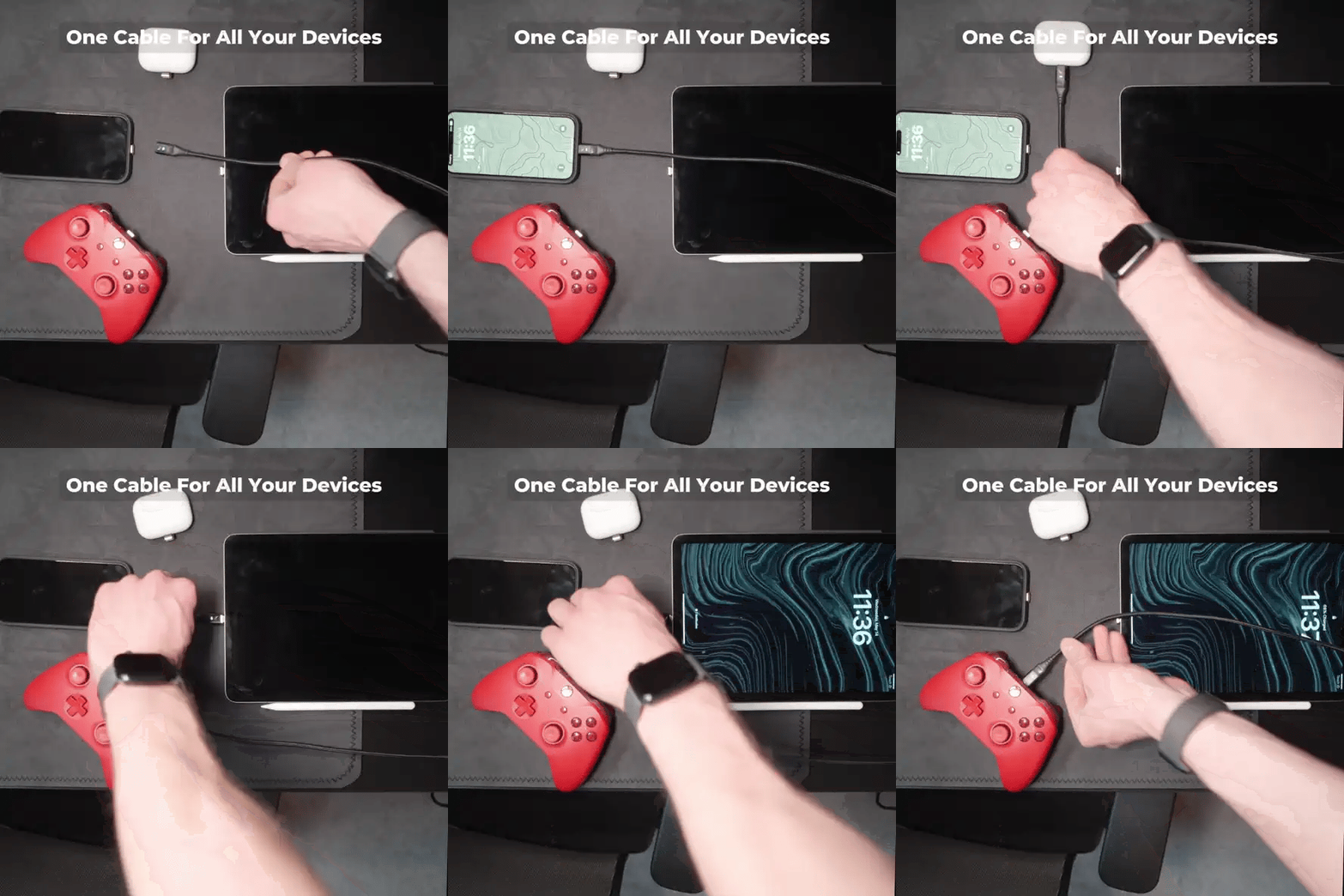
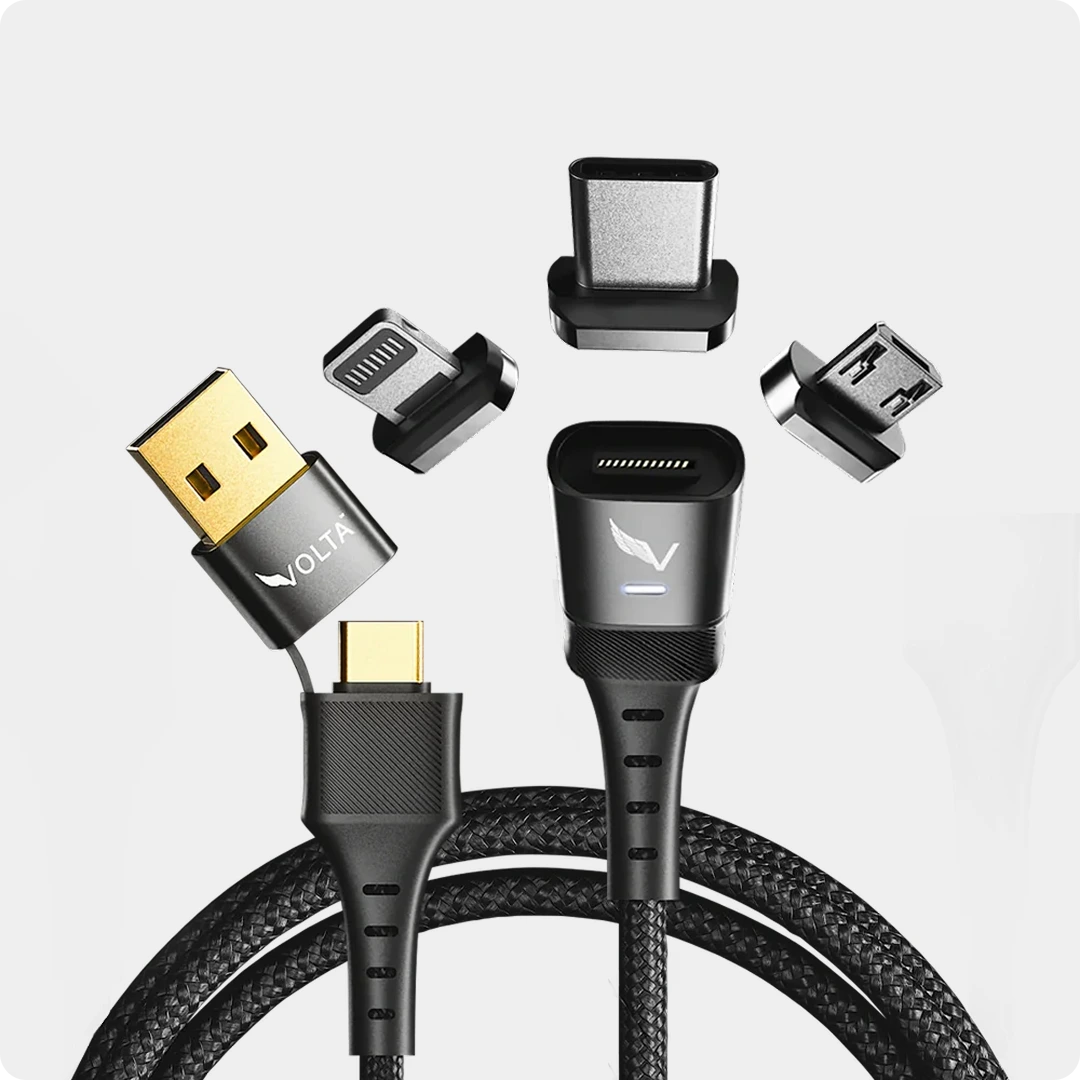
For people who want a more flexible setup, the Volta MAX supports up to 240W charging, up to 20Gbps data transfer and 4K display support, with interchangeable magnetic tips.

So your setup could look something like:
One high-output charger + one versatile cable + your iPhone + your other devices.
That is a much more useful way to think about your charging setup than simply buying an "iPhone charger."
How to choose the right third-party iPhone charger
If you're still unsure what to buy, use this simple checklist.
Choose a small single-port charger if:
- You mainly charge your iPhone
- You don't need to charge several devices simultaneously
-
You want the smallest possible setup
Choose a multi-port charger if:
- You charge your iPhone and AirPods
- You also have an iPad
- You want to charge several devices from one outlet
-
You want fewer charging bricks on your desk
Choose a high-output GaN charger if:
- You own a MacBook
- You want one charger for your laptop and phone
- You travel frequently
- You want to replace several chargers
-
You need multiple USB-C ports
Choose a travel-focused charger if:
- You travel internationally
- You need different plug types
- You don't want to carry separate chargers
-
You charge several devices while travelling
Conclusion
You don't need Apple's logo on a charger for it to work with your iPhone.
Apple itself says compatible third-party power adapters are supported, provided they meet applicable safety standards.
The better question is what you actually want from your charger.
If you only need to charge one iPhone, a simple USB-C PD charger may be all you need.
If you want to charge your iPhone alongside an iPad, MacBook, AirPods and other accessories, a multi-port GaN charger makes much more sense.
And if you're trying to simplify your entire setup, a charger like the Volta 140W Giga GaN Charger gives you three ports, high-power USB-C charging, smart power distribution and international plug support in one compact charger.
Shop the Volta 140W Giga GaN Charger
The best third-party iPhone charger isn't necessarily the one with the highest wattage. It's the one that fits the way you actually charge your devices.
Frequently Asked Questions
Is it safe to use a third-party charger with an iPhone?
Yes, provided the charger complies with applicable safety standards and is designed for charging devices. Apple explicitly supports compliant third-party power adapters.
Is Apple better than third-party chargers?
Apple chargers are designed and tested for safety and reliability, but Apple also supports compliant third-party adapters. The main advantage of third-party options is that you can find chargers with different port configurations, power levels and form factors that may better suit your setup.
Can I use a 65W or 100W charger with my iPhone?
Yes. A charger having a higher maximum output does not mean it forces that amount of power into your iPhone. The device and charger manage the power delivery.
Do I need a 140W charger for my iPhone?
No. You don't need 140W specifically for an iPhone. A charger like the Volta Giga is useful because the additional capacity can be shared with other compatible devices such as laptops and tablets.
Can I charge my MacBook and iPhone with the same charger?
Yes, if the charger has sufficient output and appropriate ports. A multi-port high-output charger is particularly useful for this setup.
Is GaN better for an iPhone charger?
GaN is useful because it allows manufacturers to build compact chargers that can deliver high power efficiently. Whether you need it depends on how many devices you want to charge.
Can I use my MacBook charger for my iPhone?
Yes. Apple says you can use a Mac USB-C power adapter to charge an iPhone.
Should I buy an Apple charger or a third-party charger?
If you prefer Apple's own accessories, an Apple charger is a straightforward choice. If you want more ports, higher output, compact GaN designs or one charger for several devices, a reputable third-party charger may offer a better fit.

140W Giga GaN Charger
140W 3-Port GaN Charger - the mini charger with mighty power. Charge via two USB Type-C® and one through USB Type-A. ...


Napsat komentář
Tento web je chráněn službou hCaptcha a vztahují se na něj Zásady ochrany osobních údajů a Podmínky služby společnosti hCaptcha.