




A slow-charging phone does not automatically need a new charger and cable. Replace the cable when it is damaged or another cable restores normal charging with the same charger. Replace the charger when a suitable alternative restores normal charging with the same cable. Buy neither when temperature, battery level or a charging setting explains the slowdown.
If you are asking “why is my phone charging so slow?”, start with the decision below. The aim is to buy the part that solves the problem, not replace everything at once.
New Cable, New Charger or Neither?
| What you notice | Best next move | Buying decision |
|---|---|---|
| The cable is frayed, split or has a damaged connector | Stop using it | Replace the cable |
| A different cable restores normal charging with your existing charger | Keep the charger | Replace the original cable |
| A suitable different charger restores normal charging with the same cable | Keep the cable | Replace or upgrade the original charger |
| Charging slows when several devices share one charger | Charge the phone on its own for comparison | Upgrade only if you need more power available to several devices together |
| The phone is hot or displays a temperature-related charging pause | Let it return to a normal temperature | No accessory purchase yet |
| Charging slows near full or stops at a selected charge limit | Recognise the phone's battery-management behaviour | No accessory purchase just for this |
| Several suitable chargers and cables give the same poor result | Investigate the phone, port or battery | Do not keep buying replacement accessories |
One Short Comparison Before You Buy
Change one part at a time. Compare charging with the phone resting, its screen off and the battery at a similar level. Comparing a hot phone near full with a cool phone at a low battery level can make a working accessory look faulty.
- Keep your charger and try a known-working suitable cable. If charging returns to normal, replace the original cable.
- If that makes no difference, keep the known-working cable and try a charger suited to the phone. If charging improves, the original charger or its supported charging mode was the limiting part.
- If neither swap helps, focus on the phone or its charging conditions before buying anything.
Skip testing with accessories that are visibly damaged. Replace a damaged item rather than continuing to use it for comparison.
When You Need a New Charging Cable
Choose a replacement cable when the old one is damaged, unreliable or unable to carry the power your setup needs. A new cable can remove that bottleneck. It cannot raise the output of a low-power charger or make the phone accept a charging mode it does not support.
Choose Volta MAX for a complete magnetic cable
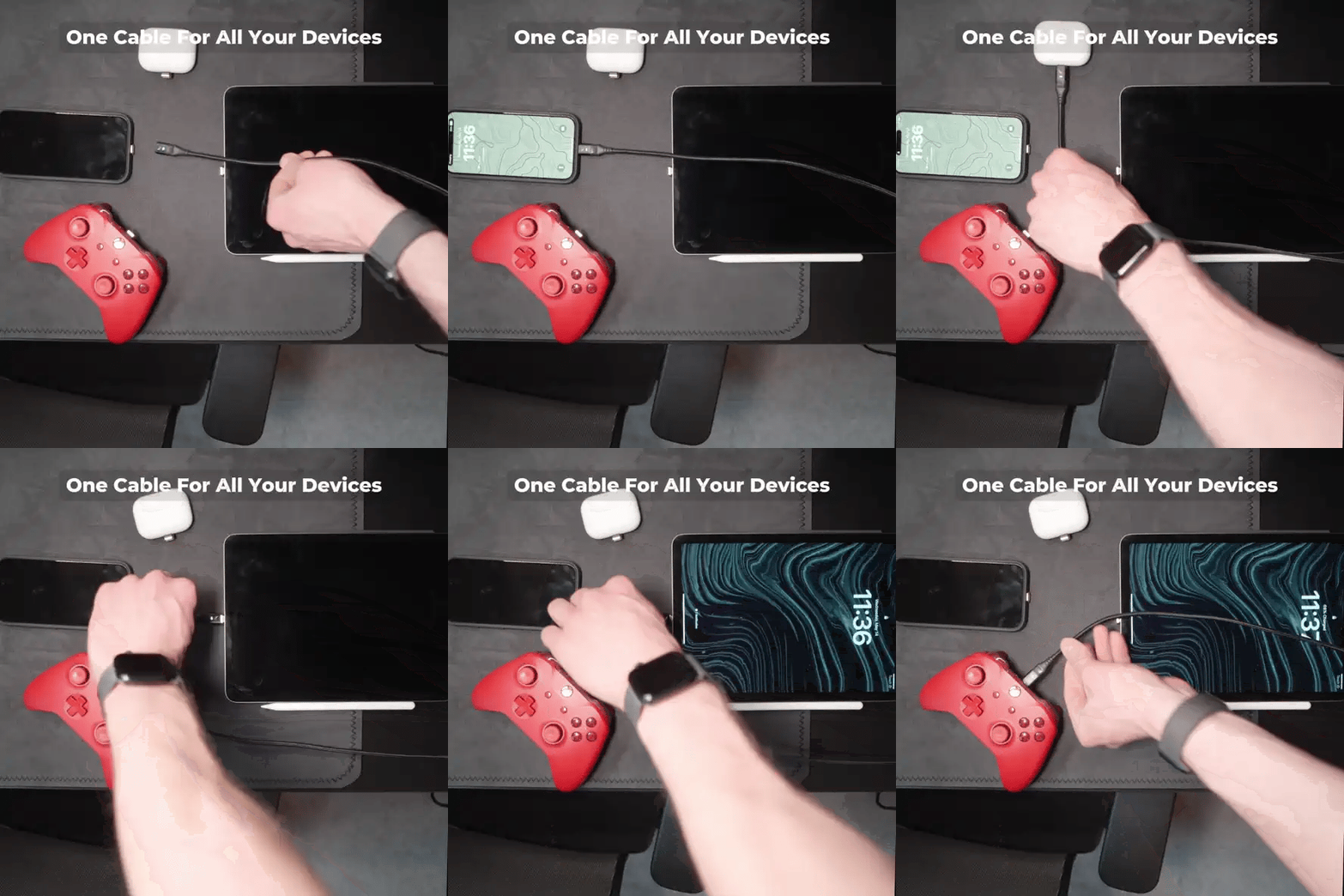
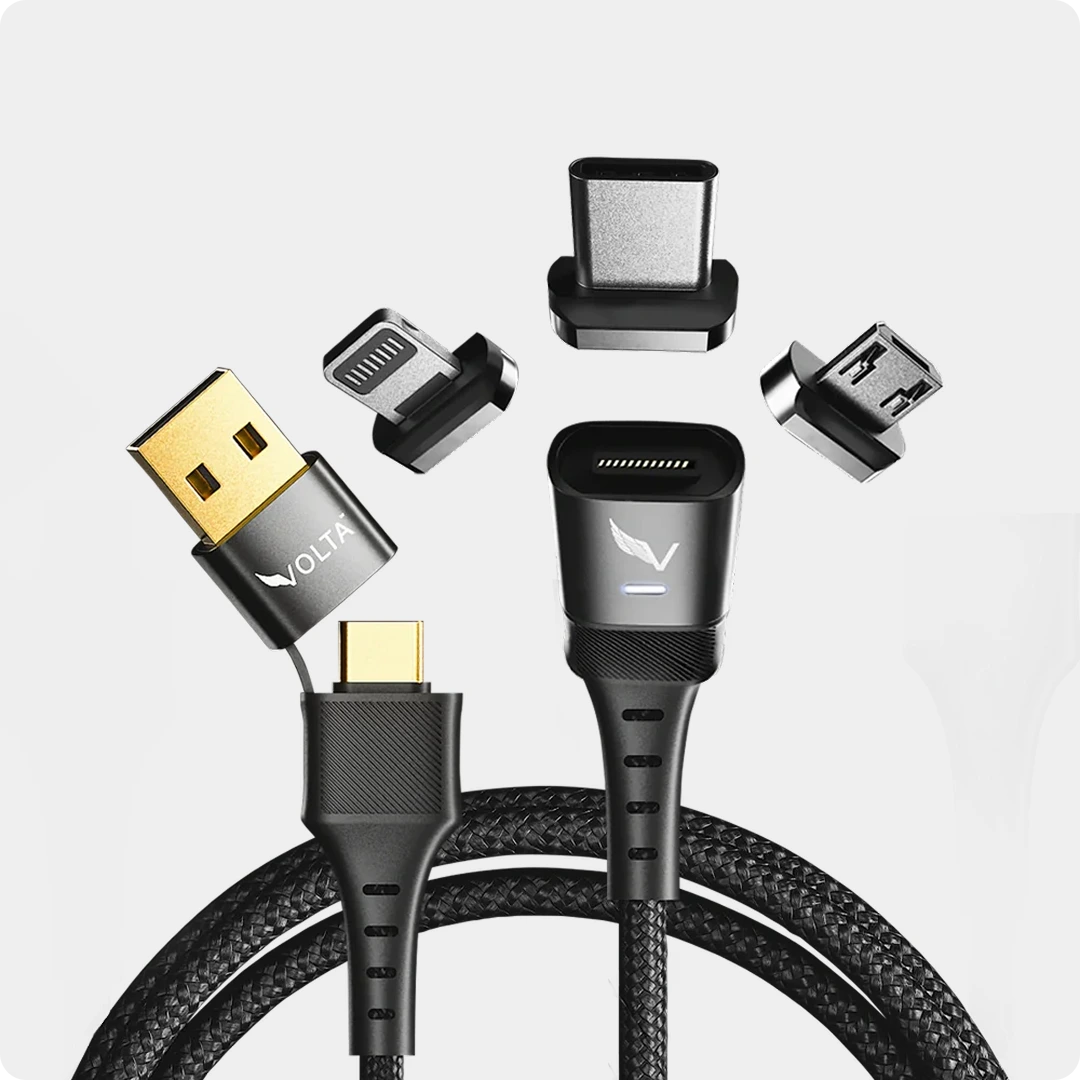
Volta MAX is our complete magnetic cable option, with interchangeable tips for USB-C, Lightning and Micro-USB devices. Choose it when you want a replacement cable and a snap-on connection rather than simply another fixed connector.

MAX is our 240W magnetic cable, supporting up to 20Gbps data transfer and 4K display output. For phone charging, its power rating describes cable capability, not a promise that the phone charges at 240W. Actual charging depends on the charger, phone and connection used.
Choose USB-C tips for USB-C phones, Lightning tips for Lightning iPhones, or 3 Mixed Tips for devices with different connections. Choose 0.5m beside a nearby power source or 1.5m for more desk and bedside reach.
For a smooth finish, choose TPE; for a woven finish, choose nylon braided. Our cable-material buying guide explains the difference. The jacket alone does not determine charging speed.
Choose Volta Zero for a short USB-C connection
Volta Zero 240W is the alternative when you want a short, direct USB-C-to-USB-C cable between nearby equipment. Choose it for a compact connection, not as a cure for every slow-charging phone.

Choose MAX for the magnetic-tip arrangement and length options. Choose Zero for a short direct USB-C link. Keep a suitable undamaged cable if it already does the job.
When You Need a New Charger
A charger upgrade makes sense when your current power source cannot provide the charging mode your phone supports, or when it cannot supply the devices you want to charge together. The useful combination is enough output and the right charging protocol, not the biggest wattage number alone.
USB-C describes a connector. USB Power Delivery, PPS and other charging systems describe how supported equipment negotiates power. A USB-C socket by itself does not promise a particular fast-charging mode.
Choose Giga GaN for a multi-port charging point
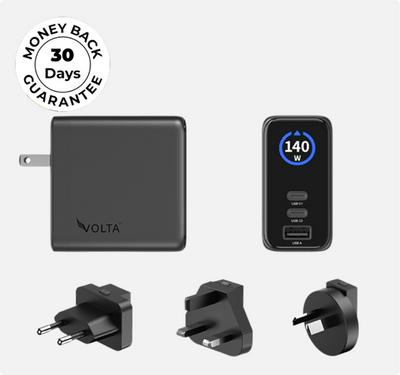
The 140W Giga GaN Charger brings two USB-C ports and one USB-A port into one wall charger. Choose it when you want a charging point for several supported devices rather than separate adapters for each.

140W Giga GaN Charger
€100,47
140W 3-Port GaN Charger - the mini charger with mighty power. Charge via two USB Type-C® and one through USB Type-A. Perfect for charging smartphones, ...

Shop the 140W Giga GaN Charger
The 140W rating is not 140W into every connected phone, nor 140W for each port at once. For a phone that already reaches its supported charging rate with your existing charger, buying this charger is a choice about your wider setup, not a guaranteed speed increase.
If your goal is a Samsung-specific fast-charging mode, our Samsung and Android charger guide separates PD, PPS and phone-model requirements. We are not presenting Giga GaN's wattage alone as proof of a particular Samsung charging mode.
Why Charging Slows When You Add Another Device
A multi-port charger supplies a shared power budget. Connecting another device can change the output available to the phone, so a charger that works well for one device may behave differently with several attached.
Charge the phone on its own for comparison. If it returns to the speed you expect, the cable may be working perfectly. Keep the existing charger if charging devices separately suits you; choose a different multi-device arrangement only when simultaneous charging is part of your routine.
The same principle applies to power banks and car chargers. Their output and supported charging modes matter; they are not automatically slower simply because they are not wall chargers.
When Neither a Cable Nor a Charger Is the Answer
The phone is too hot or too cold
Phones can reduce or pause charging to manage temperature. Let the phone return to a normal temperature, keep it out of direct sun and pause demanding tasks while it charges. A higher-wattage accessory does not override that protection.
The battery is nearly full
Charging is not a constant-speed process from empty to full. It commonly slows as the battery fills. A slower final stretch does not, by itself, mean the cable or charger has failed.
A charge limit or battery-management feature is active
A selected charge limit or an optimised charging feature can deliberately delay or stop charging. That is different from an accessory that cannot deliver power. On iPhone, the Battery settings explain the active charging behaviour.
The phone is using power while charging
Navigation, gaming and other demanding tasks use energy while the battery is being replenished. Resting the phone with the screen off gives you a more useful comparison than judging charging speed during intensive use.
The problem remains with suitable replacement accessories
If several working chargers and cables give the same poor result, seek device support for the phone, charging port or battery. Another accessory purchase is not the next useful step.
Your Buying Decision in One Minute
- Damaged cable or normal charging restored by a cable swap: replace the cable.
- Normal charging restored by a suitable charger swap: replace or upgrade the charger.
- Need a complete magnetic cable: choose MAX.
- Need a short direct USB-C cable: choose Zero.
- Need a three-port wall-charging point: consider Giga GaN for the supported devices in your setup.
- Heat, a nearly full battery or a charging limit explains the slowdown: buy neither.
Keep the parts that work. Whether you are charging at home in the US, UK, Australia or Europe, the phone's supported charging mode and the complete connection matter more than buying the highest number on a box.
For a visibly damaged iPhone cable, our iPhone cable replacement guide explains tip and length choices. For expectations about charging progress, read our iPhone charging-times guide.
Frequently Asked Questions
Can a charging cable cause slow charging?
Yes. A damaged cable or one unsuitable for the required power can limit the connection. If a suitable different cable restores normal charging with the same charger, replace the original cable.
Will a new charger charge my phone faster?
It can if the old charger was the limiting part and the replacement supplies a charging mode the phone supports. If your existing setup already reaches the phone's supported rate, more charger wattage alone will not increase it.
Should I replace both the cable and charger?
Only when both need replacing. Changing one component at a time identifies the useful purchase and avoids replacing a working accessory.
Does a 240W cable charge a phone at 240W?
No. The cable rating describes its capability. The phone and charger determine the power used by the connection.
Is USB-C the same as fast charging?
No. USB-C is the connector type. Fast charging depends on supported power and charging protocols across the complete setup.
Why does charging slow near full?
The phone manages charging as the battery fills. A slower final stretch is not, on its own, a reason to buy a new cable or charger.
Why is charging slower when several devices are connected?
A multi-port power source shares its available output. Charging the phone on its own helps distinguish shared power from a faulty cable.
Charging references: iPhone charge speeds, temperature-related charging limits and charge limits and Optimized Battery Charging.

140W Giga GaN Charger
140W 3-Port GaN Charger - the mini charger with mighty power. Charge via two USB Type-C® and one through USB Type-A. ...



Napsat komentář
Tento web je chráněn službou hCaptcha a vztahují se na něj Zásady ochrany osobních údajů a Podmínky služby společnosti hCaptcha.