




- The Thread That Started the Panic
- How a Magnetic USB-C Cable Actually Works
- Debunking the 5 Most Common Reddit Objections
- The Real Risk: Buying the Wrong Cable
- Why Steam Deck Owners Specifically Benefit From Magnetic Cables
- Conclusion
- Frequently Asked Questions
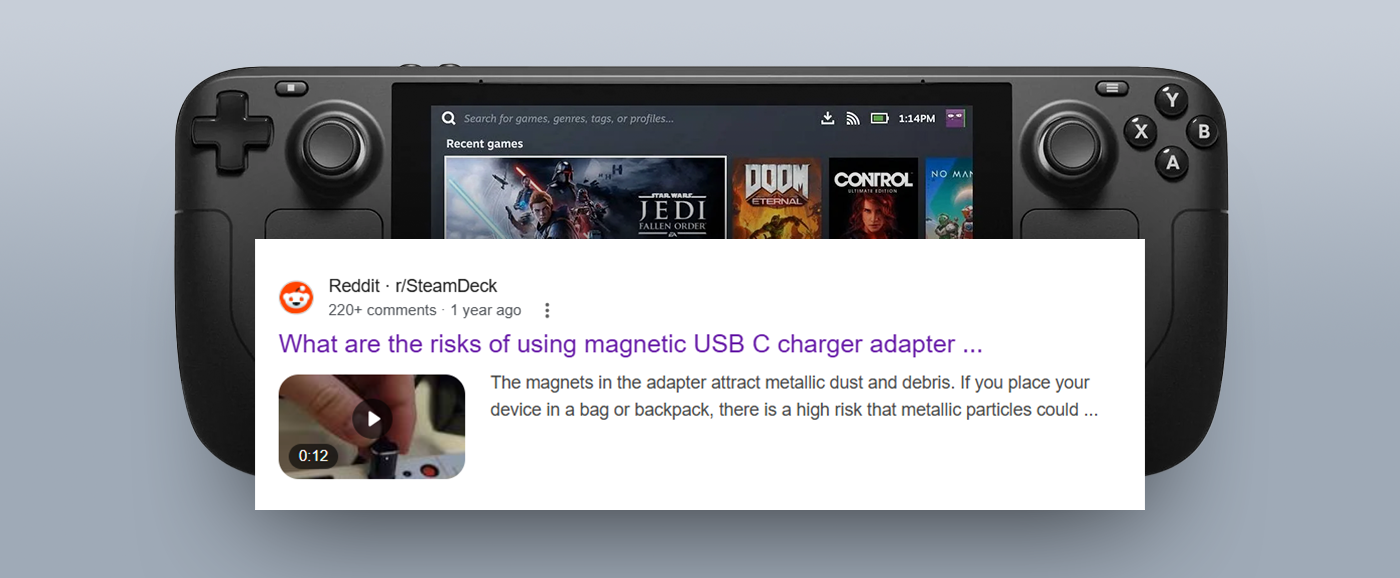
If you've ever searched "magnetic USB-C cable Steam Deck" on Reddit or the Steam community forums, you know what you find: a wall of anxiety. Fear about fan interference. Worry about port damage. Warnings from well-meaning users who read one horror story about Dbrand's Killswitch case and extrapolated it into a blanket condemnation of all things magnetic.
The problem is that most of that advice is wrong or at best, dangerously incomplete.
We've gone through the threads, the Steam community discussions, the repair shop reports, and the actual physics of how magnetic USB-C cables work. This is the authoritative answer to whether a magnetic USB-C cable is safe for your Steam Deck. Spoiler: not only is it safe when you choose correctly, it may be one of the best things you do for the longevity of your device.
The Thread That Started the Panic
The fear largely traces back to a real incident. In late 2022, Dbrand released a Steam Deck case accessory called the Project Killswitch. A well-designed, premium case that featured a magnetically attached kickstand. The problem was that the magnets in the kickstand sat directly behind the Steam Deck's internal fan. The Delta variant of the Steam Deck's onboard fan could get substantially slowed down when equipped with Dbrand's Killswitch case and its magnetically attached kickstand.
That's a real issue, and Dbrand handled it transparently by pulling the product. But here's the critical detail that gets buried every time this story resurfaces on Reddit: Dbrand's QA didn't catch the issue because their own Decks use the Huaying fans instead, which are seemingly unaffected by the Killswitch magnets.
So the fan interference issue was:
- Specific to the Delta fan variant (not all Steam Decks)
- Caused by a magnet positioned directly over the fan in a back-mounted case
- Not present in the Huaying fan variant, which Valve later standardised
Now ask yourself: how does any of that apply to a magnetic USB-C cable plugged into the top edge of your Steam Deck, on the opposite side of the device from the fan?
The answer is: it doesn't. And yet this single anecdote from a case accessory has been copy-pasted into hundreds of threads as evidence that all magnets are dangerous to the Steam Deck. That's the misinformation loop that needs to be broken.
How a Magnetic USB-C Cable Actually Works
Before we address each community fear, it helps to understand the mechanism.
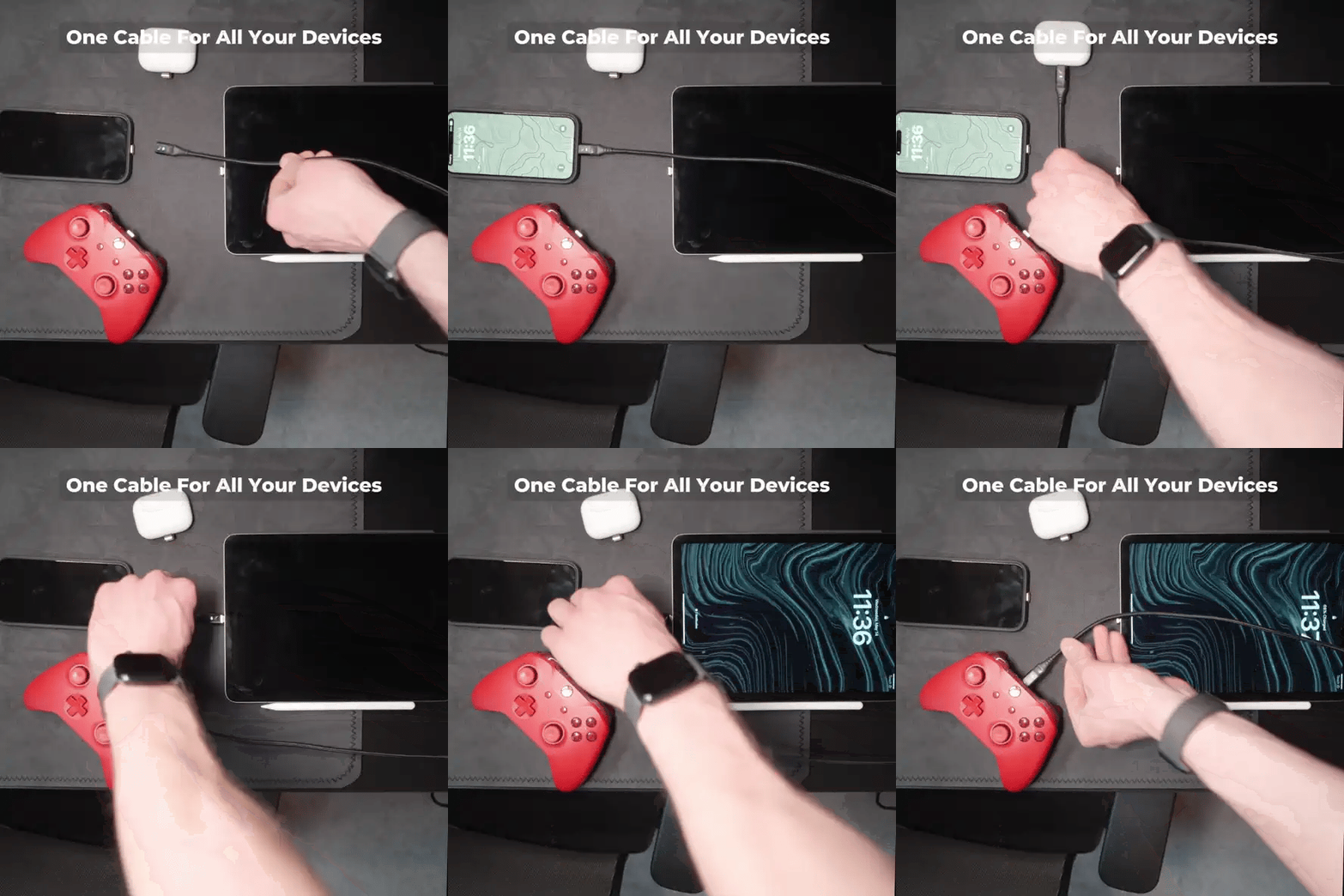
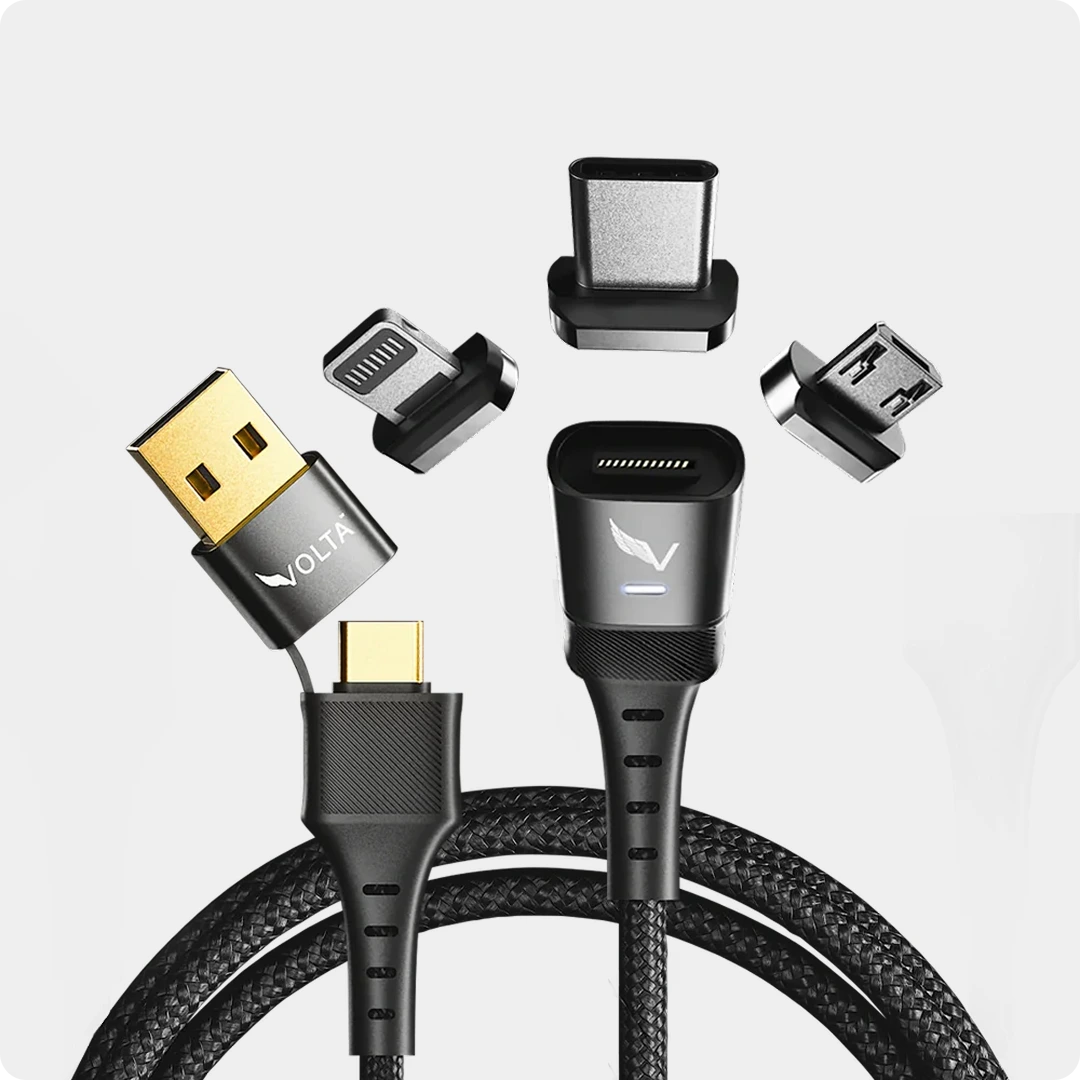
A magnetic USB-C charging cable works in two parts. A small magnetic tip, called the adapter or "plug end". Sits permanently in your device's USB-C port.

This tip contains the electrical contacts. The cable itself has a corresponding magnetic connector that snaps onto the tip when brought close. You are never inserting the cable body into the port again after the initial tip installation.
A magnetic cable does more than just charge, it acts as a permanent shield for your device, providing dust protection and zero wear and tear on device ports.
On the safety side, quality magnetic cables like the Volta Max use USB Power Delivery (USB-PD) technology. An E-Mark chip acts like a traffic cop for electricity.

It communicates with both your device and the power source to determine the maximum power your device can safely handle and regulates the flow to match that limit, preventing the cable from delivering too much juice.
This is not sketchy consumer electronics improvisation. It's the same underlying electrical intelligence that Apple's MagSafe and modern USB-C PD standards were built on.
Debunking the 5 Most Common Reddit Objections
1. "The magnet will interfere with the Steam Deck's fan"
This is the big one, and it gets repeated constantly without context.

The fan interference documented by Dbrand involved a magnet physically positioned on the back panel of the device, directly behind the fan motor. The USB-C port on the Steam Deck is on the top edge. The distance and orientation are completely different. The issue appeared in a power bank that uses a magnetic mount to attach to the Steam Deck's back. Again, back-mounted accessories positioned near the fan. A cable connector at the top edge port is not in that risk zone.
If you want to be thorough about it: only some of the fan models used in the Steam Deck had issues with magnets. The Delta fan affected by this was reportedly phased out by Valve after the Killswitch debacle. More recent units use the unaffected Huaying fan.
Verdict: The fan interference concern does not apply to magnetic USB-C cables used at the top port.
2. "It'll damage the port over time"
Here's the irony: this concern gets raised against magnetic cables when it's the precise reason to use one.
The USB-C port on the Steam Deck handles charging, data transfer, and video output, meaning wear and tear can build up over time. Frequent plugging and unplugging, accidental cable pulls, liquid exposure, or internal stress can cause the port to loosen, bend, or fail entirely.
USB-C port repairs on the Steam Deck are not trivial. This is a very difficult repair due to the nature and location of the solder pads hidden from view of the Steam Deck charging port. Repair shops charge $70–$100+ USD for a USB-C port replacement, and that's before you account for shipping and the risk that a damaged port can take out other components during the repair process.
A magnetic cable removes almost all of this risk. With the tip permanently seated in the port, you're no longer physically inserting and removing a connector dozens or hundreds of times. The small magnetic tip stays in your device, acting as a dust plug that protects the port from dirt and debris. The cable then snaps onto that tip, so you're not physically inserting anything into the port after the initial setup.
The only wear that happens is the cable snapping onto the tip. Which is a magnet-to-magnet connection, not a mechanical insertion. Use a dedicated short "breakaway" cable or magnetic adapter to absorb wear instead of the Deck's port is literally cited as best practice by engineers discussing how to preserve Steam Deck ports.
Verdict: A magnetic cable protects the port, not damages it.
3. "The cable is too heavy and will stress the port"
This comes up in threads from users worried about cable weight creating lateral force on the port. It's a legitimate concern for traditional cables, but it actually inverts for magnetic ones.
With a standard USB-C cable, the full weight of the cable pulls on the port's solder joint. Any side angle compounds the stress. That's why you'll see repair shops report port failures from stiff cables and awkward angles.
With a magnetic cable, the tip in the port weighs almost nothing, typically a few grams. The cable body detaches magnetically at the moment any significant force is applied. The breakaway design ensures that if the cord is ever yanked, it detaches cleanly from your device, leaving it safely in place.
This is the design principle Apple built MagSafe around in 2006, and it's why professionals who carry expensive devices regularly upgrade to magnetic charging solutions.
Verdict: Magnetic cables reduce cable stress on the port, they don't increase it.
4. "It might not support fast charging or full power delivery"
This is a legitimate concern but it's about cable quality, not the magnetic mechanism itself. It's the same concern you'd have buying any third-party USB-C cable.
The Steam Deck requires 45W USB-PD for full-speed charging. Cheap magnetic adapters that only pass 5-pin power (instead of full 12-pin USB-C) will cap you at much lower wattages. This is a real issue with low-end products and it's worth being specific about.
A quality magnetic USB-C cable rated for 60W or above with PD 3.0 support will charge your Steam Deck at full speed with no compromise. USB-C magnetic adapters with PD 240W fast charging and full 12-pin USB-C connectivity are commercially available and compatible with Steam Deck.

The specification to look for: USB-PD 3.1, minimum 60W, full 12-pin connectivity. Cables meeting this standard charge the Steam Deck identically to the included charger.
Verdict: Power delivery concern is real but applies to cheap cables. Quality magnetic cables deliver full 45W PD with no compromise.
5. "The magnets will wipe my SSD or corrupt storage"
This fear is a ghost from the spinning hard drive era. Modern devices including the Steam Deck use solid state storage (NVMe/eMMC), which stores data electrostatically, not magnetically.
Modern mobile devices use Solid State Drives (SSD) and flash memory, which are not affected by magnets. Older computers used spinning hard drives that were sensitive to magnetism, but your smartphone, iPad, and modern MacBook are perfectly safe around N54 magnets.
The Steam Deck uses eMMC or NVMe storage (depending on model tier). Neither can be affected by the small neodymium magnets used in a USB-C charging tip. This concern has no basis in 2026 device architecture.
Verdict: Completely unfounded. No risk to storage from cable magnets.
The Real Risk: Buying the Wrong Cable
Let's be honest about where the legitimate risk actually lives and it has nothing to do with magnetism.

The genuine danger zone is buying an unbranded, cheap magnetic adapter from an unverified seller that:
- Lacks proper PD negotiation, potentially delivering incorrect voltages
- Has poor contact pins that cause arcing or intermittent connections
- Uses low-quality magnetic strength, causing the cable to lose connection mid-charge.
These risks are about electrical engineering quality, not magnets. You'd have the same risks from a cheap standard USB-C cable.
What to look for in a magnetic USB-C cable for Steam Deck:
- Atleast a USB_PD 3.0 support (required for 45W fast charging)
- Full 12 or 24 pin pass-through (for data and video output if needed)
- Rated 60W minimum (headroom above the Deck's 45W requirement)
- Certified by a recognisable brand with documented specs
If those boxes are ticked, you have a cable that is electrically equivalent to Valve's included charger, with the added benefit of protecting your port from daily wear.
Why Steam Deck Owners Specifically Benefit From Magnetic Cables
The Steam Deck is a device that gets plugged and unplugged constantly. Gaming sessions, travel, desktop mode, couch mode, this thing moves. If you frequently switch between docked and handheld, using a magnetic adapter to absorb wear instead of the Deck's port is recommended best practice.
Symptoms of a worn port often include intermittent charging, no charging response, overheating connectors, or the device only powering on when the cable is held in a specific position. Exactly the kind of slow degradation you don't notice until it's too late.
The Steam Deck's USB-C port also carries more responsibility than a phone port. It handles power, video output, data transfer, and dock connectivity, all from the same connector. That's more load cycles, more insertion events, and more reason to protect it.
A magnetic cable eliminates the insertion variable entirely. The tip sits in the port. The cable snaps on and off without mechanical contact with the port. The breakaway behaviour protects against the accidental cable-yank scenario that causes a disproportionate number of port failures in handheld devices.
Conclusion
The Reddit consensus on magnetic USB-C cables and the Steam Deck is built on a misapplied cautionary tale. The fan interference story was real but it applied to magnets positioned on the back of the device, and it affected only one fan variant that Valve has since retired.
Magnetic USB-C cables at the charging port present none of those risks. Used with a quality cable that supports atleast a USB-PD 3.0 at 60W or above, you get:
- Full 45W fast charging, identical to the included charger
- No physical wear on your USB-C port
- Dust and debris protection for the port opening
- Breakaway protection from accidental cable pulls
- A lighter connection load on the port's solder joints
The people most at risk in those Reddit threads aren't the ones who used a magnetic cable. They're the ones who didn't and discovered a $100 USB-C port repair bill six months later.
VoltaCharger's magnetic USB-C cables are built for exactly this use case. USB-PD 3.1, full power delivery, and a quality build designed to outlast the port it's protecting.
Frequently Asked Questions
Will a magnetic USB-C cable interfere with the Steam Deck fan?
No. Fan interference was documented for back-mounted case accessories with magnets positioned directly over the fan. A magnetic cable connector sits at the top-edge USB-C port, which is on the opposite side of the device and far from the fan assembly. There is no documented case of a USB-C magnetic cable causing fan issues on the Steam Deck.
Does a magnetic USB-C cable support full 45W fast charging on the Steam Deck?
Yes, provided you use a cable rated for USB-PD 3.0 at 60W or above with full 12-pin USB-C connectivity. Cheap adapters with only 5-pin power pass-through will not support fast charging. A quality magnetic cable with PD 3.0 support charges the Steam Deck at the same rate as the included Valve charger.
Will leaving the magnetic tip in the port damage it?
No, the tip is designed to remain in the port permanently. It acts as a protective cap, shielding the port's electrical contacts from dust, lint, and moisture. The tip weighs only a few grams, exerting negligible stress on the port's solder joints.
Can the magnets damage the Steam Deck's SSD?
No. The Steam Deck uses solid-state storage (eMMC or NVMe), which stores data electrostatically and is not affected by magnetic fields. This concern originates from older spinning hard drives and does not apply to any modern device.
What power rating should I look for in a magnetic USB-C cable for the Steam Deck?
Look for USB-PD 3.0 support with a minimum 60W rating and full 12-pin USB-C pass-through. This ensures the cable can negotiate the 45W power delivery the Steam Deck requires for fast charging.

Volta MAX Cable
✅ Easy Magnetic Connection ✅ Snap to Charge Your Phone, Laptop, and More ✅ Charges ALL Apple Lightning, USB-C & ...



Napsat komentář
Tento web je chráněn službou hCaptcha a vztahují se na něj Zásady ochrany osobních údajů a Podmínky služby společnosti hCaptcha.