







If your iPhone screen is lifting or the back cover is separating, you might be dealing with a bulging battery. It's a worrying sight, and for good reason. A swollen battery is a serious issue that could lead to overheating, leaks, or even an explosion if not handled properly. But why does this happen, and what should you do about it?
Let's break it all down from the causes of battery swelling to the risks involved and the safest way to deal with it.
What Causes an iPhone Battery to Bulge?
A swollen battery is almost always caused by chemical reactions inside the lithium-ion cell that have gone wrong. Here are the most common reasons why this happens:
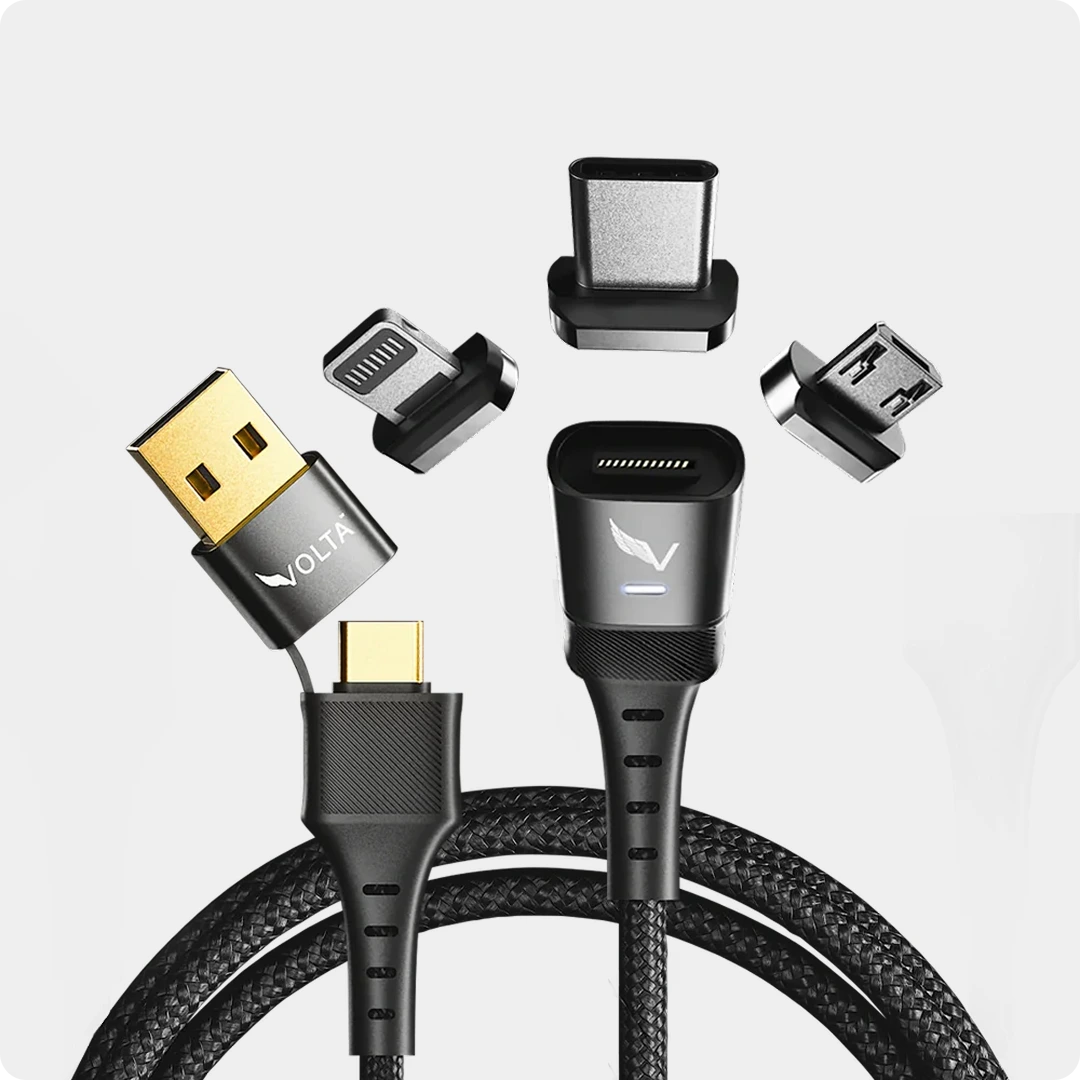
1. Overcharging & Heat Exposure: iPhones have optimized charging, but exposing your phone to excessive heat can still degrade the battery. Leaving your phone plugged in under a pillow in direct sunlight or on a hot car dashboard can accelerate swelling. If you frequently charge with low-quality adapters or cables, excessive heat can build up, making matters worse. This is why using safe, well-engineered charging accessories like the Volta Max Cable is essential.

Volta MAX Cable
$50.00
✅ Easy Magnetic Connection ✅ Snap to Charge Your Phone, Laptop, and More ✅ Charges ALL Apple Lightning, USB-C & Micro USB Devices ✅ Supports ...
2. Aging & Battery Wear: As batteries age, they naturally lose their ability to hold a charge. Over time, the chemical reactions inside a lithium-ion battery can create gas buildup, causing it to expand. If your iPhones is over three years old and has poor battery life, swelling could be on the horizon.
3. Using Low-Quality Charger: Cheap or faulty chargers that don't regulate power properly can overcharge your battery or cause voltage spikes. This is a major risk with generic charging accessories, The Volta Max Cable is designed to prevent power surges and heat buildup, ensuring a safe charge every time.
4. Physical Damage: Dropping your iPhone can damage the internal battery, even if there's no visible crack. A punctured lithium-ion battery can swell, leak, or catch fire due to internal short-circuiting.
5. Manufacturing Defects: In rare cases, some iPhones leave the factory with defective batteries that are prone to swelling. Apple has issued recalls for certain models in the past due to battery-related issues.
How to Tell If Your iPhone Battery Is Bulging
A swollen battery doesn’t always show immediate signs, but here’s what to watch for:
- Screen separation – If the display seems to be popping out or is lifted on one side.
- Back cover lifting – On models with glass or aluminum backs, you may notice a gap forming.
- Unresponsive buttons – Pressure from a swollen battery can interfere with button functions.
- A soft, puffy feel – If the phone feels unusually soft or you notice bulging when pressing on the back.
- Overheating – A swollen battery often produces excess heat, even when idle.
Is a Swollen iPhone Battery Dangerous?
Yes. A swollen battery can:
- Leak toxic chemicals that are harmful if they come into contact with skin.
- Explode or catch fire if punctured or exposed to heat.
- Cause internal damage to other components inside your iPhone.
This is not a problem to ignore. If your battery is swelling, stop using your phone immediately.
What to Do If Your iPhone Battery Is Swollen
- Stop charging it – If you suspect your battery is swelling, unplug your phone immediately.
- Power it down – Turn off your iPhone to reduce heat and prevent further expansion.
- Do NOT press on the swollen area – Squeezing the battery could cause it to rupture.
- Avoid puncturing or opening the phone – Lithium-ion batteries are highly volatile when exposed to air.
- Take it to Apple or a certified repair shop – Apple offers battery replacements, and some models may qualify for free repairs if there's a recall.
- Store it safely – If you can't get to a repair shop immediately, keep the phone in a cool, dry place away from flammable materials.
How to Prevent iPhone Battery Swelling
- You can't completely prevent battery aging, but you can reduce the risk of swelling by taking proper care of your iPhone:
- Use high-quality charging cables – Cheap cables can cause power surges, leading to overheating. The Volta Max Cable is built to handle high-speed charging safely, ensuring a smooth and stable charger without overheating risks.
- Avoid extreme temperatures – Don't leave your phone in a hot car or under direct sunlight.
- Charge properly – Don't drain your battery to 0% too often, and avoid leaving it plugged in at 100% for long periods.
- Use a reliable power bank – If you need to charge on the go, a high-quality power bank like the VoltaGo Max is a safer alternative to unknown outlets or low-quality chargers. It delivers fast, efficient charging without excess heat buildup.
- Check your battery health regularly – Go to settings > Battery > Battery Health & Charging to monitor performance. If your maximum capacity is below 80%, it's time to consider a replacement.

Conclusion
A swollen iPhone battery is a serious issue that should never be ignored. Whether it's caused by age, heat, or faulty charging, acting quickly can prevent damage, injury, or worse.
FAQ: iPhone Battery Swelling
Q: Is a bulging iPhone battery dangerous?
A: Yes. A bulging or swollen iPhone battery is a serious safety hazard. The swelling indicates that gases are building up inside the lithium-ion cell due to a chemical breakdown. If left unchecked, a swollen battery can rupture, leak toxic chemicals, or in rare cases catch fire. Stop using the device immediately and do not attempt to puncture or press on the swollen area.
Q: What causes an iPhone battery to bulge?
A: iPhone battery swelling is almost always caused by lithium-ion cell degradation. The most common causes are overcharging and heat exposure, using counterfeit or low-quality chargers that deliver incorrect voltage, physical damage to the battery from drops, and normal age-related degradation in batteries over 2 to 3 years old.
Q: Can I still use my iPhone if the battery is swollen?
A: No. You should stop using it immediately. A swollen battery can cause the screen to lift, buttons to stop working, and in serious cases can lead to fire. Take the device to an Apple Store or certified repair centre as soon as possible and do not charge it further.
Q: How do I know if my iPhone battery is swollen?
A: The most visible sign is the screen or back glass lifting away from the iPhone body, creating a visible gap. You may also notice the device rocking on a flat surface when it previously sat flat, the screen becoming unresponsive in certain areas, or buttons becoming harder to press. If you see any of these signs, treat it as a swollen battery.
Q: Can a cheap charger cause iPhone battery swelling?
A: Yes. Non-certified chargers can deliver inconsistent voltage and bypass the safety protocols built into iPhone charging circuits. Over time this degrades the battery chemistry and accelerates the chemical reactions that cause swelling. Always use MFI-certified chargers and USB-C cables that meet Apple's power delivery specifications.
Q: How do I dispose of a swollen iPhone battery safely?
A: Never throw a swollen battery in regular trash. It is a fire hazard and illegal in most regions. Take it to an Apple Store, Best Buy, or a certified e-waste recycling centre. Apple offers free battery recycling through its trade-in and recycling program. Do not place it in a bag sealed airtight as gas pressure can build further.




Leave a comment
This site is protected by hCaptcha and the hCaptcha Privacy Policy and Terms of Service apply.